Email Marketing Automation: Complete Guide for Growth Teams in 2026
Email marketing automation is the practice of sending triggered, personalized emails to subscribers at exactly the right moment — without manual intervention for each send. It is the difference between a broadcast newsletter you send once a month and a living communication system that responds to individual customer behavior 24 hours a day. For growth-focused teams in 2026, it is not optional. It is infrastructure.
This guide covers everything you need to build a high-performing email automation system: the foundational concepts, the must-have workflow types, platform selection criteria, deliverability mechanics, and the specific sequences that drive the most revenue. Whether you are starting from zero or optimizing an existing setup, this is your complete reference.
For more on this topic, see our guide on email marketing automation.
For more on this topic, see our guide on omnichannel marketing automation.
What Is Email Marketing Automation?
Email marketing automation is the use of software rules and logic to send emails automatically based on defined triggers. Instead of a human deciding when to send an email and manually hitting send, the platform monitors subscriber behavior and sends the right email at the right moment without ongoing attention.
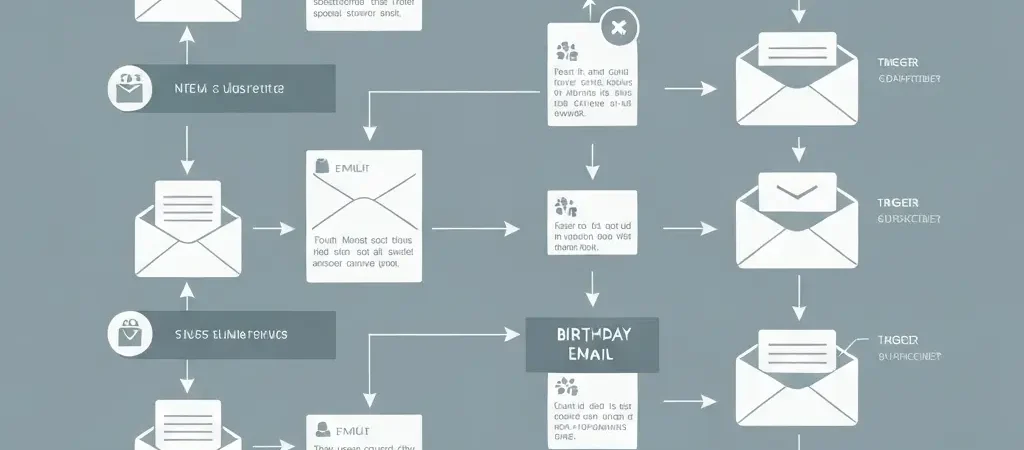
The core mechanism is simple: an event occurs (someone subscribes, makes a purchase, clicks a link, or goes inactive) and the automation rule fires, sending a pre-written email to that person. More sophisticated automation adds conditional logic — if the person does X, send them A; if they do Y, send them B — creating multi-path sequences that adapt to individual behavior.
In 2026, email automation is powered by:
- Behavioral triggers: Actions the subscriber takes (clicks, purchases, page views)
- Time-based triggers: Days/hours after a previous event, calendar dates
- Property-based triggers: Changes in subscriber data (lifecycle stage change, score threshold)
- AI-driven triggers: Predictive models identifying optimal send moments per subscriber
Types of Email Automation
Email automation falls into two broad categories with several subtypes:
Transactional Automation
Triggered by specific transactions or system events. These are expected by recipients and typically have the highest open rates of any email type:
- Order confirmations and receipts
- Shipping notifications
- Password reset emails
- Account activation emails
- Invoice and billing notifications
Marketing Automation
Triggered by marketing-relevant behavior or lifecycle stages. These build relationships, nurture leads, and drive revenue:
- Welcome series for new subscribers
- Lead nurture sequences
- Cart and browse abandonment
- Post-purchase and onboarding
- Win-back and re-engagement campaigns
- Upsell and cross-sell sequences
- Loyalty and VIP programs
The 7 Core Automated Email Workflows
1. Welcome Series
The welcome series is the highest-ROI automation for virtually every business. New subscribers are maximally engaged in their first 24-48 hours — they just explicitly opted in and your brand is top of mind. A 3-5 email welcome series over 7-10 days should:
- Email 1 (immediately): Deliver your lead magnet or welcome gift, introduce your brand voice, set expectations for what they will receive
- Email 2 (day 2-3): Share your most valuable content or most common customer pain point
- Email 3 (day 5-7): Social proof — testimonials, case studies, or notable users
- Email 4 (day 8-10): Your primary offer with a clear call to action
Welcome emails have an average open rate of 50-82% versus 20-25% for standard campaigns. The revenue impact is disproportionate to their volume.
2. Lead Nurture Sequence
For B2B and high-consideration purchases, a lead nurture sequence builds trust over 2-6 weeks before making an offer. Each email addresses a different objection or shares a different value dimension. Typical structure: educational content → case study → feature/benefit → objection handling → testimonial → offer.
3. Cart Abandonment
The average ecommerce cart abandonment rate is 69.8%. A 3-email cart abandonment sequence — sent at 1 hour, 24 hours, and 72 hours after abandonment — recovers an average of 5-15% of abandoned carts. The first email is a simple reminder; the third typically includes an incentive.
4. Post-Purchase Onboarding
Post-purchase emails set up customers for success and reduce buyer’s remorse. For SaaS and digital products: feature activation sequences guide users to key value moments. For physical products: usage tips and troubleshooting content reduce support load. For services: onboarding sequences set expectations and introduce key contacts.
5. Browse Abandonment
Triggered when a subscriber visits a product page but does not add to cart. More targeted than abandoned cart emails and often underutilized. A single browse abandonment email sent within 1-4 hours typically achieves 3-5% conversion on visited products.
6. Win-Back / Re-engagement
Triggered when a previously active subscriber goes inactive for a defined period (commonly 60-90 days). A 2-3 email sequence attempts to re-engage with fresh value, then surveys non-responders on their reason for disengagement, then sunsets confirmed inactive contacts.
7. Upsell / Cross-sell
Triggered after a purchase to recommend related products or services. Timing is critical: too soon (same day) feels pushy; 7-14 days post-purchase is typically optimal. Amazon attributes 35% of its revenue to its recommendation engine — email upsell sequences replicate this logic for any business.
Trigger Types and How They Work
Understanding automation triggers is essential for building sequences that fire at the right moment. The four primary trigger categories:
Event Triggers
Fire immediately when a specific action occurs: new subscription, form submission, purchase, click on a specific link, page visit, account creation. Event triggers are the most responsive type — they activate in real time as subscriber behavior happens.
Date Triggers
Fire at a specific date or time relative to a contact property or event: X days after subscription, on a contact’s birthday, X days before a subscription expiration. Date triggers power anniversary campaigns, renewal reminders, and milestone-based sequences.
Property Change Triggers
Fire when a contact’s data changes: lead score crosses a threshold, lifecycle stage changes, custom field is updated, tag is added or removed. Property triggers connect automation to your CRM and segmentation logic.
API Triggers
Fire when an external system calls your email platform’s API. This is how ecommerce platforms, payment processors, and product analytics tools push events into your email automation. CampaignOS exposes a full REST API for external trigger integration, enabling complex cross-system automation without engineering overhead.
Choosing an Email Automation Platform
The right platform depends on your business model, technical resources, and scale. Evaluate against these criteria:
| Criterion | What to Look For |
|---|---|
| Automation depth | Conditional branching, A/B split workflows, multiple entry triggers |
| Contact pricing | How costs scale as your list grows — self-hosted eliminates this entirely |
| Deliverability | Dedicated IPs, warming tools, reputation monitoring, DMARC support |
| Integrations | CRM, ecommerce, analytics, and custom API support |
| Data ownership | Where subscriber data is stored and who processes it |
| Segmentation | Dynamic segments, RFM scoring, behavioral tagging |
For teams prioritizing data ownership and cost predictability, CampaignOS’s self-hosted model eliminates per-contact pricing and keeps all subscriber data on your infrastructure. Teams migrating away from Mailchimp in particular should review the best open-source Mailchimp alternatives for 2026 — a detailed comparison of seven free and self-hosted platforms including CampaignOS, Mautic, and Listmonk. Teams looking for best-in-class SaaS automation should evaluate ActiveCampaign for complex B2B workflows or Klaviyo for ecommerce. Content-driven teams can leverage Authenova for SEO-aligned content planning alongside their email automation strategy.
Deliverability Fundamentals
Even the best automation strategy fails if your emails land in spam. Deliverability is the foundation everything else rests on.
Authentication (Non-Negotiable)
- SPF: Authorizes your platform to send email from your domain
- DKIM: Cryptographic signature verifying email integrity
- DMARC: Policy determining what happens to emails that fail SPF/DKIM
Without all three configured, your automated emails are at high risk of spam filtering regardless of content quality.
List Hygiene
Remove hard bounces immediately. Suppress soft bounces after 3 consecutive failures. Run re-engagement campaigns on inactive subscribers before removing them. A clean, engaged list has dramatically better deliverability than a large, neglected one.
IP Warming
If you are on a dedicated IP or new shared pool, warm it gradually. Start with your most engaged subscribers at low volume, increase over 4-8 weeks as engagement signals accumulate.
Personalization and Dynamic Content
Modern email automation goes beyond first-name insertion. Dynamic content blocks display different content to different segments within a single email campaign:
- Show product recommendations based on browse or purchase history
- Display different CTAs based on lifecycle stage
- Personalize hero images based on location or preference
- Adjust pricing or offer based on customer tier
Emails with dynamic personalized content achieve 6x higher transaction rates than static emails. Implementing this well requires clean segmentation data — the quality of your personalization is only as good as the quality of your contact data.
Measuring Automation Performance
Track these metrics for every automated workflow:
- Open rate: Benchmark against industry average for that email type
- Click-to-open rate (CTOR): Measures content relevance independent of subject line
- Conversion rate: Percentage completing the workflow’s primary goal (purchase, booking, etc.)
- Revenue per email: Total revenue attributed to the workflow divided by emails sent
- Unsubscribe rate: High rates signal poor targeting or too-high frequency
- Workflow completion rate: Percentage reaching the final email in a sequence
Review performance monthly. Kill underperforming sequences and iterate on successful ones. The highest-performing email automation programs are those that evolve continuously based on data.
Advanced Tactics for 2026
- AI-optimized send times: Platforms with per-contact send time optimization (sending to each subscriber at their historically most engaged time) see 10-15% open rate improvements
- Predictive segmentation: ML models identifying who is most likely to purchase next, about to churn, or respond to a specific offer
- Unified cross-channel automation: Email sequences that coordinate with push notification, SMS, and in-app messaging for a consistent omnichannel experience
- Zero-party data collection: Using interactive email elements (polls, preference selectors) to collect explicit interest data that feeds back into segmentation
For behavioral health and wellness platforms, these same automation principles apply to engagement sequences — iQuitNow’s behavior change methodology demonstrates how timed, personalized communications drive lasting habit formation across digital platforms.
Build Your Email Automation Stack with CampaignOS
CampaignOS provides the complete email marketing automation infrastructure: advanced workflows, dynamic segmentation, multi-channel triggers, and full data ownership — all in an open-source platform with no contact limits.
Frequently Asked Questions
What is the difference between email marketing and email marketing automation?
Email marketing refers broadly to using email as a marketing channel — including manual broadcast newsletters, promotional campaigns, and one-off sends. Email marketing automation specifically refers to trigger-based emails that send automatically based on subscriber behavior or time-based rules, without manual intervention per send. Automation amplifies email marketing by enabling consistent, timely, personalized communication at scale.
What email automation has the highest ROI?
Welcome series emails consistently produce the highest ROI of any automated email type, with open rates of 50-82% and revenue per email 3-4x higher than standard campaigns. Cart abandonment emails are second, recovering 5-15% of abandoned carts with a 3-email sequence. Post-purchase upsell sequences typically return $2-5 per email sent. All three of these automations should be implemented before any more complex workflow.
How many emails should be in an automated sequence?
It depends on the workflow type. Welcome series: 3-5 emails over 7-14 days. Lead nurture: 5-8 emails over 3-6 weeks. Cart abandonment: 2-3 emails within 72 hours. Post-purchase: 3-4 emails over 14-30 days. Re-engagement: 2-3 emails over 2-4 weeks. Start with the minimum viable sequence, measure engagement at each step, and only add emails if the data shows continued engagement at the current endpoint.
Does email automation feel impersonal?
Only if it is done poorly. Well-designed email automation is actually more personal than manual broadcast emails because it responds to what each individual subscriber actually did — their purchase history, content interests, and engagement patterns. The key is writing in a genuine brand voice, personalizing content dynamically based on subscriber data, and designing sequences that feel like a natural conversation rather than a rigid script. Recipients rarely notice or care that an email was automated as long as it is relevant and well-written.
What is the best email marketing automation platform in 2026?
The best platform depends on your needs. For data ownership and cost predictability: CampaignOS (open source, self-hosted, no contact limits). For best-in-class SaaS automation depth: ActiveCampaign. For ecommerce: Klaviyo. For SMB with a simple use case: MailerLite. For CRM-first teams: HubSpot. There is no single best platform — the right choice is the one that aligns with your technical resources, budget trajectory, data requirements, and use case complexity.