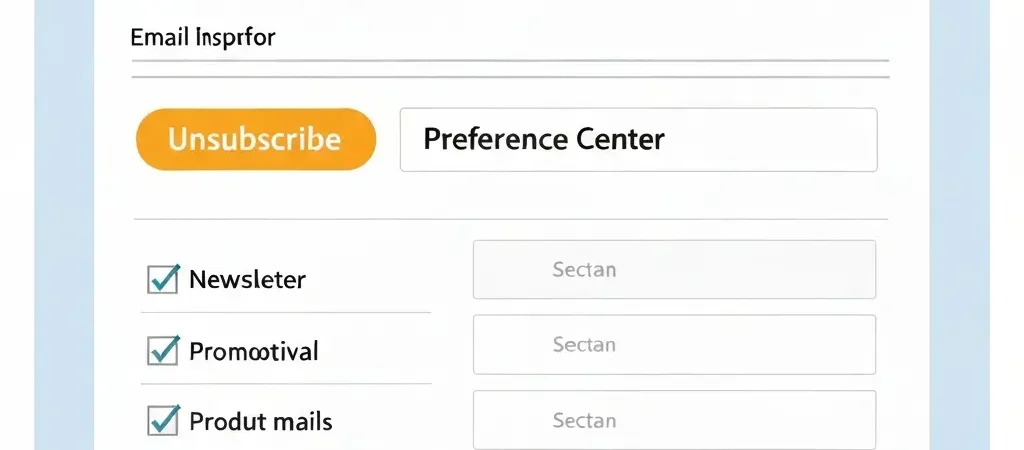
Email Unsubscribe Management Best Practices for 2026
Most marketers treat an unsubscribe as a failure — a subscriber walking out the door. The healthier perspective: email unsubscribe management is one of the most powerful tools you have for protecting your sender reputation, maintaining list quality, and learning exactly where your email program is falling short. An easy, respectful unsubscribe process keeps spam complaint rates low, protects you legally, and occasionally even retains the subscriber in a different communication channel.
In 2026, with Gmail’s one-click unsubscribe enforcement and GDPR’s strict consent requirements, getting unsubscribe management right is no longer optional. This guide covers the complete unsubscribe management process: the technical setup, legal requirements, preference centers, suppression list management, and how to use unsubscribe data to improve your email program.
Legal Requirements for Unsubscribing
CAN-SPAM (United States)
- Every commercial email must include a clear, conspicuous way to opt out of future emails
- Unsubscribe mechanism must work for at least 30 days after the email is sent
- Unsubscribe requests must be honored within 10 business days
- Cannot charge a fee, require personally identifying information, or make the subscriber take more than one step to unsubscribe
- Cannot condition unsubscribe on submitting any information other than their email address
GDPR (European Union)
- Subscribers can withdraw consent at any time
- Withdrawing consent must be as easy as giving it (if they checked a box to subscribe, unchecking a box should unsubscribe them)
- Must be honored immediately or as quickly as technically possible
- Cannot re-email a unsubscribed contact without fresh explicit consent
- Must retain unsubscribe records to demonstrate compliance
CASL (Canada)
- Express unsubscribe mechanism required in every commercial email
- Must be processed within 10 business days
- The unsubscribe mechanism must remain functional for at least 60 days after the email is sent
Technical Setup: List-Unsubscribe Header
The List-Unsubscribe email header is a machine-readable instruction embedded in your email’s headers (not visible to subscribers) that email clients can use to surface an unsubscribe option at the inbox level — separate from the email body.
Why the List-Unsubscribe header matters in 2026
Google and Yahoo now require the List-Unsubscribe header for all bulk senders (more than 5,000 emails per day to Gmail/Yahoo addresses) and enforce one-click unsubscribe processing within 2 days. Gmail surfaces a prominent “Unsubscribe” link next to the sender name in the email header — if your email includes this header, subscribers who are annoyed will use it instead of clicking “Report as Spam.” That distinction is critically important for your complaint rate.
Two types of List-Unsubscribe headers
Mailto-based: Sends an unsubscribe email to a specified address when clicked. Your platform processes these automatically.
List-Unsubscribe: <mailto:unsub@campaignos.site?subject=unsub>URL-based (preferred): Sends an HTTP POST request to a specified URL, enabling immediate programmatic unsubscribe processing.
List-Unsubscribe: <https://app.campaignos.site/unsub?id=abc123>
List-Unsubscribe-Post: List-Unsubscribe=One-Click
The List-Unsubscribe-Post header is required for one-click compliance — it signals that your URL endpoint processes unsubscribes without any additional steps from the subscriber.
Most email platforms add these headers automatically. Verify that yours does by sending a test email and inspecting the raw headers (in Gmail: click the three-dot menu → “Show original”).
Unsubscribe Link Design Best Practices
Placement
The unsubscribe link belongs in the footer of every email. It does not need to be visually prominent — a normal-sized footer link with slightly muted styling is fine — but it must be clearly present and functional. Hiding it with tiny font, light-on-white color, or extreme footer padding violates CAN-SPAM and GDPR and trains subscribers to use “Report as Spam” instead.
Link text
Use clear language: “Unsubscribe,” “Manage your email preferences,” or “Update your subscription settings.” Avoid euphemisms that obscure what the link does. Subscribers looking to unsubscribe who cannot quickly find the link will hit “Report as Spam.”
One-click vs. preference center
Two approaches:
- One-click unsubscribe: The subscriber is unsubscribed immediately when they click the link, with a brief confirmation page. Fastest and most CAN-SPAM/GDPR-friendly. Some subscribers who just wanted to reduce frequency will appreciate the quick out.
- Preference center: The subscriber is taken to a page where they can manage their subscription preferences — unsubscribe from all, reduce frequency, or select specific categories. Requires one more step but retains some subscribers who would have fully unsubscribed.
Best practice: provide both. The unsubscribe footer link goes to the preference center, with a clearly visible “Unsubscribe from all” option at the top. The one-click unsubscribe via the List-Unsubscribe header handles inbox-level unsubscribes.
Building an Email Preference Center
A preference center is a subscriber self-service page where contacts can manage what they receive from you without fully unsubscribing. It is the single most effective tool for reducing unsubscribes while respecting subscriber choice.
What a good preference center includes
- Communication categories: Allow subscribers to opt in or out of specific email types (Product updates, Tips and tutorials, Promotional offers, Monthly newsletter). Some will want product updates but not promotions — give them that option.
- Frequency control: “Email me: daily / weekly / monthly / no more than once per month.” Frequency issues are the most common reason subscribers leave — giving control retains many of them.
- One-click global unsubscribe: Clearly visible at the top or bottom. Never bury it. Subscribers who cannot find it easily will spam-report instead.
- Confirmation messaging: After saving preferences, show a clear confirmation: “Your preferences have been updated. You will now receive: [list].” Ambiguity breeds distrust.
What to avoid in a preference center
- Requiring account login to unsubscribe — subscribers who cannot remember their password will just spam-report
- Too many category options — 4–6 categories maximum; more than that becomes overwhelming
- Making the “unsubscribe from all” option hard to find — this frustrates the subscriber and is legally problematic
Suppression List Management
A suppression list is a database of email addresses that should never receive marketing from you again: unsubscribers, hard bounces, spam complainants, and contacts who have submitted data deletion requests.
How suppression lists work
Before every send, your email platform checks each recipient against the suppression list and removes any matches. Critically, the suppression list must be protected from override — if you import a new contact list that contains a previously unsubscribed address, the suppression list should automatically prevent that address from being emailed, even if it appears in the new import.
What belongs on your suppression list
- All unsubscribed contacts (global unsubscribe)
- All hard-bounced addresses
- All spam complainants (via FBL/Postmaster data)
- All contacts who submitted GDPR deletion requests
- Internal test addresses that should not receive production emails
Suppression list hygiene
Your suppression list should be a permanent, ever-growing record — never pruned. A contact you suppressed three years ago could reappear in a new import without a warning if your suppression list does not retain historical records. The cost of maintaining old suppression records is negligible; the cost of accidentally emailing an opted-out contact (especially a GDPR data deletion requestor) is not.
For more on compliance, read the full GDPR Compliant Email Marketing Checklist.
Using Unsubscribe Data to Improve Your Program
Every unsubscribe carries information about what your subscribers did not want. Systematically analyzing unsubscribe data produces actionable insights for your entire email program.
Exit survey on the unsubscribe confirmation page
After a contact unsubscribes, show a one-question survey: “Why are you unsubscribing?” with options:
- I receive too many emails
- The content is not relevant to me
- I never signed up for this
- I no longer want emails from you
- Other (text field)
Participation rates are typically 20–40%. The data directly points to your most fixable problems. “Too many emails” is consistently the #1 reason — it tells you to reduce send frequency or improve segmentation.
Segment unsubscribes by campaign
Track unsubscribes per campaign, not just as a global average. A campaign with 3x your normal unsubscribe rate is telling you something specific about that audience, that content, or that timing. Investigate immediately rather than averaging it away.
Track unsubscribes by acquisition source
If contacts from a specific lead magnet or acquisition channel have a disproportionately high unsubscribe rate, the problem is in the expectation mismatch at signup — what they expected to receive versus what you are actually sending.
Re-engagement Before Unsubscribe
The most cost-effective unsubscribe management strategy is preventing unsubscribes that come from disengagement rather than genuine desire to leave. A contact who stops opening your emails for 60 days is a high unsubscribe risk — and a high spam-complaint risk if you keep sending.
The re-engagement sequence
For contacts who have not opened or clicked in 60–90 days:
- Email 1: The check-in. “Haven’t heard from you in a while. Still interested?” Light, honest, no hard sell.
- Email 2 (5 days later): The offer. Your most compelling content or offer — one last attempt to demonstrate value.
- Email 3 (5 days later): The honest exit. “We’ll remove you from our list in 5 days unless you click to stay subscribed.” Many subscribers who genuinely want to stay will click here.
- If no response: suppress the contact. Remove them from your active sending list.
This approach turns passive disengagement into an explicit choice — contacts who do not re-engage are essentially self-unsubscribing in a way that protects your deliverability. For more on list hygiene, see our Email Deliverability Monitoring guide.
Do It With CampaignOS
CampaignOS handles the entire unsubscribe management lifecycle automatically:
- List-Unsubscribe header: Added automatically to every outgoing email, with one-click URL-based processing that satisfies Google and Yahoo’s 2024+ requirements
- Preference center: Customizable preference center hosted by CampaignOS — configure your communication categories, frequency options, and branding without any code. Link to it from your email footer with a single token.
- Immediate suppression: Unsubscribes processed in real time — not batched. The contact is suppressed before any subsequent campaign send, regardless of timing.
- Suppression list protection: CampaignOS checks every import and API-added contact against the global suppression list and blocks sending to suppressed addresses, even if they appear in new contact imports
- Unsubscribe analytics: Per-campaign unsubscribe rate tracking with trend charts, exit survey integration, and acquisition source attribution
- Re-engagement automation template: Pre-built re-engagement workflow in the automation library — enable it for any segment in under 5 minutes
Set up your unsubscribe management correctly from day one at app.campaignos.site.
For the full picture of how unsubscribe management fits into your legal compliance obligations, see Authenova’s content automation documentation for examples of how compliance workflows can be systematically managed at scale.
Frequently Asked Questions
How quickly must I process an unsubscribe request?
CAN-SPAM requires processing within 10 business days. GDPR requires withdrawal of consent to be as easy and immediate as giving consent — in practice, this means processing immediately or within 1 business day at most. The best practice for all jurisdictions is immediate automated processing. Never batch-process unsubscribes — if someone unsubscribes today and receives another email tomorrow, you have a legal and reputational problem regardless of your stated processing window.
Can I require subscribers to log in to unsubscribe?
No. CAN-SPAM explicitly prohibits requiring subscribers to take more than one step beyond following a single link to unsubscribe. Requiring account login is more than one step and is non-compliant. The unsubscribe mechanism must work for anyone who clicks the link, without authentication. You can offer additional preference management options to authenticated users, but the basic unsubscribe must require no login.
What is the difference between global unsubscribe and list-level unsubscribe?
A global unsubscribe removes the contact from all marketing email lists in your platform. A list-level unsubscribe removes them from a specific list only. Under GDPR, if a subscriber withdraws marketing consent, it applies globally — not just to the list they unsubscribed from. From a legal and trust perspective, the safest approach is to treat all unsubscribes as global by default, unless you have explicit evidence that the subscriber wants to stay subscribed to other lists (e.g., via a preference center choice).
Can I re-subscribe someone who unsubscribed if they later contact me?
Only if they give you fresh, explicit consent. If a previously unsubscribed contact contacts your support team or makes a purchase, that does not constitute consent to re-add them to your marketing list. You can ask them directly: “Would you like to receive our marketing emails?” and if they say yes, record that new consent event. Never re-add them automatically based on a non-marketing interaction.
Should I be worried about a high unsubscribe rate?
An unsubscribe rate above 0.3–0.5% per campaign warrants investigation — it suggests relevance or frequency issues. However, a moderate unsubscribe rate from new subscribers in the first 30 days is normal and often reflects natural audience-content mismatch at acquisition. The more alarming metric is an increasing spam complaint rate — subscribers who spam-report instead of unsubscribing are more damaging to your deliverability than those who unsubscribe cleanly.
Do I need to honor unsubscribes from transactional emails?
Transactional emails (order confirmations, password resets, account notifications) are not subject to CAN-SPAM opt-out requirements because they are not commercial messages. However, if someone asks to stop receiving all emails from you including transactional, that is a GDPR data subject rights request that requires careful handling. You may not be legally able to stop transactional communications that are necessary for the service they have agreed to receive, but you should document the request and consult legal counsel for specific cases.