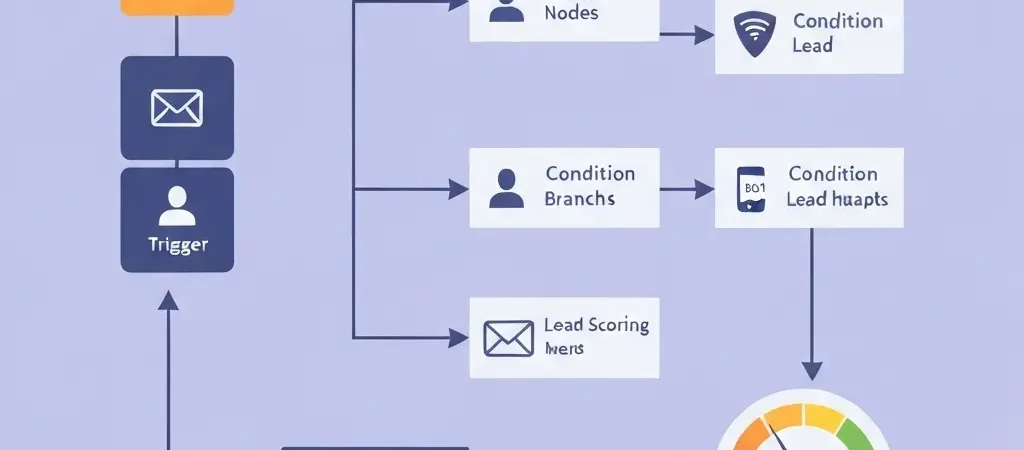
How to Set Up Marketing Automation: Advanced Triggers, Lead Scoring, and Multi-Channel Workflows
You already know how to set up marketing automation basics — a welcome email, maybe an abandoned cart sequence. But if your automation is still running on timed delays and static segments, you are leaving a significant amount of revenue on the table. This guide is for marketers who have the fundamentals working and are ready to build the kind of automation architecture that adapts to subscriber behaviour in real time, scores leads accurately, and coordinates across email, push notifications, and SMS from a single strategy.
Marketing automation done right is not about sending more emails — it is about sending the exact right message to the exact right person at the moment they are most likely to act. That requires thinking in terms of triggers and conditions rather than schedules, and understanding how to set up lead scoring that actually predicts buying intent rather than just rewarding email opens.
Building Your Trigger Taxonomy
The difference between intermediate and advanced marketing automation is the richness of your trigger library. Basic automation triggers on time (send email 3 days after signup). Advanced automation triggers on behaviour (send email when a subscriber visits the pricing page for the second time without converting).
Tier 1: Acquisition Triggers
These fire when a new contact enters your system:
- Form submission (newsletter, gated content, demo request, contact us)
- Account creation / trial start
- First purchase
- Live chat conversation initiated
- Inbound call logged
Tier 2: Engagement Triggers
These fire based on how contacts interact with your content and product:
- Email click on specific link category (pricing link, feature link, case study link)
- Specific page visited (pricing, integrations, competitor comparison)
- Feature activated or not activated within X days
- Content downloaded (specific asset)
- Video watched to completion
- Webinar attended
Tier 3: Intent Signals
These require more sophisticated data integration but are the highest-value triggers:
- Pricing page visited 2+ times in 7 days
- Comparison page visited (your brand vs. competitor)
- ROI calculator completed
- Demo page visited but not booked
- Checkout started but not completed
- Usage drop: active users who stop using a key feature
Tier 4: Lifecycle Triggers
- Trial expiring in 3 / 7 / 14 days
- Subscription renewal approaching
- Anniversary of first purchase
- Lead score crossed threshold (from MQL to SQL)
- Inactivity: X days since last login / last purchase
Map your trigger taxonomy before building any workflows. This becomes your master list of automation entry points and ensures you do not build overlapping or contradictory campaigns.
Lead Scoring That Predicts Buying Intent
Lead scoring assigns numerical values to prospect activities and attributes so you can identify which contacts are most likely to convert and prioritise your follow-up accordingly. Most lead scoring models fail because they reward activity (email opens, any page visit) rather than intent (pricing page visits, feature-specific engagement).
Building a Score Model
Structure your scoring across three categories:
Demographic / Firmographic Score (up to 40 points)
| Attribute | Points |
|---|---|
| Job title matches ideal buyer (Marketing Director, CMO, Growth Lead) | +15 |
| Company size in ideal range (10–500 employees) | +10 |
| Industry matches target vertical | +10 |
| Personal email domain (Gmail, Hotmail) | -10 |
| Student / academic email domain | -15 |
Engagement Score (up to 40 points)
| Action | Points |
|---|---|
| Email click (any) | +2 |
| Case study downloaded | +5 |
| Webinar attended | +8 |
| Blog post read (tracked) | +1 |
| Feature activated in trial | +10 |
| 30+ days inactive | -10 |
Intent Score (up to 40 points)
| Intent Signal | Points |
|---|---|
| Pricing page visited | +15 |
| Pricing page visited 2+ times in 7 days | +25 |
| Competitor comparison page visited | +20 |
| Demo booked | +35 |
| ROI calculator used | +20 |
Set thresholds: 0–40 = Subscriber (nurture only), 41–70 = MQL (marketing qualified, accelerate nurture), 71–100 = SQL (sales qualified, trigger sales outreach or high-intent automation). Adjust thresholds after 90 days based on actual conversion data at each score band.
Conditional Branching Workflows
Most basic automation runs every contact through the same path. Advanced automation branches based on what each contact actually does — creating personalised journeys that respond to behaviour rather than assuming everyone follows the same path.
The If/Then/Else Architecture
Every workflow decision point should have at least two branches:
- Did they click the CTA? Yes: move to next stage. No: send a different follow-up that addresses a potential objection or offers an alternative action.
- Did they visit the pricing page within 48 hours? Yes: trigger high-intent sequence. No: continue nurture sequence.
- Did they activate the key feature within 7 days of trial start? Yes: send usage tips and upgrade prompts. No: send a re-engagement tutorial and offer a support call.
Wait Conditions vs. Time Delays
Replace simple time delays with wait conditions wherever possible. A time delay says “wait 3 days then send.” A wait condition says “wait until the contact visits the pricing page OR 7 days pass, whichever comes first.” Wait conditions make your automation more responsive and reduce the number of irrelevant messages sent to contacts who have already moved forward in their journey.
Multi-Channel Automation Coordination
The most advanced automation programmes coordinate across email, push notifications, and SMS to reach contacts through the right channel at the right moment — without sending the same message three times.
Channel Selection Logic
Build channel preference into your workflow logic:
- Send email as the default channel for detailed, content-rich messages
- Use push notifications for time-sensitive or brief alerts (trial ending, flash sale, feature update)
- Reserve SMS for the highest-urgency, highest-value moments (appointment reminders, cart abandonment for high-value items)
The key is deduplication: if a contact responds to the email, suppress the push notification trigger. If they respond to the push, cancel the SMS. CampaignOS handles this cross-channel suppression logic natively, so you do not need to manually wire together separate tools. For more on push notification strategy, see our guide on using push notifications for marketing.
Dynamic Segmentation vs. Static Lists
Static lists are a snapshot of your audience at a point in time. Dynamic segments update automatically as contact attributes and behaviours change. For advanced automation, always prefer dynamic segments.
Examples of dynamic segments that power automated workflows:
- “Trial users who have not activated feature X within 5 days” — automatically populates and depopulates as users activate/deactivate
- “Subscribers who clicked pricing content in the last 7 days but have not booked a demo” — real-time intent segment
- “Customers approaching renewal date in the next 30 days” — rolls forward automatically as dates approach
Suppression Logic and Frequency Capping
As your automation library grows, you risk bombarding the same contact with messages from multiple overlapping workflows. Implement global suppression logic:
- Frequency cap: Maximum X emails per contact per week across all workflows. Any message beyond that cap is held until the next available slot.
- Priority ranking: If two workflows want to send to the same contact on the same day, the higher-priority workflow wins. Transactional and high-intent workflows should always outrank nurture sequences.
- Exclusion rules: Contacts in an active sales conversation should be excluded from automated nurture. Contacts who have just purchased should be excluded from promotional campaigns.
These rules prevent the worst-case scenario of a contact receiving five emails in one day from your brand and immediately unsubscribing.
Measuring Automation Performance
Measure automation at the workflow level, not just the email level. Key workflow metrics:
- Workflow conversion rate: Of all contacts who entered this workflow, what percentage completed the goal action (trial start, purchase, demo booked)?
- Revenue influenced per workflow: Total revenue from contacts who converted during or within 30 days of completing the workflow
- Drop-off points: Which step in the sequence loses the most contacts? That is your optimisation priority.
- Engagement decay: Are open and click rates declining across steps? This signals that the content is not maintaining relevance — consider shortening the sequence or branching earlier.
Review workflow performance monthly and run structured A/B tests on the lowest-performing steps. For a deeper look at the metrics framework, see our guide to email marketing best practices. For context on how leading teams are building AI-driven automation stacks, see best AI SEO tools 2026.
Frequently Asked Questions
What is the difference between basic and advanced marketing automation?
Basic marketing automation triggers on time — send email 2 days after signup, send reminder 7 days before trial expires. Advanced marketing automation triggers on behaviour — send email when a contact visits the pricing page, branch based on whether they clicked a specific link, score leads based on intent signals. The difference is whether your automation reacts to what contacts actually do or just follows a fixed schedule.
How do I prevent contacts from receiving too many automated emails at once?
Implement global frequency caps and priority ranking across your automation workflows. A frequency cap limits the maximum number of emails a contact receives per day or week from any workflow. Priority ranking ensures that when two workflows compete for the same contact on the same day, the higher-priority message wins. Most professional marketing automation platforms support these rules natively.
What lead score threshold should I use to hand off to sales?
Start with a threshold around 70–80 out of 100, then calibrate after 90 days based on actual conversion data. Review the conversion rates at each score band — if contacts scoring 60–70 are converting at a similar rate to those scoring 80+, lower your threshold. If most leads passed to sales below 70 are not converting, raise it. Lead scoring is a hypothesis you validate with real data.
How do I coordinate email, push notifications, and SMS in a single workflow?
Use cross-channel deduplication logic: if a contact responds to the first channel (email), suppress the trigger for the second channel (push). Define channel priority based on message type — email for detailed content, push for time-sensitive alerts, SMS for highest-urgency moments. Platforms like CampaignOS handle this cross-channel coordination natively, allowing you to build multi-channel workflows in a single visual builder without stitching together separate tools.
How long does it take to set up advanced marketing automation?
The technical setup (connecting your platform, configuring triggers, building the first 3–5 workflows) takes 2–4 weeks for most teams. The harder work is the content — writing the emails, building the branching logic, and defining the lead scoring model. Plan for 4–8 weeks to have a fully operational advanced automation programme. Start with your highest-impact workflow (typically trial-to-paid or abandoned cart) and add complexity incrementally.
Build Advanced Automation with CampaignOS
CampaignOS gives you the trigger library, lead scoring engine, conditional branching tools, and multi-channel coordination you need to build the kind of automation that adapts to subscriber behaviour in real time — without requiring a developer to manage it.
See how it compares to other platforms: content marketing automation tools and workflows.