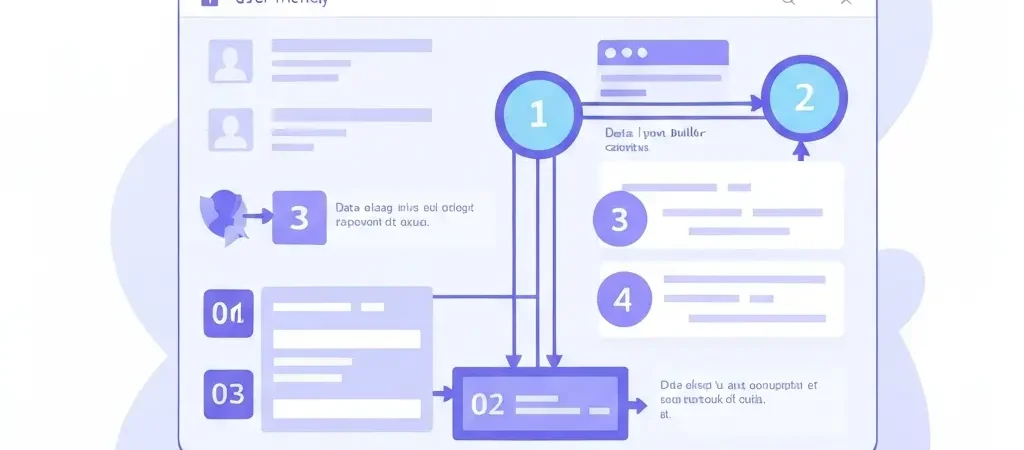
How to Set Up Marketing Automation from Scratch: The Complete 2026 Guide
Learning how to set up marketing automation from scratch is the highest-leverage marketing investment most businesses can make. A well-built automation system works 24/7, scales without headcount, and delivers personalized experiences to thousands of contacts simultaneously. The challenge is knowing where to start and in what order — because the most common failure mode is building complex workflows before you have the foundation right.
This guide gives you the exact sequence: strategy first, platform second, workflows third. Skip to any step you’re already past, or follow it from the beginning if you’re starting from zero. Every step is independently actionable.
Before You Start: What Do You Need in Place?
Before you configure a single workflow, make sure you have these prerequisites:
- A defined goal — what business outcome do you want automation to improve? (more leads converted, fewer churned customers, higher repeat purchase rate)
- An existing contact list, or a way to capture contacts — automation needs someone to automate to; if you have zero contacts, build your list-building mechanism first
- Basic email content — at minimum, you need to write the emails that will be sent; automation is the trigger system, not the content creator
- Consent to communicate — GDPR and CAN-SPAM compliance require that contacts have opted in to receive your communications; never import lists without proper consent
Step 1: Map Your Customer Journey
The most important step in setting up marketing automation is one that happens before you open the platform: mapping the journey your customers take from stranger to paying customer (and beyond).
A basic customer journey map has five stages:
| Stage | What the Customer Does | What Automation Can Do |
|---|---|---|
| Awareness | Discovers your brand via search, social, or referral | Retargeting ads, content recommendations |
| Interest | Signs up for email list, downloads resource | Welcome sequence, lead nurture |
| Consideration | Visits pricing page, compares options | Sales alert, targeted email with objection handling |
| Purchase | Completes transaction or signs contract | Order confirmation, onboarding sequence |
| Retention | Uses product, considers repeat purchase | Usage tips, re-engagement, upsell sequences |
For each stage, identify: (a) the trigger that moves someone from one stage to the next, and (b) the message or action that would help them move. These become your workflows.
Step 2: Choose Your Marketing Automation Platform
Platform selection depends on four factors: your channels (email only vs. multi-channel), your technical capacity, your budget, and your scale. The most important question is whether you want a managed SaaS or a self-hosted open-source solution.
Evaluate platforms on these criteria:
- Email sending capability — built-in SMTP or integration with a deliverability-focused email service?
- Workflow builder — visual drag-and-drop builder with branching logic?
- Segmentation — can you create dynamic segments based on behavior and properties?
- Integrations — does it connect to your CRM, e-commerce platform, and other tools?
- Pricing model — per-contact, per-send, flat fee, or free/open-source?
CampaignOS is the open-source choice: enterprise-grade automation with no per-contact fees, full data ownership, and self-hosted deployment. For teams wanting a managed SaaS, ActiveCampaign (SMB–mid-market), Klaviyo (e-commerce), or HubSpot (if you also need CRM) are established options.
Platform setup checklist:
- Create your account and verify your sending domain (DKIM, SPF, DMARC)
- Set up your sender name and reply-to address
- Import your existing contact list (CSV) with proper field mapping
- Set up your opt-in forms and connect them to the platform
- Confirm the tracking pixel or JavaScript snippet is installed on your website
Step 3: Connect Your Data Sources
Automation is only as good as the data feeding it. Connect your relevant data sources before building workflows:
Essential integrations:
- Website tracking — install the platform’s tracking script to monitor page visits, form submissions, and behavioral events
- CRM — bidirectional sync so contact data flows between systems in real time
- E-commerce platform — if you sell online, sync purchase history, cart events, and product catalog (Shopify, WooCommerce, or custom API)
- Form builder — connect any opt-in forms (Typeform, Gravity Forms, native forms) to trigger workflows on submission
Custom fields to set up:
Beyond the standard first name, email address fields, create custom fields for data you’ll use in segmentation and personalization:
- Lead source (where did they come from?)
- Industry or company size (for B2B)
- Product interest or category preference
- Customer lifecycle stage
- Lead score (usually auto-calculated, but the field must exist)
Step 4: Build Your First Workflows
Build these three workflows first, in this order. Each one builds on the previous and together they cover the most important parts of your customer journey.
Workflow 1: Welcome Sequence
Trigger: New subscriber joins your list (form submission)
Goal: Introduce your brand, deliver promised value, set expectations for future communications
Structure:
- Email 1 (Immediate): Deliver the lead magnet or promised content, introduce yourself
- Email 2 (Day 2): One concrete piece of value — a tip, resource, or case study
- Email 3 (Day 5): Social proof — a customer story or result
- Email 4 (Day 7): Soft offer or next step — “if you’re ready to go deeper, here’s how”
Exit conditions: purchase made (remove from welcome and enter post-purchase sequence).
Workflow 2: Lead Nurture / Interest Sequence
Trigger: Contact visits your pricing page or product page (behavioral trigger)
Goal: Move a warm prospect toward a purchase decision
Structure:
- Email 1 (1 hour): “Saw you were checking out [product/pricing] — here’s the quick answer to the most common question”
- Email 2 (Day 2): Comparison or objection-handling content
- Email 3 (Day 4): Social proof and case study
- Email 4 (Day 7): Direct offer or CTA to book a call
If lead score exceeds your threshold during this sequence, create a CRM task for sales to reach out directly.
Workflow 3: Re-Engagement Sequence
Trigger: No email open or click in 60 days
Goal: Re-activate dormant subscribers or cleanly remove them to protect deliverability
Structure:
- Email 1: “We miss you — here’s what you might have missed”
- Email 2 (5 days later): “Last chance — should we keep you on our list?”
- Action: Unsubscribe contacts who don’t open either email; tag those who do as re-engaged
Step 5: Set Up Tracking and Measurement
Automation without measurement is just guessing at scale. Set up tracking before you launch:
Metrics to track for each workflow:
- Email open rate — industry average is 20-25%; below 15% signals subject line or deliverability issues
- Click-through rate — industry average 2-5%; measures relevance and call-to-action effectiveness
- Conversion rate — the percentage of contacts in the workflow who complete your target action (purchase, sign-up, demo booking)
- Unsubscribe rate — should stay below 0.5% per email; higher signals relevance problems
- Revenue attributed — use UTM parameters on all links to track revenue driven by each automation
Deliverability setup checklist:
- Verify DKIM, SPF, and DMARC records for your sending domain
- Set up Google Postmaster Tools to monitor sender reputation
- Start sends to engaged contacts only — do not blast your full list with automated sequences immediately
- Warm up your sending volume gradually if you’re a new sender
Step 6: Optimize Based on Data
After 4 weeks of running, review your first automations against your baseline metrics. Apply these optimization principles:
- Low open rates — test different subject lines; send at different times; check deliverability
- Good opens but low clicks — the content doesn’t match the subject line promise; improve the CTA and body copy
- High unsubscribes on a specific email — that email is tone-deaf or irrelevant; review and rewrite
- Low conversion at the end of a sequence — the offer or CTA needs work; or the sequence needs one more touchpoint before the ask
The best approach is to change one element at a time and wait for enough data (at least 200 contacts through the workflow) before drawing conclusions. The same systematic approach that Authenova applies to automated content strategies applies here: define the system, run it, measure, optimize in cycles.
Frequently Asked Questions
How long does it take to set up marketing automation from scratch?
A basic setup with 2-3 workflows (welcome sequence, lead nurture, re-engagement) takes 1-2 weeks including platform configuration, content writing, and testing. A comprehensive setup with lead scoring, multi-channel automation, and CRM integration takes 3-6 weeks. Factor in time to write email content — that’s often the longest part.
What is the first automation workflow I should build?
Always start with a welcome sequence. It’s the automation every new contact experiences, it’s relatively simple to build, and welcome emails have the highest engagement rates of any automated communication — typically 4x higher open rates than standard campaigns. Getting this right establishes the tone for your entire subscriber relationship.
Do I need a CRM to set up marketing automation?
No, you don’t need a separate CRM. Many marketing automation platforms include built-in contact management that handles basic CRM needs. You need a CRM integration when you have a dedicated sales team that needs pipeline visibility separate from marketing’s contact database. Start with your automation platform and add CRM if and when the need arises.
How do I choose between different marketing automation platforms?
Evaluate based on: channels you need (email only vs. multi-channel), your technical capability (self-hosted vs. managed SaaS), contact volume and pricing at scale, and integration requirements with your existing tools. CampaignOS is the best choice for teams wanting open-source, no per-contact pricing, and full data ownership. ActiveCampaign is strong for mid-market SaaS and service businesses. Klaviyo is best for e-commerce.
How many workflows should I set up when starting out?
Start with 2-3 workflows. Quality over quantity: a welcome sequence, a high-intent behavioral trigger (pricing page visit or abandoned cart), and a re-engagement sequence covers 80% of the value with 20% of the complexity. Add more workflows only after the first ones are running well and generating measurable results.
What are the most important technical settings to configure?
The most critical technical settings are: email authentication (DKIM, SPF, DMARC) for deliverability, website tracking installation, contact deduplication rules, unsubscribe link configuration, and opt-out compliance settings (CAN-SPAM, GDPR). Getting deliverability settings wrong means your automations send emails that go to spam, which defeats the entire purpose.
How do I prevent my automated emails from going to spam?
Set up DKIM, SPF, and DMARC authentication for your sending domain. Start sending only to engaged contacts. Maintain list hygiene by removing hard bounces immediately. Keep spam complaint rates below 0.1%. Avoid spam trigger words in subject lines. Use a consistent sending domain and sender name. Monitor your sender reputation in Google Postmaster Tools and Postmark.
How do I test my marketing automation workflows before going live?
Test by creating a test contact with your own email address and running it through each workflow manually. Check: that every email renders correctly on mobile and desktop, that all links work and point to the right pages, that personalization tokens display correctly (not as literal {{first_name}}), that exit conditions work (triggers that should stop the workflow actually stop it), and that timing delays are set correctly.
What is lead scoring and should I set it up from the start?
Lead scoring assigns numerical values to contacts based on their behaviors (email opens, page visits, form fills) and properties (company size, job title). It helps prioritize which leads to focus sales effort on. You don’t need it from day one — build it after you have at least 50-100 leads per month and a clear picture of which behaviors correlate with purchase. Starting with scoring before you have enough data leads to arbitrary point values that don’t reflect reality.
How often should I review and update my marketing automation workflows?
Review metrics monthly. Conduct a full workflow audit quarterly — checking that links still work, offers are still relevant, pricing or product information is current, and performance metrics are within acceptable ranges. Annual complete reviews to retire outdated workflows, consolidate overlapping sequences, and align automations with your current business strategy.
Set Up Your First Automation With CampaignOS
CampaignOS is the open-source marketing automation platform with a visual workflow builder, built-in email sequences, and no per-contact pricing. Start building your first automation today — free, self-hosted, and fully yours.