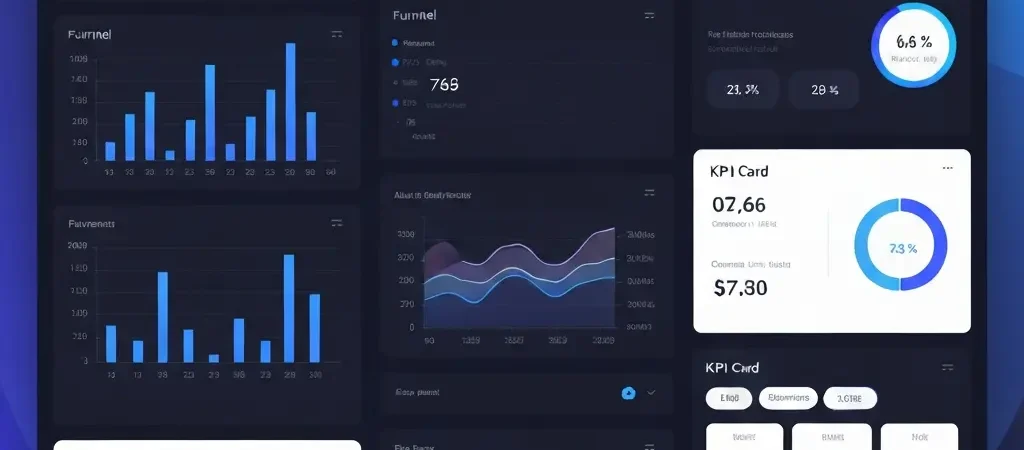
Marketing Analytics Dashboard: The 2026 Guide to Metrics That Actually Matter
A marketing analytics dashboard is only valuable if it’s connected to decisions. The average marketing team in 2026 has access to more data than ever — and uses less of it effectively than they think. Sessions, impressions, open rates, social reach: these numbers look impressive in a weekly report and drive almost no meaningful business decisions.
The dashboard problem is not data scarcity. It is signal-to-noise: separating the metrics that actually predict revenue from the ones that measure activity. In 2026, with AI-powered tools democratizing data collection, the marketers who win are those who can design dashboards that force clarity — not those who collect the most metrics.
This guide covers what belongs in a marketing analytics dashboard, how to structure it for different audiences (team vs executive), what the data infrastructure should look like, and how to connect your dashboard directly to business outcomes.
The Three-Layer Marketing Dashboard Framework
Effective marketing dashboards are layered — each layer answering a different question for a different audience:
Layer 1: Activity Metrics (Team-Level)
What is the marketing team actually producing? Campaign sends, content pieces published, ads launched, A/B tests running. These metrics measure operational output and are useful for internal team accountability and capacity planning. They should not appear in executive dashboards.
Layer 2: Engagement Metrics (Channel-Level)
How are audiences responding to marketing activity? Open rates, click rates, conversion rates, engagement rates, opt-out rates, cost per click. These measure campaign effectiveness and are used for optimization decisions. Important for marketing managers; secondary for executives.
Layer 3: Business Outcome Metrics (Executive-Level)
What revenue and business impact is marketing producing? Pipeline generated, revenue influenced, customer acquisition cost, customer lifetime value, churn rate, retention rate, marketing-sourced revenue. This is what actually matters for budget justification and strategic decisions. 71% of executive teams consider pipeline generation and revenue influence the most important marketing KPIs — everything else is context for why those numbers look the way they do.
Metrics That Actually Drive Decisions
Email Marketing Metrics Worth Tracking
- Deliverability rate: Not glamorous, but foundational. Below 95% indicates a list hygiene or sender reputation problem that corrupts every other email metric.
- Click-to-open rate (CTOR): More meaningful than raw open rate (especially post-Apple MPP). CTOR measures how many people who opened actually clicked — a direct measure of content relevance.
- Revenue per email sent: The business-outcome version of email performance. Divide campaign revenue by emails sent. Comparable across campaigns of different sizes.
- List growth rate: New subscribers minus unsubscribes divided by total list size. A positive rate indicates healthy inbound demand; a negative rate signals content or offer problems.
Campaign Performance Metrics
- Conversion rate by campaign and channel: The percentage of campaign recipients who complete the target action (purchase, trial sign-up, demo request). Tracked per campaign, per channel, and by audience segment for optimization.
- Cost per acquisition (CPA): Total campaign spend divided by conversions. The efficiency metric that connects marketing cost to revenue outcomes.
- Return on ad spend (ROAS) / Return on marketing investment (ROMI): Revenue generated per dollar of marketing spend. The executive metric for paid marketing efficiency.
Customer Metrics
- Customer acquisition cost (CAC): Total marketing spend divided by new customers acquired. Track by channel and cohort to understand which acquisition sources are most efficient.
- Customer lifetime value (LTV or CLV): Predicted revenue per customer over their full relationship with your business. LTV:CAC ratio (should be 3:1 or better) is the health check for marketing economics.
- Churn rate and retention rate: The marketing team’s lagging impact on revenue. High churn often signals marketing is acquiring the wrong customers or setting incorrect expectations.
- Net Promoter Score (NPS): A leading indicator of customer satisfaction that correlates with expansion revenue and referral rates.
How to Structure Your Dashboard
Dashboard design principles for 2026 marketing analytics:
Lead with Business Outcomes
Put revenue-impact metrics at the top: pipeline generated, marketing-influenced revenue, CAC, LTV:CAC ratio. These are what stakeholders and executives need to see first. Supporting metrics go below as context.
Show Performance vs Targets, Not Raw Numbers
A raw open rate of 24% means nothing without context. An open rate of 24% vs a 28% target tells a story. Build your dashboard to show current performance relative to goals, previous period, and benchmark where available.
Separate Team, Manager, and Executive Views
One dashboard does not serve all audiences. Marketing teams need activity and engagement metrics for day-to-day optimization. Managers need channel-level efficiency and campaign performance. Executives need business outcome metrics and trend lines. Build separate views — or use drill-down hierarchies — rather than one dashboard that tries to serve everyone and serves no one well.
Use Visual Hierarchy
Important metrics get prominent placement with larger visualizations and contrasting colors. Vanity metrics or supporting data are smaller and lower. The visual hierarchy tells viewers what to pay attention to before they read a single number.
Data Infrastructure: Getting the Foundation Right
Gartner estimates poor data quality costs businesses $12.9 million per year. For marketing dashboards, poor data quality manifests as:
- Double-counted conversions from multiple tracking pixels
- Attribution models that credit the wrong channels or campaigns
- Revenue figures that don’t match finance records
- Segment data that’s 2 weeks stale and doesn’t reflect current list state
The right architecture for reliable marketing analytics in 2026:
- Single source of truth for customer data: A CRM or CDP (Customer Data Platform) that holds the master contact record. All other systems sync to this.
- Event tracking at all touchpoints: Website, product, email, SMS, push — all behavioral events feed into the analytics layer with consistent event naming and properties.
- ETL pipeline to data warehouse: Marketing platforms, CRM, and product analytics sync to a cloud data warehouse (BigQuery, Snowflake, Redshift). Raw data lives here.
- BI layer for visualization: Looker, Metabase, or a platform-native dashboard visualizes normalized data from the warehouse.
CampaignOS contributes to this architecture by providing normalized multi-channel engagement data (email opens, SMS responses, push interactions, in-app events) that feeds into your analytics pipeline. The open-source architecture means the data is accessible in your database — no proprietary API rate limits or data export restrictions.
Tools That Power Marketing Analytics Dashboards
Campaign Platform Analytics (Native)
Most marketing automation platforms include native analytics dashboards. CampaignOS provides campaign performance analytics across email, SMS, push, and in-app channels in a unified dashboard. Native analytics are fastest to set up and best for channel-specific optimization decisions.
BI and Visualization Tools
- Looker Studio (free): Google’s free BI tool, connects to Google Analytics, Search Console, and major databases. Best for teams already in the Google ecosystem.
- Metabase (open-source): Self-hostable BI tool with SQL and no-code query interfaces. Strong for technical teams that want data flexibility.
- Tableau: Enterprise-grade visualization with the largest feature set. Best for organizations with complex multi-source analytics requirements and budget to match.
Attribution Tools
For multi-touch attribution across paid, organic, email, and social, dedicated tools like Northbeam, Triple Whale (ecommerce), or Rockerbox provide more accurate attribution than platform-native models. Essential when marketing budgets exceed $50,000/month and channel mix is complex.
For understanding how content marketing analytics connect to SEO performance dashboards, see Authenova’s guide to the best AI SEO tools in 2026 and the SEO automation guide.
Frequently Asked Questions
What metrics should a marketing analytics dashboard include?
At minimum: pipeline/revenue generated by marketing, customer acquisition cost, LTV:CAC ratio, conversion rates by channel and campaign, email engagement metrics (CTOR, deliverability), and churn/retention rate. Executive dashboards should lead with revenue impact. Team dashboards should lead with engagement and activity metrics for optimization.
What’s the difference between a marketing dashboard and marketing analytics?
Marketing analytics refers to the full practice of collecting, processing, and interpreting marketing data to inform decisions. A marketing analytics dashboard is the visualization layer — presenting the most important insights in a format that enables quick understanding and action. The dashboard is only as good as the underlying analytics infrastructure (data quality, collection breadth, attribution modeling).
How do I connect my marketing dashboard to revenue data?
Revenue connection requires integration between your marketing platform and CRM or billing system. Campaign-attributed revenue flows through UTM parameter tracking to analytics → CRM opportunity → closed revenue. For SaaS, this typically means connecting your marketing automation platform to Stripe/billing data via a CDP or direct integration. CampaignOS’s open architecture makes these integrations straightforward.
Does CampaignOS include a marketing analytics dashboard?
Yes. CampaignOS includes a native analytics dashboard covering campaign performance across all channels (email, SMS, push, in-app), audience segment analytics, automation workflow performance, and deliverability monitoring. Because CampaignOS is open-source, the underlying data is also accessible for integration with external BI tools like Metabase or Looker Studio for more complex cross-system analytics.
How often should you review your marketing analytics dashboard?
Daily: deliverability and engagement metrics for active campaigns (catch problems early). Weekly: campaign performance vs targets, list health, automation workflow metrics. Monthly: business outcome metrics — CAC, LTV, pipeline generated, revenue influenced. Quarterly: strategic review of channel mix, attribution model accuracy, and dashboard metric selection.
Built-In Analytics Across Every Channel
CampaignOS gives you unified analytics across email, SMS, push, and in-app campaigns — with open data access for external BI integration. No more patching together five different platform reports.