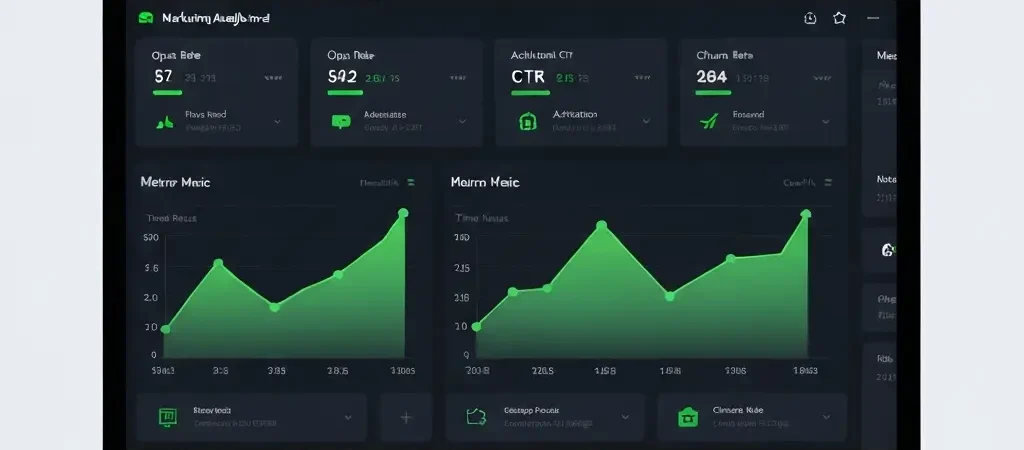
Marketing Analytics Dashboard: What to Track and How to Act on It
A marketing analytics dashboard is only valuable if it drives decisions. Too many marketing teams spend hours building beautiful dashboards filled with metrics that nobody acts on — open rates that look good, click rates that fluctuate inexplicably, and revenue attribution data that doesn’t reconcile with the CRM. The result is a reporting theater that creates the appearance of data-driven marketing without the substance.
This guide is about building an analytics dashboard that actually changes how you run campaigns: the right metrics, the right structure, and the decision triggers that connect dashboard data to workflow improvements.
The Three Metric Layers
Marketing analytics exists at three levels of abstraction. Each level answers different questions and drives different decisions:
Layer 1 — Health metrics: Is your infrastructure working correctly? Are emails being delivered? Is your sender reputation intact? These are table-stakes metrics that must be monitored continuously. A problem here cascades to everything else.
Layer 2 — Engagement metrics: Are your campaigns resonating? Are contacts opening, clicking, and engaging? These metrics tell you about content quality and targeting effectiveness. They’re lagging indicators of future business results.
Layer 3 — Business metrics: What business outcomes are your marketing activities driving? Activation rates, trial conversions, churn rates, revenue attributed to marketing. These are the metrics that actually matter to the business — everything else should exist in service of these.
Health Metrics Dashboard
Your health dashboard should be always-on, with automatic alerts when metrics cross thresholds:
| Metric | Alert Threshold | Action If Triggered |
|---|---|---|
| Hard bounce rate | >2% | Pause sends, audit list quality |
| Spam complaint rate | >0.1% | Immediate segment audit, pause campaign |
| Delivery rate | <95% | Check SMTP configuration, IP reputation |
| Unsubscribe rate | >0.5% | Review send frequency and content relevance |
| Workflow completion rate | Drops >10% week-over-week | Investigate workflow for broken steps |
Engagement Metrics Dashboard
Engagement metrics should be segmented — global averages hide important variance. Track open rates, CTRs, and conversion rates separately for:
- By workflow/campaign: Which sequences perform above/below average?
- By segment: Do enterprise contacts engage differently than SMB contacts? Do activated users engage differently than trials?
- By channel: How does email engagement compare to push notification engagement for the same audience?
- By cohort: Do contacts acquired from channel A engage better than contacts from channel B over 90 days?
The goal is to identify patterns that lead to action. “Email open rate is 22% overall” is not actionable. “Email open rate for activated users is 38% vs. 14% for non-activated — our onboarding sequence content isn’t resonating with non-activated users” is.
Business Impact Metrics
These are the metrics your executive team actually cares about:
- Activation rate: % of new signups who reach the activation milestone within 14 days
- Trial conversion rate: % of trial users who convert to paid
- Marketing-sourced revenue: Revenue from customers whose conversion was influenced by a marketing automation workflow
- Monthly churn rate: % of paying customers who cancel each month
- Net Revenue Retention: Revenue expansion from existing customers vs. revenue lost to churn
- Cost per activated customer: Total marketing infrastructure cost / number of new activated customers
Dashboard Design Principles
Context over raw numbers: Show trend lines, not just point-in-time values. A 22% open rate is meaningless without knowing whether it was 18% last month (improving) or 28% (declining).
Comparison benchmarks: Display each metric against a target and a comparable period. “Open rate: 22% | Target: 25% | Last month: 20%” tells a complete story in one data point.
Alert-first design: The most important dashboard design is one you never have to look at because it pages you when something needs attention. Configure automated alerts for threshold breaches on health metrics.
Audience-specific views: Build separate dashboard views for different audiences: a health view for the marketing operations team (updated daily), an engagement view for campaign managers (updated weekly), and a business impact view for leadership (updated monthly).
Connecting Metrics to Decisions
Every dashboard metric should have a documented decision trigger — a defined threshold that automatically prompts a specific review and decision. Without decision triggers, dashboards become passive reporting tools rather than active management systems.
Example decision triggers for a CampaignOS installation:
- If spam complaint rate >0.08% for any campaign → pause that campaign immediately, review list quality and content
- If trial conversion rate drops below 15% for two consecutive weeks → schedule a workflow review meeting
- If activation rate improves >5% week-over-week → document the change that drove improvement and consider applying to other sequences
- If a workflow’s completion rate drops >20% → immediately check for broken trigger logic or delivery failures
Platforms like Authenova’s content automation engine apply the same principle to content analytics — tracking performance metrics and connecting them to content decisions automatically. For growth teams at companies like IQuitNow and Tesify, this kind of analytics-driven decision framework is what separates marketing programs that improve continuously from those that plateau after initial setup.
Tooling Options
CampaignOS ships with a built-in analytics dashboard that covers all the metrics above across all channels. For teams that want to extend reporting into a full BI stack:
- Metabase: Open source BI tool that connects directly to your PostgreSQL database. Free self-hosted version. Best for technical teams who want custom reports.
- Grafana: Time-series focused dashboards with alerting. Excellent for health metrics monitoring with automated alerting.
- Redash: SQL-based reporting tool. Good for non-technical marketers who need custom queries without engineer support.
- Google Looker Studio: Free, connects to many data sources via connectors. Best for sharing dashboards with non-technical stakeholders.
CampaignOS Analytics Dashboard
CampaignOS includes a built-in marketing analytics dashboard covering all channels with real-time metrics. Plus an open API for connecting to any BI tool. Free and open source.
Frequently Asked Questions
What metrics should be on a marketing analytics dashboard?
At minimum: delivery rate, bounce rate, spam complaint rate, open rate, click-to-open rate, unsubscribe rate, and conversion rate for each key workflow. For business-level reporting, add: activation rate, trial conversion rate, monthly churn rate, and revenue attributed to marketing automation. The specific metrics depend on your business model — prioritize metrics that connect to revenue and retention outcomes.
How often should I review my marketing analytics dashboard?
Health metrics (bounce rate, spam complaints, delivery rate) should be monitored daily, ideally with automated alerts. Engagement metrics (open rates, click rates by campaign) should be reviewed weekly. Business impact metrics (activation rate, churn rate, NRR) should be reviewed monthly. Don’t review everything daily — this creates alert fatigue and leads to missing the metrics that actually matter.
Why are my email open rates declining?
Declining open rates are usually caused by one of four issues: (1) list quality degradation — too many inactive contacts pulling down averages; (2) deliverability problems — emails routing to spam rather than inbox; (3) subject line fatigue — contacts have seen too many similar subjects and are filtering them mentally; (4) frequency mismatch — you’re sending more often than your audience wants. Segment your list by engagement recency first to diagnose the issue accurately.
Does CampaignOS have a built-in analytics dashboard?
Yes. CampaignOS includes a real-time analytics dashboard covering all channels — email, push, SMS, and Telegram — in a unified view. You can see campaign-level metrics, workflow performance, contact engagement history, and deliverability health. The platform also provides an analytics API for pulling data into external BI tools like Metabase or Grafana.