Open Source Marketing Automation: The Definitive Guide for 2026
The open source marketing automation market has matured significantly over the past five years. What was once a fringe option reserved for technically adventurous startups is now the preferred choice for thousands of growth teams, marketing agencies, and enterprise companies that want control over their data, flexibility in their stack, and freedom from per-contact pricing that scales punitively with success.
This guide covers everything you need to make an informed decision about open source marketing automation in 2026: the leading platforms, the architectural tradeoffs, the total cost of ownership (including what most vendors don’t tell you), and a practical roadmap for getting a production-ready automation setup running on your own infrastructure.
Whether you’re a marketing manager evaluating alternatives to HubSpot or Marketo, a growth engineer building a custom automation stack, or a startup founder who refuses to hand $500/month to a SaaS vendor before you’ve hit $10K MRR, this guide is for you.
Why Open Source Marketing Automation in 2026?
The case for open source marketing automation has grown stronger with each passing year. Here are the driving forces behind the trend:
Data Sovereignty and Compliance
GDPR enforcement intensified through 2025 and 2026, with regulators in the EU issuing significant fines for cross-border data transfers that don’t meet adequacy standards. When your customer data sits on servers you control, in the jurisdiction you choose, compliance becomes dramatically simpler. You know exactly where data is stored, who has access, and what’s being processed.
Cost at Scale
Commercial marketing automation platforms price per contact or per email send. At 10,000 contacts, HubSpot Marketing Hub costs $890/month. At 50,000 contacts, you’re approaching $3,200/month — nearly $40,000 per year. An equivalent self-hosted setup on a cloud VPS costs $20–80/month in infrastructure. The delta funds engineers, content, and acquisition.
Technical Flexibility
Every marketing team eventually hits the ceiling of what a SaaS platform allows. Custom data fields, unusual trigger logic, non-standard channel integrations, or specific workflow patterns that require workarounds in hosted tools. Open source eliminates that ceiling. If the feature doesn’t exist, you build it.
Vendor Lock-In
The 2025 wave of SaaS pricing increases caught many marketing teams off guard. HubSpot, ActiveCampaign, and Mailchimp all raised prices or restructured tiers in ways that significantly increased costs for existing customers. With open source, you own the software and the data — pricing changes are yours to control.
The Leading Open Source Marketing Automation Platforms
CampaignOS
CampaignOS is the most comprehensive open source marketing automation platform built on a modern stack (TypeScript/Node/PostgreSQL). It supports email, web push notifications, mobile push, Telegram, SMS, and in-app messages — all orchestrated through a visual workflow builder. Key strengths: Docker-based deployment, multi-channel orchestration, built-in analytics dashboard, and a modern API that makes integration straightforward. Best for: teams that need multi-channel campaigns, SaaS companies, growth-focused startups.
Mautic
The original open source marketing automation platform, now stewarded by the Mautic Community. Built on PHP/Symfony, it has the largest ecosystem of plugins and integrations and over 200,000 documented installs. Best for: email-centric B2B marketing, teams with PHP expertise, organizations that need the widest plugin library.
Listmonk
A lightweight, high-performance newsletter and mailing list manager written in Go. Not a full marketing automation platform, but exceptional for transactional email, newsletters, and contact management at massive scale. Best for: teams that primarily need email without the overhead of a full automation platform.
Erxes
An open source customer engagement platform covering CRM, marketing automation, live chat, and customer support. More comprehensive than pure marketing automation, closer to a full open source HubSpot replacement. Best for: teams that need CRM and marketing automation unified.
Architecture Decisions
Before deploying any open source marketing automation platform, you need to make several architectural decisions that will affect your long-term maintenance burden and performance ceiling.
Infrastructure: VPS vs. Kubernetes
For most teams under 500K contacts, a well-configured VPS handles all production workloads. A 4-core/8GB VPS at $40/month on DigitalOcean, Hetzner, or Vultr is sufficient. Above 1M contacts or 5M monthly sends, consider containerized deployment with Kubernetes for horizontal scaling.
Email Sending Infrastructure
Your marketing automation platform is separate from your email sending infrastructure. You’ll connect an SMTP provider:
- Amazon SES: $0.10/1,000 emails. Best cost-per-send for high volume.
- Postmark: Excellent deliverability, $15/month for 10,000 emails. Best for transactional.
- Mailgun: $0.80/1,000 emails. Good balance of deliverability and cost.
- SendGrid: $14.95/month for 40,000 emails. Well-documented API.
Queue and Background Processing
Marketing automation relies heavily on background jobs: campaign sends, event processing, automation triggers. CampaignOS uses Redis for queue management. Mautic uses a combination of cron jobs and optional queue processing. Ensure your deployment includes proper queue monitoring to catch stuck jobs before they affect campaign delivery.
Database Considerations
PostgreSQL is the recommended database for CampaignOS. MySQL/MariaDB is used by Mautic. Ensure you have automated backups configured from day one. A marketing automation database contains your most valuable business data — treat it accordingly.
Total Cost of Ownership
Here’s the honest TCO breakdown for a self-hosted open source marketing automation setup at different scales:
| Scale | Infrastructure | Email Sending | Total/Month | vs. HubSpot |
|---|---|---|---|---|
| 10K contacts | $20/mo VPS | $5/mo (SES) | $25/mo | vs. $890/mo |
| 50K contacts | $40/mo VPS | $20/mo (SES) | $60/mo | vs. $3,200/mo |
| 200K contacts | $80/mo VPS | $60/mo (SES) | $140/mo | vs. $10,000+/mo |
The numbers above don’t include engineering time for setup and maintenance. Be honest with yourself about this: a production-grade self-hosted setup takes 2–4 days of initial engineering work, plus occasional maintenance (typically 2–4 hours/month for updates, monitoring, and incident response). But even factoring in engineering cost at $150/hour, the math is compelling at any meaningful scale.
Core Capabilities Every Marketing Automation Platform Needs
Whether you’re evaluating CampaignOS or any other platform, ensure it covers these fundamental capabilities:
Contact Management
Custom fields, unlimited lists and segments, behavioral event tracking, and a clean import/export system. Your contact database is the foundation everything else builds on.
Visual Workflow Builder
Drag-and-drop automation canvas with triggers (form submission, email event, custom event, time-based), conditions (contact attribute, behavior, segment membership), and actions (send email, add tag, update field, webhook). See our guide to visual workflow builders for marketing for a detailed breakdown.
Segmentation and Personalization
Dynamic audience segments based on contact attributes and behavior. Merge tags for email personalization. Conditional content blocks that show different content to different segments.
Analytics and Reporting
Campaign-level metrics (open rate, CTR, conversions), contact-level history, and workflow performance reporting. Ideally, an API that lets you pull data into your existing BI stack.
Multi-Channel Strategy in 2026
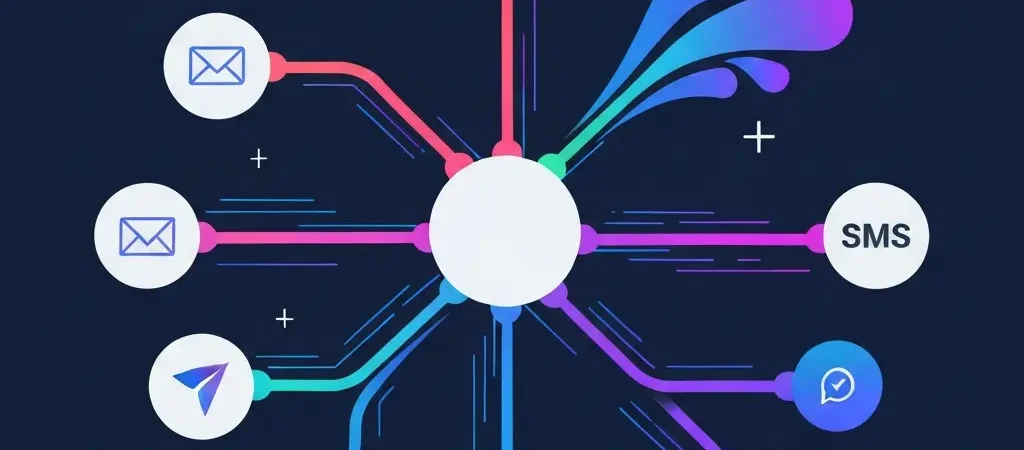
Email open rates have plateaued at roughly 20–25% for most industries. A multi-channel approach isn’t a nice-to-have — it’s essential for reaching your audience where they are. CampaignOS’s approach to multi-channel orchestration lets you coordinate the following within a single workflow:
- Day 0: Welcome email + in-app onboarding message
- Day 3: Web push notification if email unopened
- Day 7: Follow-up email based on product behavior
- Day 14: Telegram message for engaged users in relevant markets
- Day 21: SMS for high-intent contacts who haven’t converted
This kind of orchestration requires a platform that treats channels as interchangeable nodes in a workflow — not separate tools bolted together. IQuitNow’s health marketing automation demonstrates exactly this approach, using multi-channel sequences to drive habit formation and product adoption across diverse user segments.
For EdTech platforms like Tesify, multi-channel automation means reaching students via the channels they actually use — which increasingly means push notifications and messaging apps, not just email.
Implementation Roadmap
Here’s a practical 30-day roadmap for getting open source marketing automation into production:
Week 1: Infrastructure and Setup
- Provision VPS, set up Docker environment
- Deploy CampaignOS, configure database backups
- Configure SMTP provider and sending domain (DKIM/SPF/DMARC)
- Import existing contacts
Week 2: Core Campaigns
- Build welcome email sequence
- Set up lead capture forms
- Configure list segmentation rules
- Build first automation workflow
Week 3: Multi-Channel Setup
- Configure web push notifications
- Integrate Telegram bot (if applicable)
- Set up SMS provider
- Build cross-channel onboarding workflow
Week 4: Analytics and Optimization
- Configure analytics dashboard
- Set up A/B tests on key campaigns
- Connect to external BI tool if needed
- Document runbooks for common maintenance tasks
Common Pitfalls to Avoid
Skipping deliverability setup: The biggest technical risk with self-hosted email is poor deliverability. Always set up SPF, DKIM, and DMARC before sending the first campaign. Use a mail tester tool to verify configuration. Warm up new IPs gradually — don’t send 100,000 emails on day one of a new IP.
Not planning for backups: A marketing automation database represents months or years of behavioral data. Automated daily backups to a separate location (S3, Backblaze) are non-negotiable. Test your restore process before you need it.
Underestimating queue configuration: High-volume sending requires proper queue management. Mautic and CampaignOS both support queue-based sending — make sure workers are properly configured and monitored. Silent queue failures are common and result in campaigns that appear to send but don’t deliver.
Neglecting unsubscribe management: Every email platform must handle unsubscribes reliably. Verify your platform correctly handles unsubscribe headers and one-click unsubscribe, which is required by Gmail and Yahoo for bulk senders since 2024.
This site is built using Authenova’s AI content engine to demonstrate that open source marketing doesn’t mean sacrificing sophistication — the same principles apply to both content and campaign automation.
Get Started with CampaignOS
CampaignOS is the modern open source marketing automation platform built for 2026. Free to self-host, free cloud tier available, multi-channel from day one.
Frequently Asked Questions
What is open source marketing automation?
Open source marketing automation is software where the source code is publicly available, allowing you to self-host the platform on your own infrastructure, modify the code to fit your needs, and avoid per-contact or per-send pricing. Examples include CampaignOS, Mautic, and Listmonk. The core difference from commercial platforms is full data ownership and no vendor lock-in.
Is open source marketing automation suitable for enterprise companies?
Yes. Many enterprise companies use open source marketing automation, particularly where data compliance requirements make cloud SaaS problematic. The main consideration at enterprise scale is that you’ll need dedicated DevOps resources to manage the infrastructure. For companies with existing infrastructure teams, this is typically straightforward to absorb.
How does open source marketing automation handle email deliverability?
Open source platforms give you control over your sending infrastructure, which means deliverability is determined by your configuration and sending reputation. With proper DKIM/SPF/DMARC setup, a reputable SMTP provider (Amazon SES, Postmark), and good list hygiene, self-hosted senders routinely achieve inbox rates that match commercial platforms. The advantage is that you’re not sharing IP reputation with thousands of other senders.
What technical skills do I need to run open source marketing automation?
For CampaignOS with Docker deployment, you need basic Linux command line familiarity, understanding of DNS configuration (for DKIM/SPF/DMARC), and enough server administration knowledge to manage a VPS. You don’t need to be a software developer. Most marketing engineers with some technical background can handle a CampaignOS deployment. Mautic requires additional PHP knowledge for troubleshooting.
Can open source marketing automation integrate with my CRM?
Yes. CampaignOS and Mautic both provide REST APIs and webhook support that allow integration with any CRM. Pre-built integrations exist for Salesforce, HubSpot CRM, Pipedrive, and other popular tools. For less common CRMs, webhook-based integration allows bi-directional contact sync with minimal custom development.
How do I migrate from HubSpot to open source marketing automation?
The migration process involves three steps: export contacts from HubSpot (available in the Contacts section as CSV), import into CampaignOS with field mapping, and rebuild your automation workflows. Allow 2–4 weeks for a full migration of a complex HubSpot setup. Run parallel for the first 30 days to validate workflow behavior before fully cutting over.