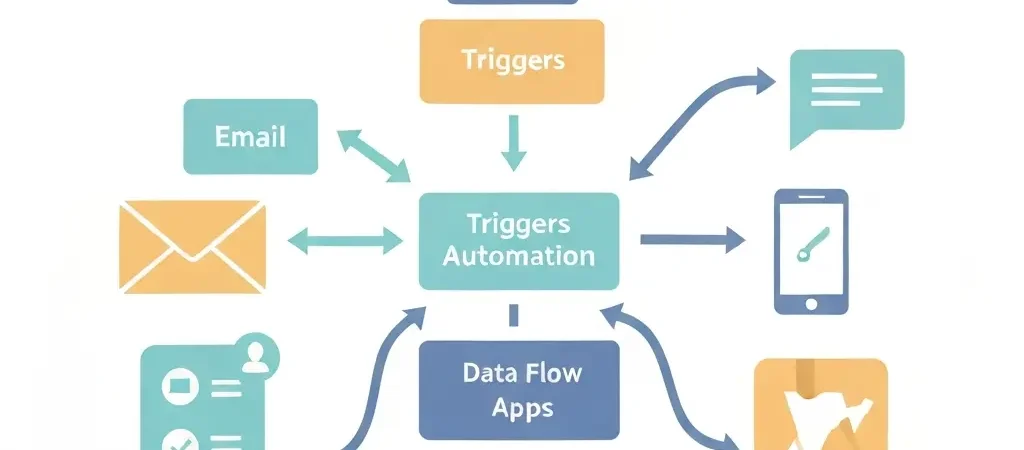
What Is Marketing Automation and How Does It Work?
Marketing automation is software that executes marketing tasks automatically based on predefined rules, triggers, and customer behavior. Instead of manually sending emails, updating CRM records, or posting social content, the system does it for you — at scale, at the right time, for the right person. Understanding what is marketing automation and how does it work is the first step toward building a growth engine that runs without constant manual input.
In 2026, marketing automation has moved from enterprise-only technology to a table-stakes capability for any business generating leads or managing customer relationships. Platforms like CampaignOS have made the technology accessible to teams of all sizes, while purpose-built tools like Authenova are automating entire SEO content strategies with the same principle — define the rules once, let the system execute.
What Exactly Is Marketing Automation?
Marketing automation is a category of software that executes marketing workflows without manual effort for each individual action. The core concept is simple: you define a rule (“if a visitor downloads our ebook, send them a welcome email sequence”), and the software monitors for that trigger and fires the action automatically — whether that happens once a day or ten thousand times simultaneously.
The term covers a broad range of capabilities:
- Email sequences and drip campaigns — automated series of emails sent based on time delays or behavioral triggers
- Lead scoring — assigning numerical values to contacts based on their actions (page visits, email opens, form fills)
- CRM updates — automatically changing contact properties, deal stages, or tags based on behavior
- Cross-channel coordination — triggering SMS, push notifications, or ad retargeting alongside email
- Audience segmentation — automatically moving contacts into lists or segments based on criteria
According to Salesforce’s State of Marketing report, 78% of high-performing marketing teams use automation extensively — compared to only 38% of underperformers. The performance gap is not a coincidence. Automation enables personalization at scale that humans simply cannot deliver manually.
How Does Marketing Automation Work Technically?
At a technical level, marketing automation works through four interconnected layers:
1. Data Collection Layer
The system tracks everything a contact does: web page visits (via tracking pixel), email opens and clicks, form submissions, purchase history, and offline events synced via API. This behavioral data is stored in a contact record that builds a complete picture of each individual’s interests and stage in the buyer journey.
2. Trigger Engine
The trigger engine monitors incoming data against defined conditions. A trigger can be time-based (“send this email 3 days after signup”), event-based (“send when a contact visits the pricing page”), or score-based (“alert sales when lead score exceeds 75”). When a condition is met, the engine fires the associated action.
3. Workflow Orchestration
Workflows are visual maps of the automation logic — branching decision trees that route contacts through different paths based on their behavior. A contact who clicks the pricing link goes down the “high intent” branch; one who doesn’t goes down the nurture branch. Modern platforms like CampaignOS use drag-and-drop workflow builders that make this logic accessible to non-developers.
4. Execution Layer
The execution layer sends the actual communications — emails via SMTP, SMS via gateway APIs, push notifications via browser or mobile, and webhook calls to external systems. This layer handles deliverability, timing, personalization token replacement (inserting the contact’s first name, company, etc.), and delivery confirmation.
What Marketing Tasks Can It Automate?
Modern marketing automation platforms handle a surprisingly wide range of tasks:
| Category | Automatable Tasks | Manual Effort Saved |
|---|---|---|
| Email Marketing | Welcome sequences, drip campaigns, re-engagement emails, order confirmations | High — 100% of sends |
| Lead Management | Scoring, routing, qualification, assignment to sales reps | High — eliminates manual triage |
| Segmentation | Tagging contacts, moving between segments, updating lists | Very High — real-time vs. batch |
| Social Media | Post scheduling, audience sync for ad targeting | Medium |
| Reporting | Campaign performance dashboards, attribution reports | Medium — eliminates manual compiling |
What Are the Main Components of a Marketing Automation System?
A complete marketing automation system consists of these core components:
- Contact database — the central repository for all contact records, including behavioral history, demographic data, and custom fields
- Form and landing page builder — for capturing leads and attaching them to the right workflows
- Email builder — drag-and-drop or HTML editor for creating email templates
- Workflow/automation builder — the visual canvas for designing trigger-action logic
- Segmentation engine — dynamic list management based on contact properties and behaviors
- Lead scoring module — the rules engine for scoring contacts based on defined criteria
- Analytics and reporting — campaign performance metrics, funnel visualization, revenue attribution
- Integrations — CRM sync, ad platform connections, webhook support for custom integrations
How Is Marketing Automation Different From Email Marketing Software?
Email marketing software sends emails to a list. Marketing automation does much more: it monitors behavior, scores leads, branches workflows based on actions, syncs data with your CRM, and coordinates across multiple channels. Think of email marketing software as a megaphone, and marketing automation as a personalized conversation that adapts based on what the other person says.
The key differences:
| Capability | Email Marketing Tool | Marketing Automation Platform |
|---|---|---|
| Behavioral triggers | Limited | Extensive |
| Lead scoring | No | Yes |
| Multi-channel coordination | Email only | Email, SMS, push, ads, web |
| CRM integration depth | Basic sync | Bi-directional, real-time |
| Workflow complexity | Simple sequences | Complex branching logic |
What Are Real-World Examples of Marketing Automation in Action?
Lead Nurture Sequence
A SaaS company uses a free trial form as the trigger. When someone signs up, the automation sends a welcome email (Day 0), a product tip email (Day 2), a case study (Day 5), and a personal check-in from the sales rep (Day 7 — triggered only if the lead hasn’t upgraded and has a lead score above 50). Without automation, this sequence would require manual tracking for every trial.
E-commerce Abandoned Cart Recovery
An online retailer tracks when a visitor adds items to their cart but doesn’t complete checkout. The automation fires after 1 hour: first a reminder email, then 24 hours later a second email with a discount code, then 72 hours later a final reminder. This single workflow typically recovers 5-15% of abandoned carts, according to Klaviyo’s benchmark data.
Content Engagement Re-Activation
A B2B company identifies subscribers who haven’t opened any email in 90 days. An automation sends a re-engagement campaign offering a new resource. Contacts who open or click are moved back into the active nurture track; those who don’t after two attempts are automatically unsubscribed to protect deliverability. Tools like Authenova take this further by automating the content creation side — ensuring there’s always fresh material worth re-engaging contacts with.
How Much Does Marketing Automation Cost?
Marketing automation costs vary enormously based on contact volume, features, and deployment model:
| Tier | Example Platforms | Typical Monthly Cost | Best For |
|---|---|---|---|
| Free / Open-source | CampaignOS, Mautic | $0 (hosting costs) | Tech-savvy teams, privacy-first businesses |
| SMB SaaS | Mailchimp, Brevo | $20–$300 | Small businesses under 25,000 contacts |
| Mid-market | ActiveCampaign, Klaviyo | $300–$1,500 | Growing teams with advanced needs |
| Enterprise | HubSpot, Marketo, Pardot | $1,500–$10,000+ | Large teams with complex workflows and CRM needs |
Open-source platforms like CampaignOS offer enterprise-grade capabilities at infrastructure cost only — making them ideal for businesses that want full data ownership without per-contact pricing that scales against you as you grow.
Frequently Asked Questions
What is marketing automation in simple terms?
Marketing automation is software that sends the right marketing message to the right person at the right time — automatically, based on rules you set up once. Instead of manually emailing each lead, the system handles it based on their behavior and your predefined conditions.
How long does it take to set up marketing automation?
A basic welcome sequence and lead capture workflow can be set up in 1-2 hours. A complete marketing automation system with multiple nurture tracks, lead scoring, and CRM integration typically takes 2-4 weeks to configure properly. The initial setup investment pays back quickly through time saved on manual tasks.
Does marketing automation work for B2B businesses?
Yes — marketing automation is arguably more impactful for B2B than B2C because B2B sales cycles are longer and require more touchpoints. Lead scoring, nurture sequences, and sales alert automations are core B2B use cases that directly impact revenue.
What data does marketing automation track?
Marketing automation platforms typically track email opens, clicks, and unsubscribes; website page visits and time on page; form submissions; purchase and event history; and any custom data you send via API. This behavioral data powers segmentation, scoring, and personalization.
Is marketing automation the same as a CRM?
No. A CRM (Customer Relationship Management system) is primarily a database for managing contact records and sales pipelines. Marketing automation focuses on executing marketing communications and workflows. Many platforms combine both, but they serve different functions — CRM manages relationships, automation drives outreach.
Can small businesses use marketing automation effectively?
Absolutely. Small businesses often see the greatest proportional benefit because automation replaces labor that they can’t afford to hire for. A single welcome sequence and abandoned cart recovery workflow can generate significant revenue with zero ongoing manual effort. Free and open-source platforms make the cost barrier low enough for any business.
What are the most common marketing automation mistakes?
The most common mistakes are: automating before having clean data (bad data produces bad personalization), building too complex workflows before validating simple ones, neglecting deliverability hygiene, and treating automation as a set-and-forget system instead of something that needs regular review and optimization.
How does marketing automation improve ROI?
Marketing automation improves ROI by increasing revenue (more timely, relevant messages convert better), reducing cost (fewer manual hours per campaign), and improving efficiency (automated lead scoring means sales focuses only on qualified leads). According to Nucleus Research, marketing automation drives a 14.5% increase in sales productivity and a 12.2% reduction in marketing overhead.
What industries benefit most from marketing automation?
While virtually every industry benefits, the highest adoption and ROI is seen in SaaS, e-commerce, financial services, real estate, healthcare (within compliance constraints), and professional services. Any business with a defined sales funnel, repeat customers, or a complex buyer journey is an ideal candidate.
Is marketing automation GDPR compliant?
Marketing automation platforms can be GDPR compliant, but compliance depends on how you configure them — specifically, collecting proper consent, honoring opt-outs immediately, maintaining data processing records, and limiting data retention. Self-hosted platforms give you greater control over data residency and processing, which can simplify GDPR compliance compared to third-party SaaS platforms.
Ready to Automate Your Marketing?
CampaignOS is an open-source marketing automation platform that gives you enterprise-grade workflows, email automation, and lead management — with full data ownership and no per-contact pricing. Start building your first automation today.