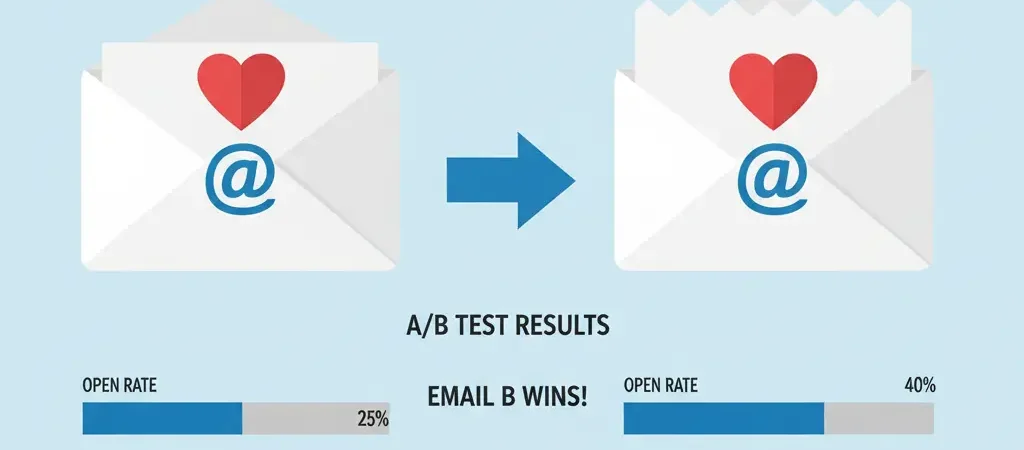
A/B Testing Email Campaigns: Step-by-Step Guide for 2026
Most marketers know they should be A/B testing their email campaigns. Far fewer are actually doing it well. The gap is usually not motivation — it is methodology. Running an A/B test that produces valid, actionable results is a different exercise from running one that just produces numbers. This guide covers the complete process: what to test, how to set it up, what sample sizes you actually need, and — critically — how to correctly interpret and act on results.
A/B testing email campaigns is the most direct path to compounding improvements in open rate, click rate, and conversion rate. A single subject line test that lifts opens by 15% does not just improve this campaign — it informs every campaign you send afterward.
What Is A/B Testing in Email Marketing?
A/B testing (split testing) sends two versions of an email — version A and version B — each to a randomly selected portion of your audience. Everything about both versions is identical except for the one element you are testing. After a defined period or once statistical significance is reached, the version that performs better is declared the winner and either sent to the remaining audience or used to inform future campaigns.
The key word in that definition is “randomly.” If your audience split is not random — if, for example, your most engaged subscribers all happen to be in group A — your test results will be misleading. Good platforms handle randomization automatically.
What to Test (and in What Priority Order)
Not all test variables produce equal impact. Test in this order to maximize your learning ROI:
Priority 1: Subject lines
Subject lines have the highest leverage of anything you can test. They determine whether the email is opened at all. A 10% lift in open rate means 10% more people entering the rest of your funnel from the same send. Test:
- Short vs. long (under 40 chars vs. 50–60 chars)
- Question vs. statement
- Curiosity vs. clarity (“This changes everything” vs. “5 new workflow templates for your team”)
- With emoji vs. without
- Personalized ({{first_name}}) vs. not
- Number-led vs. no number
Priority 2: From name
The “from name” is displayed alongside the subject line in the inbox. Commonly tested variations:
- Person’s name (“Alex”) vs. company name (“CampaignOS”)
- Person + company (“Alex from CampaignOS”)
- Different people on the same team
For nurture sequences and newsletters, a person’s name often outperforms a brand name because it signals a personal message. For transactional and promotional emails, the brand name may perform better.
Priority 3: Send time and day
While industry benchmarks point to Tuesday–Thursday mornings for B2B, your specific audience may behave differently. Test send times in 2-hour increments across the same day, and test days of week in a structured way over multiple sends.
Priority 4: Email length and format
Short (under 200 words) vs. long (600+ words). Plain-text style vs. branded HTML. Test which format your audience engages with more. Results often vary significantly between B2B and B2C audiences.
Priority 5: CTA text and placement
“Get started free” vs. “Start your trial.” Button above the fold vs. after the body copy. Single CTA vs. two CTAs. Small wording changes here can produce 10–30% differences in click rate.
Priority 6: Content and offer
The hardest thing to test because so many variables change simultaneously. Isolate as much as possible — test the offer framing (discount vs. bonus feature) while keeping the email structure identical.
Setting Up Your First A/B Test: Step by Step
Step 1: Define a clear hypothesis
Every test should start with a hypothesis in the format: “Changing [variable] from [A] to [B] will [increase/decrease] [metric] because [reason].” Example: “Changing the subject line from a statement to a question will increase open rate because questions create a curiosity gap that motivates opening.”
Writing down the hypothesis forces you to think about why the test result would go one way or another — and it makes interpreting results more meaningful.
Step 2: Choose your success metric
Define this before running the test. For subject line tests, the metric is open rate (or click rate if Apple MPP is inflating opens for your audience). For CTA tests, the metric is click rate. For offer tests, the metric is conversion rate. Choosing the metric after the test is over (p-hacking) produces misleading results.
Step 3: Calculate required sample size
Use a statistical significance calculator before sending. Input your current baseline metric, the minimum detectable effect you care about (typically 10–20% relative improvement), and your desired confidence level (95% minimum). The calculator tells you how many recipients you need per variant. If your list is too small for the required sample, wait until it grows or skip the test for now.
Step 4: Set up the test in your platform
In CampaignOS: Create a campaign, enable A/B Testing in the campaign settings, and the platform splits recipients randomly. You configure Variant A (your control — current approach) and Variant B (the challenger — your test change). Set the split ratio: 50/50 for smaller lists, or 20/20/60 (test 20% on A, 20% on B, hold 60% for the winner) for larger lists where you want to maximize the send to the winning version.
Step 5: Send both variants simultaneously
This is critical. Sending A on Monday and B on Tuesday introduces a day-of-week variable that confounds your results. Both variants must go out at the same time to the same randomly split audience.
Step 6: Wait for the results window to close
Set a time window for declaring a winner — typically 24–48 hours for open-rate tests (most opens happen in the first 4 hours, but let it settle). For conversion-rate tests, allow enough time for the full conversion cycle to play out.
Step 7: Declare a winner — if significance is reached
Check your confidence level. If your platform reports 95%+ confidence, the winning variant is statistically meaningful. If you have not reached 95%, the result is inconclusive — do not act on it as if it were a proven winner. Run the test again with more recipients, or accept the null hypothesis.
Step 8: Apply and document
Apply the winning insight immediately to the next campaign. Document every test result — what was tested, what won, by how much, and the confidence level — in a running testing log. This log becomes a compounding asset over time, capturing everything your audience has told you they respond to.
Sample Size and Statistical Significance
This is the part most marketers skip, and it is where most A/B testing programs go wrong.
Why sample size matters
Imagine flipping a coin 10 times and getting 7 heads. Is the coin biased? Probably not — with only 10 flips, 7 heads is well within normal random variation. Now flip it 1,000 times and get 700 heads. That is evidence of bias. The same logic applies to A/B tests.
Practical sample size guidelines
| Test Type | Baseline Rate | Min. Detectable Effect | Required per Variant |
|---|---|---|---|
| Subject line (open rate) | 25% | 15% relative (25% → 28.75%) | ~1,500 |
| Subject line (open rate) | 25% | 25% relative (25% → 31.25%) | ~600 |
| CTA (click rate) | 3% | 25% relative (3% → 3.75%) | ~5,200 |
The key insight: click rate tests require much larger samples than open rate tests because the baseline rates are lower, making smaller differences harder to detect reliably.
Common A/B Test Frameworks with Examples
The curiosity vs. clarity test
A: “Your campaign performance report is ready” (clarity — tells them exactly what they get)
B: “You’re losing 30% of your email revenue — here’s where” (curiosity — creates tension that compels opening)
Curiosity lines often outperform for re-engagement and nurture emails. Clarity lines often win for transactional and confirmation emails.
The personal vs. professional tone test
A: “Hi {{first_name}}, we have updated our pricing” (formal, brand voice)
B: “Quick heads up — we’re changing our pricing next week” (informal, conversational)
Informal tones tend to outperform for B2C and SMB audiences. Enterprise B2B audiences often prefer professional tone.
The urgency test
A: “Get 20% off our annual plan this month”
B: “Get 20% off our annual plan — offer ends Friday”
Deadlines almost always increase conversion rates, but they lose their power if used too often or if the deadline is not real.
Interpreting Results Correctly
Avoid these common interpretation mistakes
Peeking too early: Checking results after a few hours and stopping the test when one variant appears to be winning. Results fluctuate heavily in the first few hours. Set a minimum duration and honor it.
Treating inconclusive results as failures: A result below 95% confidence means your test did not have enough signal to detect a difference — not that there is no difference. It might mean the variants are genuinely close in performance, which is also useful to know.
Generalizing too broadly: A subject line that won for one segment of your audience may not win for another segment. Segment-level A/B testing, when your list is large enough, is far more valuable than global testing.
For more on measurement frameworks, read our Campaign Performance Tracking guide and the full Email Marketing Best Practices guide.
Building a Testing Calendar
Ad hoc testing produces ad hoc insights. A structured testing calendar compounding insights over time. Here is a simple quarterly framework:
- Month 1: Subject line tests — run one test per major campaign, building a library of what resonates
- Month 2: Send time / from name tests — establish your audience’s engagement patterns
- Month 3: CTA and email length tests — optimize the conversion mechanics
Review and document results at the end of each month. Apply all confirmed learnings to your next campaign as defaults. The goal is to steadily raise your baseline performance through systematic experimentation.
Do It With CampaignOS
CampaignOS has native A/B testing built into every campaign and automation email:
- Multi-variable testing: Test up to 4 variants simultaneously for advanced users who want to move faster
- Automatic winner selection: Define your confidence threshold (80%, 90%, or 95%) and the metric (open rate, click rate, or conversion). CampaignOS monitors results and automatically sends the winner to the holdout group when significance is reached
- Testing log: Every A/B test result is stored in the campaign history with the winning variant, confidence level, and metric delta — so you build a knowledge base over time
- Automation A/B testing: Not just for broadcast campaigns — run A/B tests on individual emails within your automation workflows to optimize the full nurture sequence
- Segment-level testing: Run the same test separately for different audience segments to identify how preferences differ across groups
Start your first A/B test at app.campaignos.site — it is available on all plans including free.
Frequently Asked Questions
How long should I run an A/B test on an email campaign?
For open rate tests (subject lines, from name), 24–48 hours is usually sufficient — most opens happen within 4 hours, but allowing the full day/next-day window catches late openers. For click rate and conversion rate tests, allow 3–7 days so contacts who open on different days all have time to click through and complete the conversion action.
Can I A/B test automation emails, or just broadcast campaigns?
Yes, and automation A/B testing is particularly valuable. Since automation emails are evergreen (they continue sending indefinitely), even a small improvement from a test compounds massively over time. Most modern platforms including CampaignOS support A/B testing within workflow automation emails, not just broadcast campaigns.
What if my A/B test shows no statistically significant difference?
An inconclusive result is a valid result — it tells you that the two variants performed similarly. This is useful information: it means you can choose either option based on other criteria (brand guidelines, simplicity, ease of production) without worrying about losing performance. Document the test and move on to testing a more impactful variable.
Should I always use a 50/50 split for A/B tests?
For smaller lists (under 5,000), a 50/50 split maximizes your chances of reaching statistical significance. For large lists (50,000+), many practitioners use a 20/20/60 split — 20% to each variant, hold 60% for the winner — so that most of the audience receives the proven better version. The 20% holdout still provides adequate sample sizes for most tests.
Can A/B test results from one audience segment apply to another?
Sometimes, but not always. A subject line that wins for enterprise decision-makers may underperform for individual contributors. A winning send time for your US audience may not translate to your UK audience. Treat test results as strong hypotheses for other segments — not proven facts. When your list is large enough, run segment-specific tests.
How many A/B tests should I run per month?
Run one test per campaign send as a default. If you send weekly, that is four tests per month. Quality matters more than quantity — a poorly designed test (inadequate sample size, multiple variables changed) produces noise, not signal. One well-designed test per send with proper documentation will compound into genuine performance improvements over 6–12 months.
Does A/B testing affect email deliverability?
No, not directly. Both variants in an A/B test go through the same sending infrastructure. What can affect deliverability is if your test variant contains spam-triggering subject line words or content — the spam filter may catch variant B at a higher rate, which would confound your open rate results. Always preview both variants through a spam checker before sending.