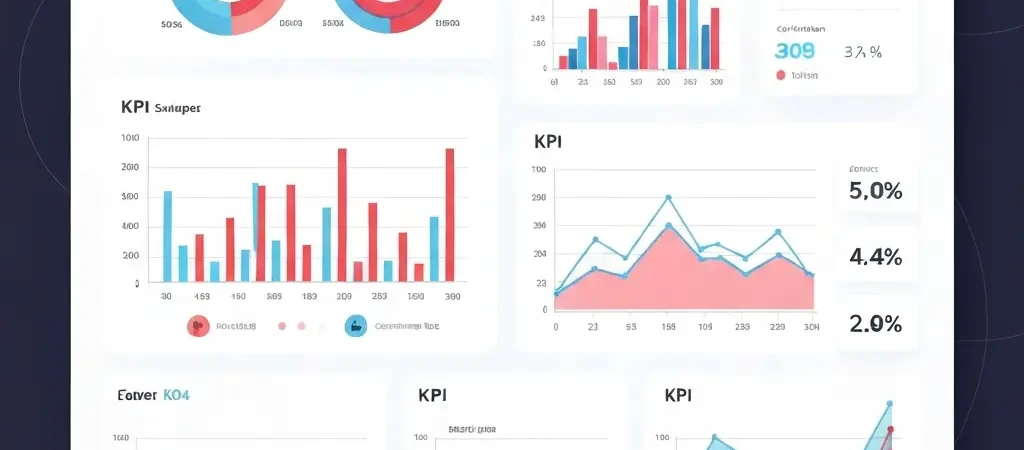
Campaign Performance Tracking: KPIs and Dashboards for 2026
Running campaigns without tracking performance is the marketing equivalent of driving without a dashboard — you might be going in the right direction, but you have no idea how fast, how efficiently, or whether you are about to run out of fuel. Campaign performance tracking turns your email and automation programs from intuition-driven guesses into data-driven systems that improve with every send.
In 2026, campaign performance tracking has become more nuanced — Apple’s Mail Privacy Protection has inflated open rates for portions of many lists, attribution is more complex across multi-channel workflows, and privacy regulations limit some tracking methods. This guide covers how to set up meaningful tracking, which metrics actually matter, and how to build dashboards that drive decisions rather than just display numbers.
Why Traditional Email Metrics Fall Short in 2026
Open rate was the primary email metric for 20+ years. Then Apple launched Mail Privacy Protection (MPP) in 2021, which pre-loads email tracking pixels for Apple Mail users — registering an “open” whether or not the subscriber actually opened or read the email. By 2026, Apple Mail users represent roughly 50–60% of opens in many B2C lists. For these contacts, open rate data is essentially unreliable.
This does not mean open rates are useless — they still have comparative value (comparing this campaign’s open rate to last week’s, in relative terms) and are informative for non-Apple-Mail subscribers. But building your entire performance framework around absolute open rate is building on sand.
The 2026 solution is a metric framework that uses engagement quality signals less dependent on pixel tracking: click-through rates, conversion tracking via UTM parameters, and revenue attribution.
Core Campaign Performance KPIs
1. Click-to-Open Rate (CTOR)
Formula: (Unique clicks / Unique opens) × 100
Why it matters: CTOR measures email content quality among people who actually opened. Because it is a ratio, MPP inflation of opens reduces the denominator but also reduces the numerator (clicks), so CTOR remains more stable and meaningful than absolute click rate. A low CTOR (under 5%) with a high open rate signals a disconnect between subject line promise and email content.
Good benchmark: 10–20% depending on industry and email type.
2. Click-Through Rate (CTR)
Formula: (Unique clicks / Emails delivered) × 100
Why it matters: CTR measures overall campaign effectiveness — the percentage of your entire audience who clicked through. It combines subject line performance (determines who opens) with content effectiveness (determines who clicks after opening). Declining CTR across campaigns suggests either audience fatigue or content quality issues.
Good benchmark: 2–5% for broadcast campaigns; 5–15% for highly targeted automation emails.
3. Conversion Rate
Formula: (Conversions from email / Emails delivered) × 100
Why it matters: The ultimate measure of campaign revenue impact. Requires UTM parameter tracking + conversion tracking on your website or in-app. “Conversion” is defined differently by campaign type: purchase, trial signup, demo request, content download, etc.
Good benchmark: 1–5% depending on the conversion action and the email’s position in the funnel.
4. Revenue per Email Sent (RPE)
Formula: Total revenue attributed to email / Emails delivered
Why it matters: RPE rolls up the full commercial impact of your email program into a single number that can be trended over time and benchmarked against other channels. E-commerce email programs typically target $0.10–$2.00 RPE; SaaS conversion emails may be much higher.
Good benchmark: Highly variable by industry and price point; establish your own baseline over 3–6 months and then track improvement.
5. Deliverability Health Score
A composite of:
– Spam complaint rate (target: <0.1%)
– Hard bounce rate (target: <2%)
– Unsubscribe rate (target: <0.3%)
– Domain reputation (Google Postmaster: High or Very High)
This is less a single number and more a dashboard panel — any metric outside threshold triggers investigation.
6. List Growth Rate
Formula: ((New subscribers – Unsubscribes – Hard bounces) / Total list size) × 100 per month
Why it matters: A positive list growth rate means your acquisition outpaces attrition. A negative growth rate means your list is shrinking, which limits your program’s revenue ceiling.
Good benchmark: 2–5% per month net growth for healthy programs.
Automation-Specific KPIs
Broadcast campaign metrics and automation metrics answer different questions. Automation KPIs measure the long-term performance of always-on sequences.
Workflow completion rate
What percentage of contacts who enter an automation complete the full sequence without unsubscribing, bouncing, or exiting early? A low completion rate suggests too many emails, irrelevant content, or a sequence that is too long for the audience.
Email-level performance within sequences
Track CTR for each individual email in a multi-step sequence. A sharp drop in CTR at Email 3 tells you that either the email’s content is weak, or the previous emails have not set up the right context. This granular view is what enables systematic sequence optimization.
Time-to-conversion
For sales-oriented sequences, track how many emails it typically takes before a contact converts. If 80% of conversions happen at or before Email 3, there is no ROI in a 10-email sequence — and the extra emails are just increasing your unsubscribe rate.
Revenue per workflow entrant
Divide the total revenue attributed to an automation workflow by the number of contacts who entered it. This is the most direct measure of a workflow’s commercial value and enables apples-to-apples comparison between different automation programs.
Building Your Performance Dashboards
A good performance dashboard is not one that shows every metric — it is one that shows the right metrics to the right people for decision-making. Build three levels:
Executive dashboard (weekly, 5 metrics)
- Total revenue attributed to email (this week vs. last week vs. same week last year)
- Active subscriber count with week-over-week change
- Overall average CTR (this week vs. 4-week rolling average)
- Deliverability health (Green/Yellow/Red based on thresholds)
- Automation workflow revenue (total across all active automations)
Campaign manager dashboard (daily review, 10 metrics)
- Campaign CTOR vs. benchmark
- Campaign CTR vs. benchmark
- Campaign conversion rate and revenue
- Unsubscribes from last campaign vs. baseline
- Top-performing automation emails (by CTR)
- A/B test results and confidence levels
- List growth (new subscribers today)
- Bounce rate (daily)
- Spam complaint rate (daily)
- Segment size changes (are key segments growing or shrinking?)
Technical/deliverability dashboard (monitored daily, acted on immediately)
- Google Postmaster domain reputation
- Daily hard bounce rate
- Daily spam complaint rate
- DMARC authentication failure rate
- Blacklist status (checked via MXToolbox monitoring)
- Soft bounce by domain (to identify receiving server issues)
Campaign Tracking Setup: UTM Parameters
UTM parameters are the tags appended to URLs in your emails that allow Google Analytics (and most analytics platforms) to attribute website traffic and conversions back to the specific email campaign that drove them.
Standard UTM structure for email campaigns
https://yoursite.com/landing-page
  ?utm_source=email
  &utm_medium=newsletter
  &utm_campaign=march-2026-product-update
  &utm_content=cta-button-header
Use consistent naming conventions across your entire team:
utm_source: always “email” for email campaignsutm_medium: “newsletter” for broadcasts, “automation” for automated sequences, “transactional” for transactionalutm_campaign: date + campaign name in a consistent format (2026-03-product-launch)utm_content: which specific link or CTA within the email (header-button, body-link-1, footer-link)
Inconsistent UTM naming corrupts your attribution data and makes it impossible to analyze performance across campaigns over time. Document your naming convention in a team wiki and enforce it through your platform’s campaign template.
Industry Benchmarks for 2026
| Metric | B2B Average | B2C Average | Top Performers |
|---|---|---|---|
| Open rate | 22–28%* | 18–25%* | 35%+* |
| CTOR | 8–15% | 10–20% | 25%+ |
| CTR | 2–4% | 3–5% | 8%+ |
| Conversion rate | 1–3% | 1–4% | 5%+ |
| Unsubscribe rate | <0.2% | <0.3% | <0.1% |
| Hard bounce rate | <1% | <1% | <0.3% |
*Open rate benchmarks are inflated by Apple MPP and should be used for relative comparison only, not absolute benchmarking.
Reporting Cadence and Action Thresholds
Data you collect but never act on is just storage cost. Define action thresholds in advance so your team knows exactly when a metric requires investigation versus ongoing monitoring.
Immediate action (within 24 hours)
- Spam complaint rate above 0.3% on any single send
- Hard bounce rate above 3% on any single send
- Google Postmaster domain reputation drops to “Medium” or “Low”
- Domain appears on any major blacklist
Investigate within one week
- CTR more than 30% below your 4-week rolling average on any campaign
- Unsubscribe rate more than 2× your baseline on any campaign
- List net growth turns negative for two consecutive weeks
- Automation workflow completion rate drops 10+ percentage points
Monthly strategic review
- Revenue per email sent trend over the last 30 days vs. prior 30 days
- A/B test results summary and applications to current defaults
- Segment size changes and implications for targeting strategy
- Automation workflow performance vs. goals; retirement of underperforming workflows
For the technical foundations that keep these metrics healthy, see our guides on Email Deliverability Monitoring and A/B Testing Email Campaigns.
Do It With CampaignOS
CampaignOS is built around actionable performance tracking rather than vanity metrics:
- Pre-built dashboards: Five standard dashboard views (Campaign Performance, Deliverability Health, Automation Analytics, List Health, Revenue Attribution) available immediately without configuration
- Custom metrics: Define custom KPIs and add them to any dashboard panel — track the metrics that match your specific business model
- Automatic UTM tagging: Configure UTM parameter templates per campaign type — CampaignOS automatically appends the correct UTM parameters to every link in every email, ensuring consistent attribution data
- Threshold alerts: Configure email or Slack alerts for any metric — e.g., “Alert me if spam complaint rate exceeds 0.1% on any send” — so issues are caught before they compound
- Revenue attribution: Connect your e-commerce platform or set up conversion events via the CampaignOS JavaScript snippet, and the platform calculates revenue per campaign, per workflow, and per automation email automatically
- Exportable reports: All performance data exportable to CSV or connected to BI tools via API for custom reporting
Build your first campaign performance dashboard at app.campaignos.site.
For a broader reference on content and marketing analytics workflows, see Authenova, which uses similar KPI tracking principles for AI-driven content programs.
Frequently Asked Questions
Which email marketing KPIs should I prioritize in 2026?
In priority order: (1) conversion rate — the most direct measure of business impact; (2) click-to-open rate (CTOR) — the most reliable engagement quality signal given Apple MPP; (3) deliverability metrics (bounce rate, spam complaint rate) — because poor deliverability undermines everything else; (4) revenue per email sent — the ultimate ROI metric for commercial email programs; (5) list growth rate — ensures your program can grow. Open rate remains useful for relative comparison but should not be your primary performance measure.
How do I attribute revenue to email campaigns accurately?
The most reliable approach uses UTM parameters on every email link combined with conversion tracking in Google Analytics or your analytics platform. Set a consistent attribution window (typically 7 days for email: if a contact clicks your email and converts within 7 days, that conversion is attributed to the email). For automation sequences, multi-touch attribution (sharing credit across multiple emails in a sequence) is more accurate than last-click, but more complex to implement.
Is open rate completely useless now because of Apple Mail Privacy Protection?
Not completely. Open rate retains value for relative comparisons within the same audience and platform: if this campaign’s open rate is 15% below your 4-week rolling average, that is a meaningful signal — even if the absolute number is inflated by MPP. Open rate becomes problematic only when used as an absolute benchmark (comparing to industry standards) or for deliverability decisions (e.g., suppressing “unengaged” contacts based solely on no opens). For the latter, use click activity rather than opens as your engagement signal.
How often should I review my email campaign performance data?
Deliverability metrics (bounce rate, spam complaint rate) should be checked daily — or you should have alerts configured to notify you immediately when thresholds are exceeded. Campaign performance (CTOR, CTR, conversions) should be reviewed within 48–72 hours of each send, once the data has stabilized. Strategic metrics (revenue per email, list growth, automation performance) belong in a weekly or monthly review cadence where you can spot trends rather than reacting to individual data points.
What is a good CTOR for email campaigns?
A good click-to-open rate is 10–20% for broadcast campaigns and 15–30% for targeted automation emails. CTOR below 5% suggests a significant disconnect between your subject line (which brought them in) and your email content (which failed to compel a click). CTOR above 25% indicates strong content-audience fit and is worth studying — what did you do differently in those campaigns that you can replicate?
Can I track performance of individual emails within an automation sequence?
Yes, and you should. Modern marketing automation platforms including CampaignOS provide email-level analytics within each automation workflow — showing CTR, CTOR, and conversion rate for each individual step in the sequence. This granular view is essential for optimization: a sharp performance drop at a specific step pinpoints exactly where the sequence needs improvement, which is far more actionable than an aggregate workflow conversion rate.