Best Free Contact Management Software 2026: 9 Tools for Growing Teams
Most free CRM tools make the same promise — then limit you to 500 contacts, lock every useful feature behind a paid plan, and start charging the moment your list grows past a spreadsheet. In 2026, the best free contact management software has changed significantly: the realistic free tier now needs to support custom fields, basic automation, multi-channel communication history, and enough contacts to run a real business. This guide cuts through the marketing to show you exactly what each tool gives you for free and where the walls are.
Whether you are a solo founder managing outbound prospects, a small marketing team tracking campaign engagement, or a service business handling a few hundred active clients, the right free contact management tool eliminates the spreadsheet chaos without adding a recurring expense. One platform in this list requires no per-contact fees at any volume.
What to Look for in Free Contact Management Software
Before comparing tools, define which capabilities you actually need. Free plans vary enormously — some give you contact storage only; others include full automation, communication history, and integrations. Evaluate against this framework:
- Contact limit: The hard cap on contacts stored. Once exceeded, you either pay or delete data. Look for tools with at least 1,000–5,000 contacts free, or unlimited.
- Custom fields: Can you store fields relevant to your business — subscription status, company segment, source channel, lead score? Without custom fields, the tool is just a glorified address book.
- Communication history: Does the platform log email sends, opens, clicks, SMS replies, and call notes against each contact record? This is the core value of contact management vs. a spreadsheet.
- Segmentation: Can you create filtered lists based on contact properties and behaviour? Real segmentation is the difference between sending one blast to everyone and targeting the right people.
- Automation on free tier: Some tools lock all automation to paid plans. Others include basic workflows — welcome sequences, follow-up reminders — on free. Confirm the scope.
- Import/export: You need frictionless CSV import to start and CSV export to leave. Platforms that make export difficult are betting on lock-in.
- User seats: Some free plans are single-user only. If you share contacts with a team, confirm the user limit.
9 Best Free Contact Management Tools Compared
1. CampaignOS — Best Free Contact Management with Multi-Channel Automation
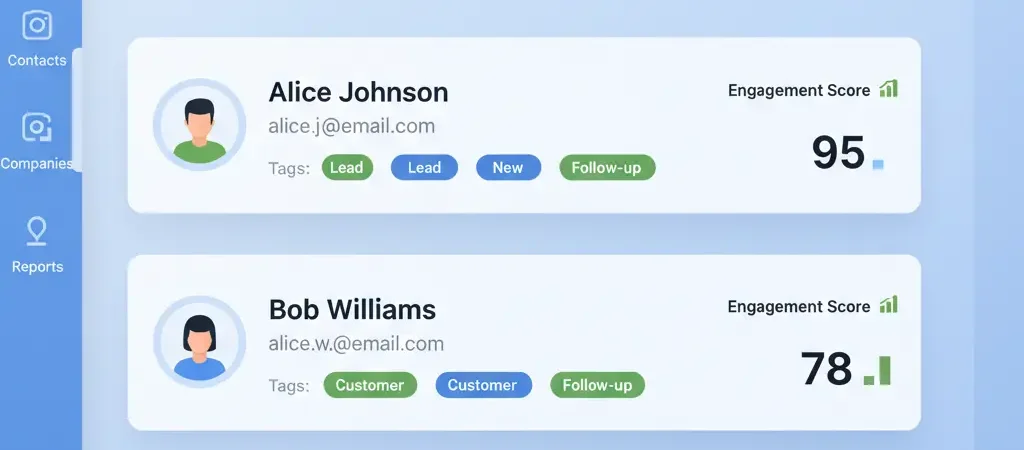
CampaignOS is the most capable free contact management platform in 2026 for teams that also want to do something with their contacts. The contact model stores unlimited contacts with full custom field support, communication history across email, SMS, push, WhatsApp, and Telegram, engagement scores, and segment membership. Import via CSV; export at any time. Automation workflows triggered by contact properties, score changes, or behaviour are included on the free tier with no contact limit restriction. The visual workflow builder handles multi-step sequences without code. For growing teams that need both contact management and multi-channel automation without paying for either, CampaignOS removes every barrier. Self-hosted option available for full data ownership.
Contact limit: Unlimited
Custom fields: Yes
Automation: Yes (full workflow builder)
Channels: Email, SMS, push, WhatsApp, Telegram
Users: Team access included
Price: Free — app.campaignos.site
2. HubSpot CRM — Best Polished Free Tier
HubSpot CRM’s free plan is the most polished in the category — clean interface, up to 1,000,000 contacts (in practice limited by email sends and features), email tracking, meeting scheduling, live chat, and a pipeline view. The free plan supports unlimited users, which is rare. The catch: email marketing automation, sequences, and advanced segmentation require paid Marketing Hub add-ons starting at $20/month. If your primary need is contact storage and sales pipeline visibility, the free CRM is excellent. If you need marketing automation, you will hit the wall quickly.
Contact limit: 1,000,000 (storage) — email limits apply
Custom fields: Yes (limited on free)
Automation: Basic (paid for sequences)
Channels: Email, live chat (free)
Users: Unlimited
Price: Free CRM; automation from $20/month
3. Zoho CRM — Best Free Plan for Small Sales Teams
Zoho CRM’s free plan supports 3 users with up to 5,000 records (contacts + leads + accounts), workflow rules, web-to-lead forms, and basic analytics. The 5,000-record limit is 5x HubSpot’s practical marketing limit, and the 3-user cap fits most early-stage teams. Integration with Zoho Campaigns adds email marketing. Zoho’s free tier is genuinely useful as a team CRM starter — it is not a stripped-down trial experience.
Contact limit: 5,000 records
Custom fields: Yes
Automation: Basic workflow rules
Channels: Email, phone log
Users: 3
Price: Free (3 users); paid from $14/user/month
4. Brevo (formerly Sendinblue) — Best Free Contact + Email Combination
Brevo’s free plan gives you unlimited contacts with 300 emails per day. The key distinction: unlike HubSpot and Zoho which limit contacts stored, Brevo limits sends per day — allowing you to grow your contact list freely. Automation workflows for up to 2,000 contacts are included on free. For teams whose primary use case is email marketing to a growing list, Brevo’s free plan is the most send-generous option without paying anything. SMS and WhatsApp require paid add-ons.
Contact limit: Unlimited
Custom fields: Yes
Automation: Yes (up to 2,000 contacts)
Channels: Email (300/day free); SMS, WhatsApp (paid)
Users: Unlimited
Price: Free; paid from $25/month
5. Freshsales — Best Free Visual Pipeline
Freshsales (Growth plan, free) provides a clean visual deal pipeline, contact management, email integration, and built-in phone capabilities. The AI-powered Freddy assistant offers basic lead scoring hints even on the free tier. Contact limit is not publicly stated but generous in practice. The free plan is primarily suited to sales-led teams that need pipeline visibility alongside contact history. Marketing automation requires paid upgrade.
Contact limit: Generous (unspecified)
Custom fields: Yes
Automation: Limited (sequences are paid)
Channels: Email, phone, chat
Users: Unlimited (Growth free)
Price: Free; paid from $9/user/month
6. Insightly — Best Free for Project-Based Businesses
Insightly’s free plan (2 users) integrates contact management with project management — useful for agencies, consultancies, and service businesses where a “contact” is tied to a project or deliverable. Standard CRM features, email logging, and task management are included. The 2-user limit and lack of automation make it more suitable as a personal CRM or solo-founder tool than a team platform.
Contact limit: 2,500
Custom fields: Yes
Automation: No (paid only)
Channels: Email
Users: 2
Price: Free (2 users); paid from $29/user/month
7. Vtiger CRM — Best Free for Small Service Teams
Vtiger’s free plan supports up to 3,000 contacts and 3 users with email marketing, contact history, and basic workflow automation. Its sales and help desk modules are included on free, making it useful for small service businesses managing both prospect and customer contacts in one place. The interface is dated compared to HubSpot or Freshsales but the free tier is substantive.
Contact limit: 3,000
Custom fields: Yes
Automation: Basic workflows
Channels: Email, phone
Users: 3
Price: Free; paid from $12/user/month
8. Pipedrive (Trial) — Best for Sales-Focused Contact Management
Pipedrive does not offer a permanent free plan — its 14-day trial gives you access to full features. It is included here because its contact management for sales-led teams is genuinely superior within the trial window, and many teams start here to evaluate before paying. Paid plans start at $14/user/month which is competitive. Not a free-forever option, but worth the trial for sales-driven organisations.
Contact limit: Trial only (14 days)
Custom fields: Yes
Automation: Yes (during trial)
Channels: Email, phone, chat
Users: Trial only
Price: No free plan; from $14/user/month
9. Airtable (Free) — Best Flexible Contact Database
Airtable’s free plan provides a highly customisable database that many teams use as a contact management tool when their needs do not fit standard CRM structures — event attendee databases, influencer lists, customer feedback tracking. The free tier allows 1,000 records per base and 5 editors. It is not a marketing automation platform — there is no email sending or automation — but for pure contact data storage with custom schema, it is the most flexible free option.
Contact limit: 1,000 records/base
Custom fields: Yes (maximum flexibility)
Automation: 100 runs/month (free)
Channels: None (database only)
Users: 5 editors
Price: Free; paid from $20/user/month
Free Plan Comparison Table
| Tool | Free Contact Limit | Free Users | Free Automation | Email Sending | Multi-Channel | Time-Limited? |
|---|---|---|---|---|---|---|
| CampaignOS | Unlimited | Team | Yes (full) | Yes | Yes (5 channels) | No |
| HubSpot CRM | 1M storage | Unlimited | Limited | Limited | Email, chat | No |
| Zoho CRM | 5,000 | 3 | Basic rules | Yes | Email, phone | No |
| Brevo | Unlimited | Unlimited | Yes (2k contacts) | 300/day | Email only | No |
| Freshsales | Generous | Unlimited | Limited | Yes | Email, phone, chat | No |
| Vtiger | 3,000 | 3 | Basic | Yes | Email, phone | No |
| Airtable | 1,000/base | 5 | 100 runs/month | No | No | No |
| Insightly | 2,500 | 2 | No | Yes | No | |
| Pipedrive | Trial only | Trial only | Yes (trial) | Yes (trial) | Email, phone, chat | Yes (14 days) |
When to Move from Free to Paid Contact Management
Free contact management software is the right starting point. Here are the signals that you have outgrown it and need a paid plan — or a more capable free alternative like CampaignOS:
- You are hitting contact limits. If you are regularly importing new contacts and approaching a hard cap, upgrade before the wall hits mid-campaign.
- You need automation that is not available on free. Welcome sequences, lead nurture drips, and score-based routing are standard needs that most free plans do not fully support. CampaignOS covers these for free; most others require paid upgrade.
- You need multiple user seats. Free plans from Insightly (2 users) and Zoho (3 users) block team growth. HubSpot’s unlimited users on free is an exception.
- You need integration depth. Real-time sync with Shopify, Salesforce, or custom data sources typically requires paid API access tiers.
- You need reporting. Advanced attribution, revenue reporting, and funnel analytics are almost always paid features. If these are priorities now, budget for a paid plan from the start.
For a full guide on setting up your first automated contact sequences after choosing your platform, see how to create an email drip campaign step by step and the marketing automation guide for small businesses.
Setup Tips for New Users
Regardless of which platform you choose, these four practices make your contact management system more valuable from day one:
- Define your custom fields before importing. Create the fields that matter to your business — industry, lead source, product interest, segment — before your first CSV import. Retrofitting a schema after import is painful.
- Set up a tagging or segment system immediately. Decide how you will group contacts — by acquisition channel, buyer stage, product line, region — and apply these consistently. Inconsistent tagging is the most common data quality failure.
- Import only clean, opted-in data. Importing a purchased list or scraping contacts is both a GDPR violation and a deliverability risk. Build your list organically from the start.
- Connect your lead capture forms on day one. Whether it is a website form, a landing page, or a LinkedIn lead gen form, connecting your form to the CRM immediately means zero manual data entry. Most platforms provide embed codes or webhook endpoints that take under 10 minutes to configure.
Frequently Asked Questions
What is the best completely free contact management software?
CampaignOS is the best completely free contact management software for teams that also want multi-channel automation — it has no contact limit, includes automation workflows, and supports email, SMS, push, WhatsApp, and Telegram at zero cost. HubSpot CRM is the best free option for teams that primarily need a polished interface and sales pipeline without automation. Brevo is best for teams focused on email marketing with unlimited contact storage.
Is HubSpot CRM really free?
HubSpot CRM’s free plan is genuinely free with no time limit. It includes contact management for up to 1M contacts (storage-wise), email tracking, deal pipeline, meeting scheduling, and live chat. However, email marketing campaigns, automation sequences, and advanced segmentation require paid Marketing Hub add-ons starting at $20/month. The free plan is excellent as a sales CRM but limited as a marketing automation platform.
What is the difference between contact management software and a CRM?
Contact management software stores contact records with communication history and basic segmentation. A CRM (Customer Relationship Management) adds deal pipelines, sales stage tracking, revenue forecasting, and team collaboration features on top of contact management. Most modern tools combine both — but some free tiers only provide the contact management layer without the CRM pipeline features.
Can I manage contacts without a CRM?
Yes — marketing automation platforms like CampaignOS, Brevo, and ActiveCampaign include full contact management without requiring a separate CRM. The contact record in these tools stores profile data, custom fields, communication history, and segment membership. For sales-led businesses needing pipeline management, a combined CRM + marketing tool is more efficient than separate systems.
Which free CRM has no contact limit?
CampaignOS and Brevo both have no hard contact limit on their free tiers. CampaignOS stores unlimited contacts with full custom fields, engagement history, and automation triggers. Brevo stores unlimited contacts but limits daily email sends to 300 on the free plan. HubSpot technically allows up to 1 million contacts in storage but applies send limits and feature restrictions that make the free tier impractical for large active lists.
Manage Unlimited Contacts — And Automate Outreach — For Free
CampaignOS combines contact management and multi-channel marketing automation in a single free platform. Store unlimited contacts, build dynamic segments, and run automated email, SMS, and push campaigns from day one — no credit card required.