Consent Management Platform for Email Marketing: What You Need in 2026
A consent management platform (CMP) manages how you collect, store, and honor user consent for data processing and communications. For email marketing specifically, the CMP layer determines whether your program is legally defensible under GDPR, CCPA, and CASL — and whether you have the audit trail to prove it when regulators ask.
In 2026, CMPs have evolved from “cookie consent banner” tools to full consent orchestration layers that manage marketing opt-ins, data processing preferences, and communication channel consents across a contact’s entire lifecycle. Understanding what your marketing stack actually needs — versus what CMP vendors will try to sell you — is the purpose of this guide.
What Is a Consent Management Platform
The term “consent management platform” covers two distinct use cases that are often conflated:
Use Case 1: Cookie Consent (Website Tracking)
Cookie consent CMPs (OneTrust, Cookiebot, Osano) manage consent for website analytics and tracking pixels under GDPR’s ePrivacy Directive. They display cookie banners, record preferences, and block tracking scripts until consent is granted.
This is required if you use Google Analytics, Facebook Pixel, LinkedIn Insight Tag, or any third-party tracking on your website with EU visitors.
Use Case 2: Marketing Communication Consent
Marketing consent management records permission to send marketing emails, SMS, and push notifications. This is managed within your email/marketing automation platform, not via a cookie CMP.
Most organizations need both. The confusion is that cookie CMPs are sometimes sold as complete consent solutions when they only address tracking consent, not marketing communication consent.
What Email Marketing Actually Needs
For GDPR-compliant email marketing, you need these consent management capabilities:
| Requirement | What It Is | Where It Lives |
|---|---|---|
| Consent capture | Record of when and how contact opted in | Marketing platform (CampaignOS) |
| Consent timestamp + source | When they consented, which form, which privacy policy version | Marketing platform contact record |
| Suppression list | Unsubscribed, complained, and erasure-requested contacts | Marketing platform (suppression list) |
| Preference center | Self-service page for contacts to manage preferences | Hosted by marketing platform or custom page |
| Audit log | Record of all consent events for regulatory reporting | Marketing platform + optional dedicated CMP |
For most organizations, a properly configured marketing automation platform handles all of these requirements. A dedicated CMP vendor is only needed if you require advanced features: consent versioning across regulatory updates, multi-territory consent rule management, or integration with legal review workflows.
Consent Capture Architecture
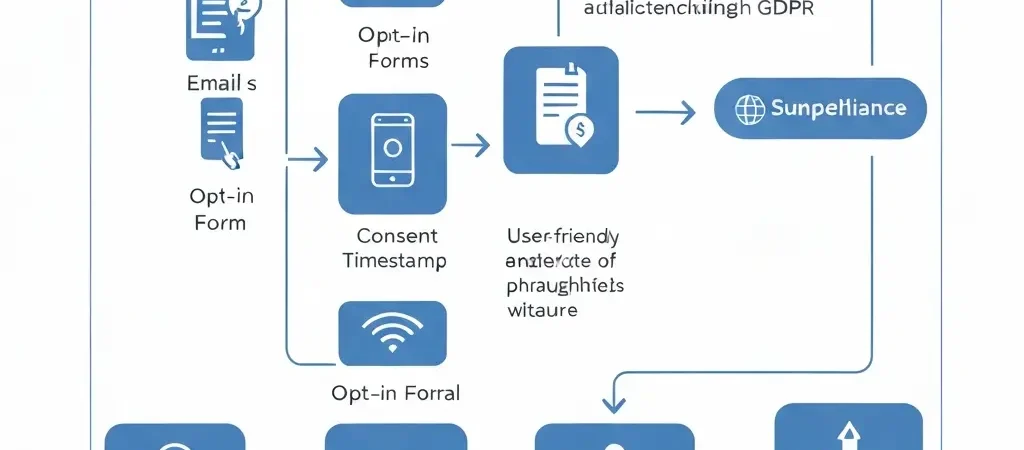
The consent capture architecture determines what you can prove to a regulator if challenged. Three components:
1. Signup Form Design
Every email opt-in form must include:
- Unchecked checkbox with specific consent language
- Link to current privacy policy
- Name of the organization collecting the data
- Description of what communications they’ll receive
Form example text: “I agree to receive email marketing from [Company]. I can unsubscribe at any time. Privacy Policy.”
2. Consent Record Storage
When a contact submits the form, your platform must record:
- Contact email
- Consent timestamp (date and time, ideally UTC)
- Source URL (which page/form they were on)
- Consent text version (which version of the consent language was displayed)
- IP address (optional but strengthens audit trail)
- Form ID (which form was used)
In CampaignOS, this is configured in Settings → Compliance → Consent Tracking. Enable “Log consent details on signup” to capture all of the above automatically.
3. Double Opt-In (Recommended)
Double opt-in sends a confirmation email requiring contact to verify. The confirmation click provides the strongest possible evidence of consent — the contact actively confirmed from their own inbox. Configure in CampaignOS under List Settings → Double Opt-In.
Preference Center Setup
A preference center is a web page where contacts can manage their communication preferences — frequency, content types, and channel preferences (email vs SMS vs push). Under GDPR, you must make it easy for contacts to modify or withdraw consent.
Minimum Viable Preference Center
- Option to unsubscribe from all marketing communications
- Option to change email frequency (immediately, weekly digest)
- Option to manage content preferences (product updates, blog content, promotional offers)
CampaignOS generates a hosted preference center automatically for each list. Link to it from the footer of every email alongside your unsubscribe link.
Advanced Preference Center
For organizations with multiple marketing programs:
- Channel preferences: email, SMS, push notifications — each togglable independently
- Topic preferences: contact selects interest categories that drive segmentation
- Frequency preferences: immediate, daily digest, weekly
Suppression List Management
A suppression list is a list of contacts who must never receive marketing emails — regardless of what lists they’re on. This is not the same as an unsubscribe list (which can be accidentally bypassed when importing new lists).
Who Belongs on the Suppression List
- All contacts who have unsubscribed (add immediately upon opt-out)
- Contacts who reported your email as spam
- Contacts who submitted an erasure request (retain email for suppression, remove all other PII)
- Hard bounced email addresses
- Contacts who have expressed legal threats or complaints
Managing Suppression in CampaignOS
- Navigate to Contacts → Suppression List
- Import any existing unsubscribes from prior ESPs before first send
- Configure automatic addition: Settings → Compliance → Auto-Suppress on Unsubscribe/Complaint/Hard Bounce
- When importing new lists: always run against suppression list first (CampaignOS does this automatically during import)
CMP vs ESP: What to Buy and What to Configure
| Need | Solution | Cost |
|---|---|---|
| Cookie consent banner (EU website) | CookieYes, Cookiebot, or Osano | $0-50/month |
| Email opt-in consent capture + logging | CampaignOS compliance settings | Included in free tier |
| Preference center | CampaignOS hosted preference center | Included in free tier |
| Suppression list management | CampaignOS suppression list | Included in free tier |
| Enterprise multi-territory consent management | OneTrust or Osano enterprise | $15,000+/year |
For most organizations, especially SMBs: you need a cookie CMP ($0-50/month) for your website’s tracking pixels, and you configure your marketing automation platform correctly for email consent management. No separate enterprise CMP required.
For the full GDPR compliance setup, see the GDPR compliant email marketing guide. For platform comparison, see the platform comparison chart.
Frequently Asked Questions
What is a consent management platform?
A consent management platform (CMP) manages how you collect, record, and honor user consent for data processing. In web marketing, this covers two areas: cookie consent (tracking pixels, analytics) and marketing communication consent (email, SMS, push opt-ins). Cookie CMPs handle the first; marketing automation platforms handle the second. Both may be needed for GDPR compliance, but they’re distinct systems solving different problems.
Do I need a consent management platform for email marketing?
Not as a separate product in most cases. Email marketing consent management (opt-in records, suppression lists, preference centers, consent audit logs) is handled by your marketing automation platform if configured correctly. A dedicated enterprise CMP is needed only for complex multi-territory consent management or advanced legal review workflows. For SMBs and mid-market, CampaignOS’s built-in compliance features cover all email consent management requirements.
What is a preference center in email marketing?
A preference center is a self-service web page where email subscribers can manage their communication preferences — unsubscribe from specific lists, adjust frequency (weekly digest vs. immediate), choose content categories, and select which channels (email, SMS, push) they want to receive. It’s a compliance requirement (GDPR Article 7 requires easy consent withdrawal) and a retention tool — contacts who can reduce rather than only eliminate communications are less likely to fully unsubscribe.
How do I build a suppression list for GDPR compliance?
Start by importing all existing unsubscribes from every prior ESP into your suppression list before your first send. Configure automatic suppression for: opt-out events, spam complaints, hard bounces, and erasure requests. The suppression list should be checked against every import and every send — never import contacts from a new source without cross-referencing the suppression list first. For erasure requests, remove all PII from the contact record but retain the email in suppression only.
Consent Management Built Into CampaignOS
CampaignOS includes consent logging, suppression list management, hosted preference centers, and GDPR-compliant opt-in flows — all built in to the free open-source platform. No separate consent tool required.