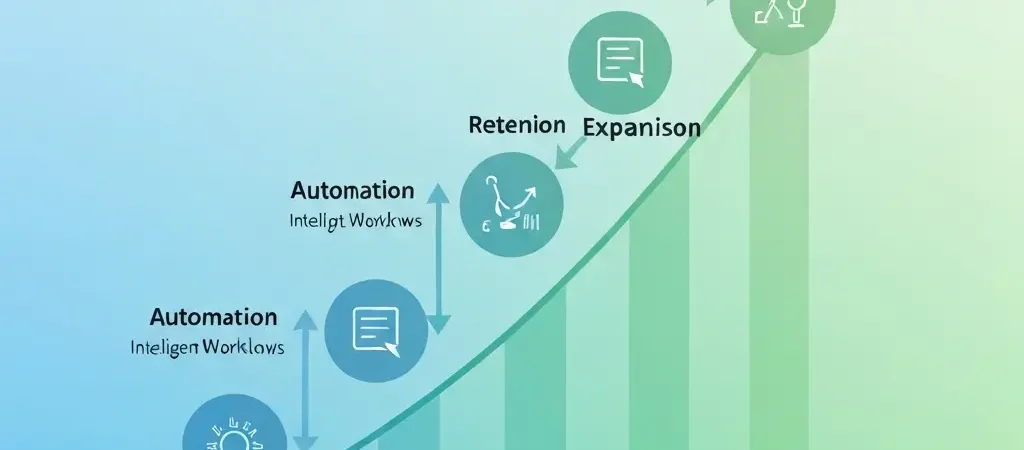
Customer Engagement Automation: How to Build Systems That Drive Retention
Acquiring a customer is expensive. Keeping one is not — if you have the right customer engagement automation systems in place. The companies that win in 2026 are the ones that have built automated engagement programs that respond to customer behavior in real time, deliver personalized value at each stage of the lifecycle, and catch at-risk customers before they decide to leave.
This guide covers the engagement automation playbooks that drive the highest ROI for growth teams: activation, retention, expansion, and re-engagement. You’ll find workflow templates, channel strategies, and measurement frameworks you can put into practice today using CampaignOS.
Why Engagement Automation Beats Manual Outreach
Manual customer success outreach doesn’t scale. A CS team of five people cannot meaningfully engage 5,000 customers at the moments that matter — when they’re struggling with activation, when their usage drops, when they reach a milestone that predicts expansion. Automation handles the scale problem while maintaining the personalization that makes engagement meaningful.
The key insight: behavioral triggers make automated messages feel personal. An email sent 30 seconds after a user fails to complete an activation step — containing exactly the help they need for that specific step — feels attentive and helpful. The same email sent on a weekly schedule feels generic and tone-deaf to where the user actually is.
Companies with mature engagement automation programs consistently outperform peers on retention metrics. McKinsey research shows that companies using advanced personalization and behavioral automation report 10–15% higher customer satisfaction and 20–30% higher lifetime value from retained customers.
Activation Automation Playbook
Activation — the moment a new user first experiences the core value of your product — is the highest-leverage point in the customer lifecycle. Users who activate are dramatically more likely to become paying customers and long-term subscribers. The activation playbook automates everything needed to get users there.
Define Your Activation Milestone
Before building the workflow, define precisely what “activated” means. Not a proxy metric — the actual behavior that predicts retention. For a project management tool: first project created with at least two tasks and one collaborator. For an email marketing platform: first campaign sent to at least 100 contacts. This specific milestone is your north star metric for the activation sequence.
Activation Workflow Structure
- Hour 0: Welcome email with clear next step. One CTA only — “complete step 1.”
- Hour 1: In-app message on first login: “Here’s how to get started in 5 minutes.”
- Day 1 (if step 1 not completed): Email with tutorial content for step 1. Subject: “Need a hand getting started?”
- Day 2 (if still not activated): Push notification: “Your [product name] setup is waiting — pick up where you left off.”
- Day 3 (if still not activated): Email with social proof — customers who activated share their first win stories.
- Day 5 (if still not activated): Offer live onboarding call or chat with CS.
- Day 10 (if still not activated): Last chance sequence — what would make this easier?
Critical: every step has an exit condition. As soon as the contact activates, they exit this sequence and enter the “active user” workflow. Never send “you haven’t activated yet” emails to someone who has.
Retention and Churn Prevention Playbook
Churn prevention works best when it’s predictive — catching at-risk customers 30–60 days before they actually churn, when you still have time to intervene. The retention playbook monitors behavioral signals and triggers intervention sequences when risk scores rise.
Churn Risk Signals to Monitor
- Login frequency drops more than 50% vs. 30-day average
- Core feature usage declines month-over-month
- Failed payment (often precedes voluntary churn)
- Support tickets spike in number or negative sentiment
- Billing page visits (researching alternatives)
- Admin user hasn’t logged in for 14+ days
Churn Prevention Workflow
- Risk detection trigger: Contact enters “at-risk” segment based on two or more churn signals
- Email 1: Check-in email from CEO or CS lead — “How is [product name] working for you?” Genuine, non-automated-feeling
- Day 3 (if no response): Email with education content about features they haven’t used
- Day 7 (if no response): Offer a free success call with a CS specialist
- Day 14 (if still at-risk): Flag for manual outreach by human CS team
Health-focused platforms like IQuitNow apply exactly this kind of behavioral risk detection to identify users who may be relapsing in their quit-smoking journey — triggering the right intervention at the right moment before the user gives up on the app entirely. The same principle applies to any subscription product.
Expansion Revenue Playbook
Expansion revenue — upsells and cross-sells — is the highest-ROI growth motion for subscription businesses. Net Revenue Retention above 110% means you’re growing revenue from existing customers faster than you’re losing it to churn. Automation makes this scalable.
Expansion Signals to Monitor
- Contact approaching plan usage limits (seats, sends, storage)
- High engagement with premium features that require an upgrade
- Company headcount growth (from LinkedIn or enrichment tools)
- High product engagement score for 60+ consecutive days
- Power user behavior that predicts team expansion
Expansion Workflow
- Signal detected: Contact approaches 80% of plan limit
- In-app message: “You’ve used X of Y sends this month — here’s what you unlock by upgrading”
- Day 3 (if no upgrade): Email with value summary — ROI they’ve achieved + what’s possible at next tier
- Day 7 (if approaching 100% limit): Urgency email — “Your sends cap out in 3 days. Upgrade now to keep campaigns running.”
- At limit: In-app blocker with upgrade CTA and immediate upgrade option
Win-Back Playbook
Churned customers represent recoverable revenue — they already know your product, and the cost to win them back is a fraction of new customer acquisition. A systematic win-back sequence captures this opportunity.
Win-Back Timing
Send win-back sequences at 30, 60, and 90 days post-churn. The 30-day sequence is highest converting — the product is still fresh in memory and the reason for churn is often still solvable. The 90-day sequence focuses on what’s new and improved since they left.
Win-Back Sequence
- Day 30: “We’ve been improving [product name] — here’s what’s new” email. No discount. Just value.
- Day 37: Case study email — how a similar company achieved a result the churned contact would care about
- Day 60: Email with specific new feature that addresses the most common churn reason
- Day 67: Time-limited offer — 30% off first 3 months to come back
- Day 90: “Last one from us” email — final offer, acknowledges they may have moved on
This type of content strategy for win-back campaigns is precisely what Authenova’s AI content engine helps automate — ensuring that the personalized, high-quality content required for effective win-back sequences can be produced at scale. For platforms like Tesify, win-back automation is critical for recapturing students who cancelled subscriptions after completing one academic project.
Channel Strategy for Engagement Automation
Different engagement scenarios call for different channels. Use this matrix to guide channel selection in your workflows:
| Scenario | Primary Channel | Fallback Channel |
|---|---|---|
| Welcome / onboarding | In-app | |
| Activation nudge | In-app + Email | Push |
| Churn risk intervention | SMS (high-value) | |
| Usage limit warning | In-app | |
| Re-engagement | Push (if opted in) | |
| Win-back (post-churn) | Email only | — |
Measuring Engagement Automation ROI
The right metrics for engagement automation connect directly to business outcomes:
- Activation rate: % of new signups who reach the activation milestone. Target: improve by 20–40% vs. no automation.
- Time to activate: Median days from signup to activation. Faster is better — strongly predicts conversion.
- Churn rate: Monthly subscriber churn. Measure before and after deploying churn prevention workflows.
- Net Revenue Retention: Revenue from existing customers at month end / revenue at month start. Target: above 100%, ideally 110–120%.
- Win-back rate: % of churned customers who reactivate within 90 days of churn.
Build Engagement Automation with CampaignOS
CampaignOS gives you the behavioral triggers, multi-channel workflows, and analytics to run every playbook in this guide — free and open source. No per-contact fees, no vendor lock-in.
Frequently Asked Questions
What is customer engagement automation?
Customer engagement automation is the use of behavioral triggers and automated workflows to deliver relevant, timely communications to customers based on what they actually do — not just on a schedule. Examples include activation sequences that fire when a user fails to complete a key step, churn prevention emails triggered by declining usage, and expansion campaigns triggered when a user approaches plan limits.
How do I know if my engagement automation is working?
Measure business-level outcomes, not just email metrics. For activation workflows: track activation rate and time-to-activate. For retention workflows: track monthly churn rate and compare to baseline. For win-back: track reactivation rate of churned customers. Set up A/B tests with control groups (contacts who receive the automation vs. a holdout who don’t) to isolate the automation’s actual impact.
How many automation workflows should I build first?
Start with the single highest-ROI workflow for your business. For most SaaS companies, that’s the activation sequence — improving activation rate directly improves revenue. Get it right, measure it, then add the next workflow. Five well-designed, well-measured workflows outperform twenty poorly considered ones. Focus depth before breadth.
What’s the difference between customer engagement automation and drip campaigns?
Drip campaigns send a fixed series of emails on a schedule to everyone who enters the sequence, regardless of behavior. Customer engagement automation uses behavioral triggers and branching logic: the next message changes based on what the customer does. If they activate, they exit the activation sequence and enter the active user flow. If they don’t open an email, they get a different subject line. Engagement automation adapts to the individual; drip campaigns don’t.
How much engineering work does customer engagement automation require?
The primary engineering requirement is event instrumentation — adding tracking calls to your product that send behavioral events (user_activated, feature_used, plan_limit_approached) to your engagement platform. This is typically 1–3 days of engineering work for a developer who knows your codebase. After instrumentation, the marketing team can build and modify workflows without engineering involvement using CampaignOS’s visual workflow builder.