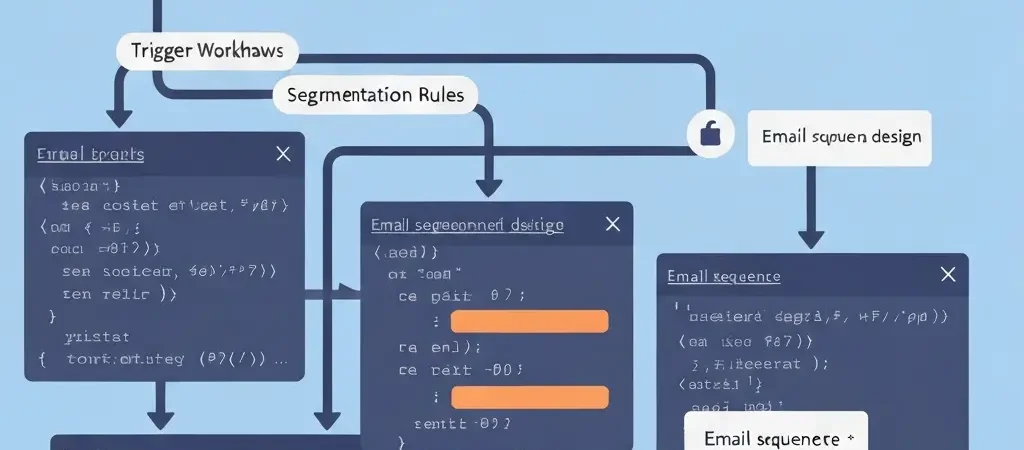
Email Marketing Automation Strategy 2026: The Technical Playbook for Growth Teams
Email marketing automation delivers a $42 ROI for every $1 invested — the highest ROI of any marketing channel. Yet most organizations capture only a fraction of that potential because their automation strategy consists of a welcome email and a monthly newsletter. The gap between a basic email setup and a mature automation strategy is enormous, and it’s measured in revenue. Automated emails generate 320% more revenue than non-automated emails. This playbook shows you how to close that gap.
The methodology here is built for growth teams who understand the marketing stack technically: you know what triggers and webhooks are, you’ve worked with segmentation logic, and you want a framework that scales rather than one that requires rebuilding every 6 months.
The 5 Automation Families
A mature email automation strategy is organized into five functional families, each serving a different stage of the customer relationship. The mistake most teams make is building automations opportunistically — creating individual flows without an architecture. Organizing around families gives you a framework for coverage gaps and optimization priorities.
1. Onboarding Automation
Triggered by signup, free trial start, or first purchase. Goal: activate the contact — drive them to their “aha moment” as quickly as possible. Typically 5–7 emails over 14 days. The most impactful automation family for SaaS and ecommerce: companies with strong onboarding sequences have 50–70% higher retention at 90 days.
2. Behavioral Automation
Triggered by specific user actions: page visits, feature usage, click events, product views, cart abandonment. This is the highest-revenue automation family — Triggered emails drive 4x higher click-through rates than bulk emails because they’re contextually relevant. Requires event tracking connected to your email platform.
3. Lifecycle Automation
Stage-based sequences that run parallel to the customer journey: prospect nurture (pre-purchase), onboarding (new customer), expansion (upsell opportunities), loyalty (renewal reminders, exclusive offers). Lifecycle automation maps to CRM lifecycle stages and requires robust contact property tracking.
4. Re-Engagement Automation
Triggered when contacts become inactive — typically no email opens in 60–90 days. Goal: re-activate or suppress. A well-designed re-engagement flow with a strong subject line and clear value proposition recovers 10–20% of lapsed contacts before they’re purged. Critical for maintaining list health and deliverability.
5. Transactional Automation
Purchase confirmations, shipping notifications, password resets, account updates. These have the highest open rates of any email type (50–80%) because recipients are actively expecting them. Optimizing transactional emails for product education, upsell, and review requests is one of the highest-ROI email activities available.
Building the Contact Model First
Every automation family requires a contact model that accurately represents each contact’s state, behavior, and lifecycle stage. Build this before building automations.
Required contact properties for a mature automation system:
- Lifecycle stage: Lead, MQL, SQL, customer, churned, churned-reactivated
- Acquisition source: Channel and campaign that drove the signup
- Product engagement score: Calculated from feature usage events (SaaS) or purchase history (ecommerce)
- Last activity date: Last email open, click, login, or purchase — used for re-engagement triggers
- Communication preferences: Opted-in channels, frequency caps, category opt-outs
Trigger Logic: What Makes Automation Behavioral
The distinction between schedule-based automation and behavioral automation is the difference between average and excellent email performance. Schedule-based automation sends emails at fixed intervals after a trigger. Behavioral automation sends emails when the contact’s behavior indicates they’re ready for the next message.
Behavioral Trigger Examples
- Contact views pricing page 3+ times without converting → trigger sales rep notification + send pricing FAQ email
- Contact hasn’t used product in 7 days → trigger re-engagement sequence
- Contact clicks a specific link in an email → branch workflow to targeted follow-up sequence
- Contact achieves specific usage milestone → trigger expansion/upsell sequence
Building these triggers requires event tracking infrastructure. CampaignOS accepts behavioral events via webhook — your product, website, or ecommerce platform sends events to CampaignOS in real-time, which triggers the appropriate automation flows.
Deliverability: The Infrastructure Layer
The most sophisticated email automation strategy fails if your emails don’t reach the inbox. Deliverability is the unsexy infrastructure layer that determines whether your automation investment pays off.
- SPF, DKIM, DMARC: All three must be configured on your sending domain. DMARC at minimum p=quarantine.
- Dedicated sending IP: At volumes above 50,000 emails/month, a dedicated IP provides independent reputation management.
- List hygiene: Remove hard bounces immediately, suppress soft bounces after 3 attempts, unsubscribe inactive contacts after 12 months.
- Engagement optimization: Segment sends to prioritize engaged contacts. Gmail reputation scores reward high engagement rates and penalize low open rates.
See our email deliverability monitoring guide for the complete infrastructure checklist.
Building This With CampaignOS
CampaignOS’s visual workflow builder supports all five automation families with a drag-and-drop interface and no-code trigger logic. The platform connects email sending (via your configured SMTP provider), webhook event ingestion, contact property updating, and multi-channel messaging in one workflow canvas.
For the complete technical setup, see the CampaignOS marketing automation tutorial. Start free at app.campaignos.site.
Pair your email automation with AI-powered content from Authenova to populate your nurture sequences with keyword-optimized articles that drive organic traffic while feeding your automation flows.
Frequently Asked Questions
What is email marketing automation?
Email marketing automation is the use of software to send pre-built email sequences triggered by contact behavior, lifecycle events, or schedule. Unlike manual broadcast emails, automation sends the right message to the right contact at the right time — based on their actual behavior and stage in the customer journey. Automated emails generate 320% more revenue than non-automated emails because of this contextual relevance.
How much revenue does email marketing automation generate?
Email marketing delivers $36–$42 ROI for every $1 invested — higher than any other marketing channel. Automated emails specifically generate 320% more revenue than non-automated emails. Companies earn roughly 21% of their email marketing revenue from automated campaigns, despite automated emails representing a small fraction of total email volume sent.
What are the most important email automation flows to build first?
Priority order for building email automation flows: (1) Welcome/onboarding series — highest ROI, activates new contacts, (2) Cart abandonment — 15% average recovery rate, immediate revenue impact, (3) Re-engagement series — recovers inactive contacts before they become permanent churn, (4) Post-purchase follow-up — review requests, upsells, cross-sells, (5) Lead nurture sequences — long-term conversion for B2B and considered purchases.
Build Your Email Automation Strategy With CampaignOS
CampaignOS’s visual workflow builder supports all five automation families — onboarding, behavioral, lifecycle, re-engagement, and transactional. Free to start, open source, and built for teams who want full control of their marketing stack.