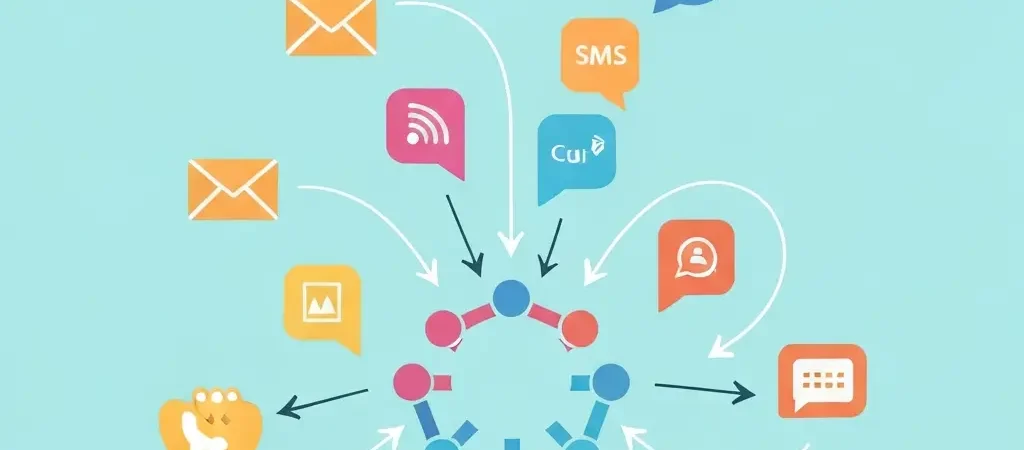
How to Automate Customer Engagement Across Channels in 2026
Customers in 2026 don’t live in a single channel. They open your emails on mobile, see your push notifications at the gym, and read your SMS messages during their commute. If your marketing automation only fires email sequences, you’re reaching a fraction of your audience at a fraction of the right moments. This guide shows you how to automate customer engagement across channels — combining email, SMS, push notifications, and in-app messages into coordinated sequences that respond to real behavior.
This is not about blasting the same message on every channel simultaneously. It’s about designing workflows that intelligently route each customer to the right channel based on their engagement patterns. Done correctly, multichannel automation increases customer engagement rates by 250% compared to email-only campaigns, according to Salesforce’s 2025 State of Marketing report.
Prerequisites and Platform Requirements
Before building multichannel automations, ensure you have:
- A multichannel automation platform — your tool must natively support email, SMS, push, and in-app from a single interface. Platforms that only do email will require third-party integrations that create fragmentation and data sync issues.
- Contact data with channel opt-ins — you need to know which customers have opted into each channel (email, SMS, push)
- An SMTP provider for email (Amazon SES, Postmark, Mailgun)
- An SMS provider (Twilio, Vonage, or similar)
- Push notification SDK or script installed on your website/app
- Time estimate: 4–8 hours for initial setup. Difficulty: Moderate.
CampaignOS is the recommended platform for this tutorial — it’s the only open source platform in 2026 that handles all four channels (email, SMS, push, in-app) from a single visual workflow builder without requiring third-party integrations for each channel.
Step 1 — Map Your Customer Journey
Time: 30–60 minutes. Difficulty: Easy.
Before touching your automation tool, map the customer journey on paper or in a diagramming tool. Identify:
- The key lifecycle stages: Prospect → New Subscriber → Active Customer → At-Risk → Churned
- The behavioral triggers that signal movement between stages (e.g., “no opens in 60 days” = At-Risk)
- The goal of engagement at each stage (e.g., new subscriber goal = first purchase within 7 days)
- Which channels are available at each stage — new subscribers may only have email; app users also have push
- The maximum message frequency you’ll allow per channel per week (e.g., max 3 emails, max 1 SMS, max 2 push per week)
This mapping exercise prevents the most common multichannel automation mistake: creating channel-specific automations that fire independently, resulting in a customer receiving 8 messages in 3 days across different channels with conflicting calls to action.
Step 2 — Set Up Each Channel
Time: 1–2 hours. Difficulty: Moderate.
- Email: Configure your SMTP provider and verify your sending domain (SPF, DKIM, DMARC)
- SMS: Connect your Twilio or Vonage account. Configure your sending number or shortcode. Ensure you have a compliant opt-in process with documented consent records.
- Browser Push: Add the push notification JavaScript snippet to your website. This creates the browser permission prompt that subscribers must accept. Configure the prompt timing — 30–60 seconds on-site before showing the prompt typically yields higher acceptance rates than showing it immediately.
- In-App: If you have a web app, embed the in-app messaging SDK. This enables showing modals, banners, or tooltip messages to logged-in users based on their behavior.
- Telegram (optional): Connect your Telegram bot if your audience is active on Telegram — CampaignOS supports Telegram as a native channel
Step 3 — Define Engagement Triggers
Time: 30 minutes. Difficulty: Easy.
Cross-channel automation is most effective when triggered by real behavior, not just time elapsed. Build triggers for:
- Subscription events: new contact added, form submitted, checkout completed
- Engagement events: email opened, link clicked, push notification clicked, page visited
- Inactivity events: no open in X days, no purchase in X days, cart abandoned for X hours
- Custom events via API: feature activated, onboarding step completed, support ticket opened
In CampaignOS, navigate to Automations → Triggers to see all available trigger types. Custom event triggers are especially powerful for SaaS products — they let you trigger engagement sequences based on in-app actions. This is the same behavior-based logic that powers sophisticated content strategy frameworks — the best systems respond to what users actually do, not just what you hope they’ll do.
Step 4 — Build the Cross-Channel Workflow
Time: 1–3 hours. Difficulty: Moderate to High.
The core pattern for cross-channel automation is the “channel escalation” or “best channel” approach. Here’s the standard structure:
- Enter workflow on trigger (e.g., “cart abandoned for 1 hour”)
- Check channel availability: Does this contact have a push subscription? An SMS opt-in?
- Send on primary channel (usually email) with a relevant message
- Wait: Set a delay of 2–4 hours
- Check if primary channel engaged: Did they open the email? Click the link?
- If yes: Exit the sequence (goal achieved) or move to next stage
- If no: Send on secondary channel (push notification with short-form version of the message)
- Wait: Another 2–4 hours
- If still no engagement: Send SMS as final escalation (highest cost, highest open rate — ~98%)
In CampaignOS’s visual workflow builder, this looks like a flowchart with condition branches at each “did they engage?” decision point. Use the “Check Condition” node to evaluate engagement status and the “Send Message” node for each channel action.
Step 5 — Add Personalization Logic
Time: 30–60 minutes. Difficulty: Easy to Moderate.
Personalization dramatically improves cross-channel engagement rates. Add these layers:
- First name personalization: Use merge tags in all channel messages:
Hi {{first_name}} - Product/content personalization: Use the last viewed product or page as the basis for abandoned cart or re-engagement messages
- Time-of-day optimization: Use “Send at optimal time” features to deliver messages when each contact historically engages
- Segment-specific messages: Create variations for new customers vs. repeat customers vs. VIPs — each group needs a different message and tone
- Channel-length adaptation: SMS is limited to 160 characters, push to ~60 characters, email is unlimited — write channel-specific copy, not the same message copy-pasted across channels
Step 6 — Test Each Channel
Time: 1–2 hours. Difficulty: Easy.
- Create a test contact with your personal email, mobile number, and browser push subscription
- Manually trigger the workflow to enter this test contact
- Verify message delivery and rendering on each channel: check email formatting on mobile and desktop, check SMS message length and link tracking, confirm push notification shows the correct icon and message
- Test the conditional logic: open the email to confirm the SMS branch is not triggered; don’t open to confirm SMS does trigger after the delay
- Check analytics — confirm opens, clicks, and conversions register correctly in your dashboard
Step 7 — Monitor and Optimize
Ongoing. Difficulty: Easy.
After the first 2 weeks of live operation, review per-channel performance:
- Email open rate benchmark: 20–35% is typical for behavior-triggered emails in 2026
- Push notification click rate: 2–5% for general content, 8–15% for highly personalized or time-sensitive messages
- SMS open rate: 95%+ open rate, 25–35% click-through rate for well-targeted SMS
- Identify which channel performs best for each audience segment and adjust your workflow routing accordingly
- Run A/B tests on message copy and send timing for each channel
Sample Cross-Channel Engagement Playbook
Here’s a production-ready onboarding playbook for a SaaS product, deployable in CampaignOS in under 2 hours:
| Day | Channel | Message | Condition |
|---|---|---|---|
| Day 0 | Welcome + activation guide | Always send | |
| Day 1 | In-App | Onboarding tooltip on first login | If logged in |
| Day 3 | Feature highlight: key action | If key action not completed | |
| Day 3 | Push | “Your setup is 50% complete” | If email not opened in 4h |
| Day 7 | Use case example / case study | Always send | |
| Day 14 | SMS | “Need help? Reply here” | If no key action completed |
Build This Playbook in CampaignOS
CampaignOS is the only open source platform in 2026 that handles all four channels — email, SMS, push, and in-app — from a single visual workflow builder. Free to get started.
Frequently Asked Questions
What does “cross-channel customer engagement automation” mean?
Cross-channel customer engagement automation means using software to automatically send coordinated messages across multiple communication channels — email, SMS, push notifications, in-app messages — based on customer behavior. Unlike single-channel automation that only manages email, cross-channel systems route messages to the channel each customer is most likely to engage with, increasing overall engagement rates and conversion.
How many channels should I automate engagement on?
Start with two channels — email plus one additional channel your audience actively uses (push for app-based products, SMS for e-commerce). Adding channels increases complexity and requires more content production. Once you’ve optimized two channels and have data on which works best for each audience segment, expand to a third channel. Most businesses find that 2–3 channels handle 90% of their engagement scenarios effectively.
How do I avoid overwhelming customers with too many messages?
Set per-channel frequency caps in your automation platform. A common policy is no more than 3 emails, 1 SMS, and 2 push notifications per week per contact. Use “exit immediately if goal achieved” logic in your workflows so a customer who converts doesn’t continue receiving messages intended to drive that conversion. Monitor unsubscribe rates per channel — a spike signals message fatigue.
What is the difference between multichannel and omnichannel automation?
Multichannel automation sends messages on multiple channels but treats each channel independently. Omnichannel automation coordinates all channels into a unified customer experience, with each channel aware of what happened on the others. True omnichannel automation uses shared contact data and engagement history — if a customer clicks a push notification, the email they receive next acknowledges that behavior rather than repeating the same message.
What platform is best for cross-channel marketing automation?
CampaignOS is the best open source platform for cross-channel automation in 2026, handling email, SMS, push notifications, in-app messages, and Telegram from a single visual workflow builder. For proprietary options, ActiveCampaign, Klaviyo (e-commerce), and Braze (enterprise mobile) are the leading commercial platforms. CampaignOS offers the most complete open source feature set at zero licensing cost.
How do I measure the success of cross-channel engagement automation?
Track per-channel engagement rates (opens, clicks), total workflow conversion rate (goal completions / workflow entries), revenue attributed to the automation (use UTM parameters and conversion tracking), and unsubscribe/opt-out rates per channel. The most important metric for customer engagement automation is the conversion rate compared to a control group not enrolled in the automation — this quantifies the actual business impact.
Is cross-channel automation compliant with GDPR and CAN-SPAM?
Cross-channel automation is GDPR and CAN-SPAM compliant as long as you have documented consent for each channel individually. Email consent does not imply SMS consent — you need separate opt-ins for each channel. Every message on every channel must include an unsubscribe mechanism. CampaignOS includes built-in consent management that tracks channel-specific opt-in status and automatically suppresses contacts who have unsubscribed from any channel.