How to Automate Customer Engagement Across Channels (2026 Omnichannel Guide)
Most marketing teams are present on multiple channels. Few of those channels actually talk to each other. The result: a customer who opened your email yesterday gets the same promotional SMS this morning, ignores both, and quietly unsubscribes by Thursday. Learning how to automate customer engagement across channels is not about adding more touchpoints — it is about making every touchpoint aware of every other one. This guide gives you the eight-step framework to build that system in 2026.
Companies that run coordinated omnichannel engagement retain 89% of their customers on average, compared to 33% for those running siloed channel strategies (Salesforce State of the Connected Customer). The gap is not budget — it is architecture. The steps below close that gap without requiring an enterprise data team.
Step 1: Unify Contact Identity
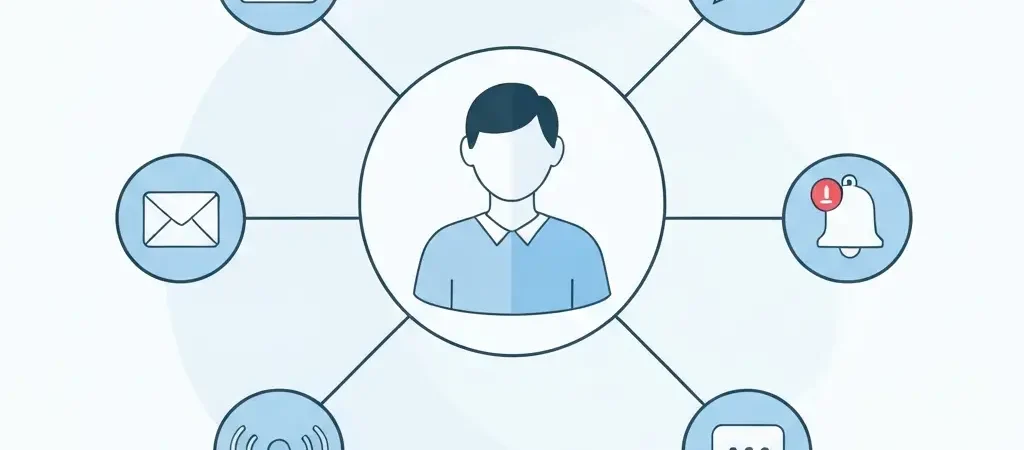
Every channel automation problem is, at its root, an identity problem. If your email platform holds one record for jane@example.com and your push provider holds a device token with no email attached, you have two Janes. Automate from that position and you will send duplicate messages, miss suppression rules, and generate meaningless engagement data.
The foundation of cross-channel automation is a single contact profile that aggregates all identifiers: email address, phone number, device tokens, external IDs from your product or CRM, and any custom attributes you track. This profile becomes the source of truth every channel reads from and writes to.
Practical steps to unify identity:
- Choose a master identifier (email is the most portable; user ID works if you have a logged-in product).
- Map all secondary identifiers (phone, device token, Stripe ID, Shopify customer ID) to that master record.
- Run a deduplication pass on existing contacts — merge records that share an email or phone.
- Set up real-time identity resolution so new signups and event data enrich the correct profile immediately.
In CampaignOS’s customer engagement platform, contact profiles are created once and enriched continuously. Every channel event — email open, SMS reply, push click, in-app action — writes back to the same record, giving you a live 360-degree view without a separate CDP.
Step 2: Pick Your Channel Set
More channels is not automatically better. Each channel you add requires consent collection, content templates, deliverability management, and performance monitoring. Adding a channel before your identity layer is solid creates more fragmentation, not more engagement.
In 2026, the four channels that cover the majority of customer engagement moments are:
| Channel | Best for | Avg open/click rate |
|---|---|---|
| Nurture, newsletters, transactional | 38% open / 2.6% click | |
| SMS | Urgency, reminders, re-engagement | 98% open / 19% click |
| Push (web + mobile) | Real-time alerts, cart recovery | 7–12% click (mobile) |
| In-app | Onboarding, feature adoption, upsell | 8–25% click (contextual) |
Start with email plus one high-intent channel. Add the others once your marketing workflow automation is running and you have baseline performance data to compare against.
Step 3: Centralize Consent Management
Consent is not a legal checkbox — it is the data that determines which channels a contact can receive messages on. Without a centralized consent store, you risk sending SMS to contacts who opted out six months ago via a separate form, or suppressing email for contacts who explicitly re-subscribed.
A centralized consent record should store:
- Opt-in status per channel (email, SMS, push, in-app)
- Opt-in timestamp and source (signup form, checkout, preference center)
- Opt-out timestamp and reason where applicable
- Jurisdiction (GDPR, CAN-SPAM, TCPA, CASL) so compliance rules apply automatically
When consent changes — opt-out via SMS reply STOP, unsubscribe via email footer, preference center update — that change should propagate to all channels within seconds, not overnight batches. Real-time consent sync is a non-negotiable for omnichannel operations in 2026.
Step 4: Create Your Customer Journey Map
A journey map defines the moments that matter: the events that signal a customer is ready for a specific message. Before building any workflow, list the trigger events for your business and the ideal response across channels.
A basic journey map for a SaaS product looks like this:
- Signup: Email welcome sequence (Day 0, Day 2, Day 5) + in-app onboarding tooltip
- First key action: Email confirmation + push notification celebrating the milestone
- 7-day inactivity: Email re-engagement + SMS if email unopened after 48h
- Trial expiry approaching: In-app upgrade banner (Day -3) + email (Day -1) + SMS on expiry day
- Churn risk (30+ day inactivity post-trial): Email win-back sequence
Map the journey for your top three lifecycle stages before you build. Document which channel fires first, what the fallback channel is if the first goes unread, and how long to wait between attempts. This map becomes the blueprint for your workflow configuration.
For a deeper look at omnichannel architecture, the omnichannel marketing automation guide covers the full stack layer by layer.
Step 5: Orchestrate Across Email, SMS, Push, and In-App
Orchestration is the logic that decides which message goes to which contact on which channel at what time — automatically. This is where most teams get stuck because they try to manage it across separate tools. The correct approach is a single workflow engine that controls all four channels from one canvas.
A cross-channel orchestration workflow for a cart abandonment scenario:
- Trigger: cart abandoned for 30 minutes
- Branch: is push opted in? → Yes: send push now. No: skip to Step 3
- Wait 1 hour
- Branch: has cart been recovered? → Yes: exit workflow. No: send email
- Wait 24 hours
- Branch: cart still open? → Yes: send SMS. No: exit
The key principle: each channel in the sequence should add new information or urgency, not repeat the same message in a different format. Email can show the full cart with product images. SMS carries the last-chance urgency. Push delivers the real-time alert when the window is closing.
For push-specific strategy, the push notification marketing guide covers opt-in rate benchmarks, segmentation, and integration patterns in detail.
Step 6: Set Global Frequency Caps
Without frequency caps, automated workflows compound. A contact enrolled in three active journeys simultaneously can receive 12 messages in a single day — none of which feel personal. Frequency caps are the circuit breaker that keeps automation from becoming spam.
Frequency caps should be configured at two levels:
- Channel-level caps: Maximum messages per channel per time window (e.g. 3 emails per week, 1 SMS per day, 2 push per day).
- Global caps: Maximum total messages across all channels per contact per day or week. This catches the case where individual channel limits are respected but combined volume is still excessive.
When a workflow step would breach a cap, the system should either skip the send entirely or queue it for the next available slot — not silently drop it. Configure your platform to log cap interventions so you can identify which journeys are competing for contact attention and resolve the conflict at the workflow level.
Recommended starting caps for most B2C businesses: 5 messages per week total across all channels, with no single day exceeding 2 messages. Adjust based on your unsubscribe rate data after 30 days of operation.
Step 7: Build a Unified Reporting Layer
Channel-siloed reporting makes cross-channel automation invisible. Email shows 38% open rate. SMS shows 19% click rate. Push shows 8% click rate. None of those numbers tells you whether your omnichannel sequence is actually recovering carts or re-engaging churned users. You need journey-level metrics.
The metrics that matter for cross-channel automation:
- Journey completion rate: What percentage of contacts who enter a workflow reach the conversion goal?
- Channel contribution: Which channel in the sequence drove the conversion — first touch or last?
- Suppression rate: How often are frequency caps intervening? High rates signal over-automation.
- Cross-channel open rate: If a contact ignores email but clicks push, what does that tell you about their preferred channel?
- Unsubscribe rate by channel: Rising SMS unsubscribes after a new campaign signals frequency or message quality issues.
Build a dashboard that pulls these metrics at the journey level, not the individual campaign level. The goal is to see the full engagement arc for each lifecycle stage, not isolated sends.
The omnichannel marketing automation implementation guide includes a detailed breakdown of the KPI framework and how to structure your analytics for cross-channel attribution.
Step 8: Iterate and Expand
Once your first journey is live and reporting for 30 days, you have real data to act on. The iteration cycle for cross-channel automation follows a consistent pattern:
- Identify the step in the journey with the lowest conversion rate or highest drop-off.
- A/B test the channel, timing, or message at that step.
- Monitor unsubscribe rates — if they rise, cap frequency or extend wait times before expanding.
- Add the next channel only after the existing sequence is stable and performing above baseline.
- Map the next lifecycle stage and repeat the process from Step 4.
Teams that build one journey at a time, measure it fully, and then expand consistently outperform teams that launch ten journeys simultaneously and optimise none. Automation compounds — but only if each layer is validated before the next is added.
Automate Every Step with CampaignOS
CampaignOS is the open-source omnichannel engagement platform that handles all eight steps in this guide from a single interface. Unified contact profiles, visual workflow builder, global frequency caps, consent management, and cross-channel reporting — without the enterprise price tag.
Start your free CampaignOS setup today and run your first cross-channel journey in under an hour.
FAQ
What does it mean to automate customer engagement across channels?
It means using software to trigger personalised messages — email, SMS, push notifications, in-app — based on customer behaviour, without manual intervention. A single platform coordinates timing, content, and channel selection automatically so every interaction is relevant and timely.
How many channels should I start with?
Start with two: email and one additional channel (push or SMS) that fits your audience. Expand once your identity resolution and consent management are solid. Adding more channels before you have a unified profile creates fragmentation, not engagement.
What is the difference between multichannel and omnichannel engagement?
Multichannel means being present on multiple channels. Omnichannel means those channels share a single customer profile and coordinated logic — a message sent via SMS suppresses the equivalent email, and all interactions write back to the same contact record.
How do frequency caps prevent unsubscribes?
Frequency caps set a maximum number of messages per contact per channel per time window (e.g. 3 emails per week). When a workflow tries to send beyond that cap, the message is skipped or delayed. This prevents contact fatigue, which is the leading cause of list churn.
Can CampaignOS handle all eight steps in this guide?
Yes. CampaignOS provides unified contact profiles, a multi-channel visual workflow builder, consent management, journey mapping, email/SMS/push/in-app orchestration, global frequency caps, and a unified reporting dashboard — all from one open-source platform with no per-contact pricing.