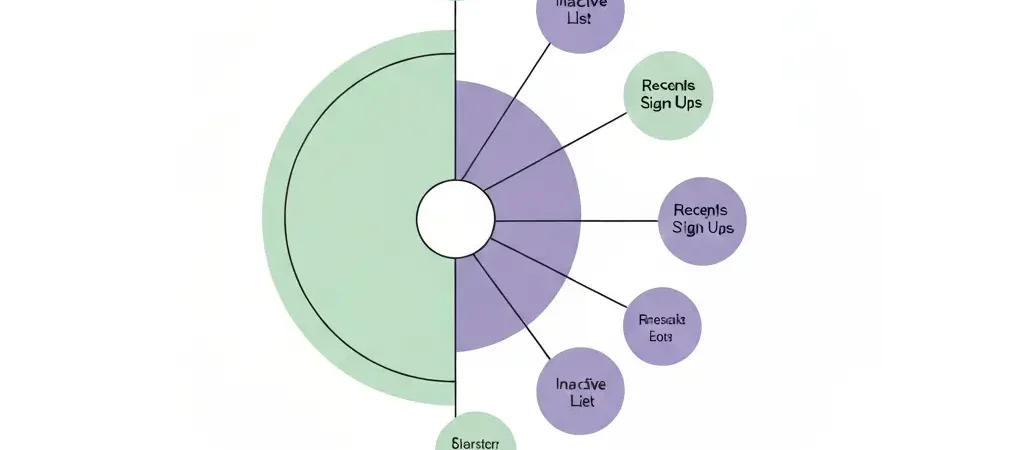
How to Segment Your Audience for Email Marketing in 2026: A Step-by-Step Guide
Learning how to segment your audience for email marketing is the single highest-leverage skill you can develop as an email marketer. Segmented campaigns generate 58% of all email marketing revenue and see a 23% higher average open rate than non-segmented sends. Despite those numbers, most marketers still blast the same email to their entire list and wonder why their engagement declines every month. This guide shows you exactly how to build, implement, and maintain email segments that drive measurable results — starting today.
Why Segmentation Matters: The 2026 Data
Unsegmented email marketing is a volume game. Segmented email marketing is a precision game. The data from 2026 makes the case plainly:
- 58% of email revenue is generated by segmented, personalized sends
- Segmented campaigns show 23% higher average open rates than non-segmented ones
- Hybrid multi-variable segmentation strategies boost campaign effectiveness by 20–30% compared to single-variable segmentation
- AI-driven segmentation improves targeting accuracy by up to 25% compared to manual methods
The underlying reason is simple: a contact who receives an email about a product category they browsed last week sees a relevant message. A contact who receives the same promotional email as everyone else sees noise.
Prerequisites: A marketing automation platform with contact tagging or list segmentation, and at least one data source beyond email address (signup form data, purchase history, or website behavioral tracking).
Step 1: Audit Your Existing Contact Data
Time estimate: 30–60 minutes.
Before creating any segments, know what data you already have. Open your contact database and document:
- Which fields are consistently populated. If “Company” is filled for 80% of contacts but “Job Title” is filled for only 12%, build segments on Company first — you have enough data to make it useful.
- Which behavioral data your platform tracks automatically. Most platforms record email opens, link clicks, and website visits (with a tracking script installed). Check which of these are already captured for your existing contacts.
- What data is missing but collectible. If you want to segment by product interest but do not ask about it at signup, you can add a preference field to your form or collect it via a post-signup preference survey.
- How clean your data is. Estimate what percentage of contacts have correct and complete information. A data quality score below 60% means cleaning is more urgent than segmenting.
Document your findings in a simple table: field name, percentage populated, data quality score, and segmentation potential (high/medium/low).
Step 2: Choose Your Segmentation Method
There are four primary segmentation methods. The best results come from combining two or more.
- Demographic segmentation: Groups contacts by static attributes — industry, company size, job role, location, or age. Best for: B2B companies sending industry-specific content, or regional businesses with location-dependent offers. Limitation: demographics tell you who someone is, not what they want right now.
- Behavioral segmentation: Groups contacts by what they do — emails opened, links clicked, pages visited, products purchased, or features used. Best for: any business with website tracking and at least 90 days of behavioral data. This is the most predictive segmentation type because it reflects current intent, not historical identity.
- Engagement-level segmentation: Groups contacts by how recently and frequently they engage with your emails. Best for: deliverability management and re-engagement campaigns. Contacts are typically grouped as Active (opened or clicked in last 30 days), Warm (31–90 days), Cold (91–180 days), and Dormant (180+ days).
- Psychographic segmentation: Groups contacts by values, goals, pain points, or buying motivations — typically gathered through surveys, preference centers, or quiz-style lead magnets. Best for: businesses with multiple product lines serving different customer motivations (e.g., price-conscious buyers vs. feature-maximizing buyers).
Step 3: Collect the Data You Are Missing
Time estimate: 1–3 hours to update forms and tracking.
- Add 1–2 qualifying questions to your signup form. Ask the single most valuable segmentation question at the point of signup. For a B2B SaaS product, this might be “What is your company size?” For an e-commerce brand, it might be “What are you shopping for today?” Do not add more than two questions — every additional field reduces form completion rates by approximately 10%.
- Install your platform’s website tracking script. This single step unlocks behavioral segmentation based on page visits, product views, and time on site — without any additional forms or surveys. Most platforms provide a one-line JavaScript snippet that you add to your site’s
<head>section. - Add a preference center link to every email footer. A preference center lets contacts self-identify their interests, which is the most accurate segmentation data you can collect. Even a simple “What topics do you want to hear about?” with three checkbox options produces actionable data within days.
- Run a one-question survey to your existing list. Send a single email to your full list asking one question relevant to your key segmentation criterion. Keep it to one question, and offer a small incentive (a discount, a guide, or early access) to maximize response rate.
Step 4: Build Your First Segments
Time estimate: 1–2 hours for 4–6 starter segments.
Start with these six foundation segments that work for almost any business:
- New subscribers (0–7 days): Filter: contact created date is within the last 7 days. Use: welcome sequences, onboarding flows.
- Active engagers (opened or clicked in last 30 days): Filter: last email open or click was within 30 days. Use: promotional campaigns, product announcements, surveys.
- Warm contacts (31–90 days since last engagement): Filter: last email open or click was 31–90 days ago. Use: re-engagement content, value-reminder emails.
- Dormant contacts (91+ days without engagement): Filter: no email open or click in 91+ days. Use: re-engagement sequences with a clear value hook, followed by list cleaning if no response.
- Customers: Filter: has made at least one purchase or has the “customer” tag. Use: post-purchase sequences, upsell campaigns, loyalty programs, NPS surveys.
- High-intent prospects: Filter: visited the pricing page, demo page, or clicked a specific product link in the last 14 days but has not purchased. Use: sales-focused nurture emails, trial offers, objection-handling content.
In your platform, save each of these as a named, reusable segment. Avoid rebuilding segment filters from scratch for every campaign — saved segments save hours each month.
Step 5: Make Segments Dynamic
Time estimate: 30 minutes to configure in most platforms.
A static segment is a snapshot. A dynamic segment updates automatically as contacts meet or no longer meet the criteria. Dynamic segments are essential for engagement-level segmentation because contacts move between Active, Warm, and Dormant categories based on their ongoing behavior.
- Enable dynamic segment rules in your platform. Look for options labeled “smart segments,” “dynamic lists,” or “auto-updating filters.” Set rules that automatically add contacts when they meet criteria and remove them when they no longer qualify.
- Set a re-evaluation frequency. For engagement-based segments, daily re-evaluation is ideal. For demographic segments, weekly is sufficient.
- Test the dynamic behavior. Manually trigger an action that should move a test contact from one segment to another (e.g., open a test email to confirm the contact moves from Warm to Active) and verify the segment membership updates as expected.
Step 6: Map Each Segment to a Workflow
A segment without a corresponding workflow delivers no value. Match each segment to at least one automated action:
| Segment | Workflow | Goal |
|---|---|---|
| New subscribers | Welcome sequence (5 emails) | Product visit or first purchase |
| Active engagers | Regular nurture + promotional sends | Conversion and upsell |
| Warm contacts | Value-reminder sequence (2–3 emails) | Re-engage before going dormant |
| Dormant contacts | Re-engagement sequence + sunset | Reactivate or clean from list |
| Customers | Post-purchase and upsell sequence | Retention and LTV increase |
| High-intent prospects | Sales-focused nurture (3–4 emails) | Trial signup or demo booking |
For step-by-step workflow setup, see how to set up marketing automation from scratch. For drip campaign construction within each segment workflow, see how to create an email drip campaign step by step.
Step 7: Measure Segment Performance
- Compare per-segment metrics monthly. Track open rate, click-through rate, conversion rate, and unsubscribe rate for each named segment separately. Aggregate stats mask segment-level problems.
- Identify underperforming segments. A segment with a significantly lower open rate than others usually indicates a relevance problem — the content doesn’t match what that segment needs to see.
- Merge segments that are too small to be actionable. A segment with fewer than 50 contacts produces statistically unreliable data and often represents a criterion that is too granular. Combine it with a broader segment until it grows.
- Review segment membership counts quarterly. Check whether segment sizes are growing, shrinking, or staying static. Shrinking active segments with a growing dormant segment is an early warning sign of list health problems.
Advanced Segmentation Techniques for 2026
Once your foundation segments are stable and performing, add these advanced techniques:
- RFM segmentation (Recency, Frequency, Monetary): Score each contact based on how recently they purchased, how often they purchase, and how much they spend. RFM is the most predictive segmentation model for e-commerce and subscription businesses. Platforms like CampaignOS support RFM-based contact scoring natively.
- Predictive segmentation: Uses machine learning to predict which contacts are most likely to purchase, churn, or engage in the next 30 days. Available on advanced-tier plans of most major platforms. Improves targeting accuracy by up to 25% compared to rule-based segmentation.
- Product-interest micro-segments: Create segments based on which specific products, categories, or content topics a contact has engaged with. A contact who viewed three hiking gear pages in the last week belongs in the “outdoor gear” segment, not the general “all contacts” list.
- Cross-channel behavior segments: Combine email engagement with website visits, SMS opt-in status, and push notification subscription to build a complete picture of each contact’s channel preference. Route contacts toward the channels they are most likely to engage with. For channel setup, see how to automate customer engagement across channels.
For a broader look at how open-source platforms handle segmentation at scale, see the best open source marketing automation tools ranked by capability.
Segment Smarter with CampaignOS
CampaignOS supports dynamic segments, behavioral tagging, RFM scoring, and multi-channel routing — all on a free plan. Build your first five segments in under an hour.
Frequently Asked Questions
How many email segments should I start with?
Start with 4–6 segments. The six foundation segments — new subscribers, active engagers, warm contacts, dormant contacts, customers, and high-intent prospects — cover the most impactful use cases. Add more segments only when you have enough contacts in each group to make segmentation statistically meaningful (at least 50 contacts per segment) and when you have a distinct workflow to send to each one.
What data do I need to segment my email list?
At minimum, you need an email address and the date a contact joined your list. From there, engagement-based segmentation (open/click history) requires only a few weeks of sending data. For behavioral segmentation, you need a tracking script on your website. For demographic or psychographic segmentation, you need form fields or survey responses.
What is the difference between a list and a segment?
A list is a static collection of contacts. A segment is a dynamic filter applied to your contact database. Lists require manual management — you add and remove contacts yourself. Segments update automatically when contacts meet or no longer meet the defined criteria. Most modern platforms recommend segments over lists because they stay current without manual work.
Does segmentation affect email deliverability?
Yes, positively. Sending to engaged segments (contacts who regularly open and click) improves your sender reputation because email providers see high engagement signals. Suppressing dormant contacts from regular sends prevents low engagement from damaging your overall deliverability. Many deliverability experts recommend sending your highest-frequency campaigns only to contacts who engaged in the last 30–60 days.
How often should I update my email segments?
Engagement-based segments should update daily if your platform supports it, or at minimum before each send. Demographic segments can update weekly. Quarterly, review your entire segmentation structure to add new segments based on data you have collected since setup, and archive segments that are too small to be useful.
What is behavioral segmentation in email marketing?
Behavioral segmentation groups contacts based on actions they have taken — emails opened, links clicked, pages visited, products purchased, or features used. It is the most predictive segmentation type because it reflects current intent. A contact who visited your pricing page three times in the last week shows stronger purchase intent than a contact who signed up six months ago and has not opened an email since.