How to Automate Customer Engagement Across Channels in 2026
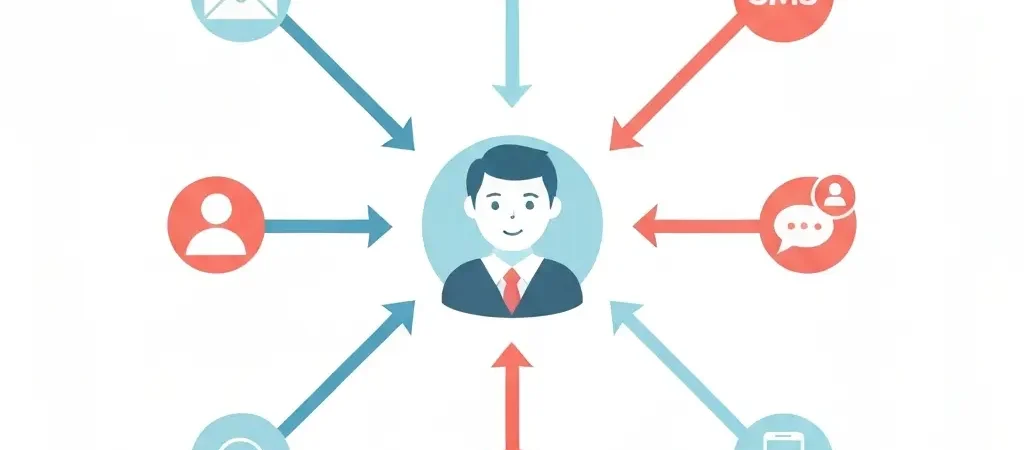
Customers in 2026 do not live in a single channel. They open emails on desktop, receive SMS reminders on mobile, see push notifications in their browser, and get in-app messages while using your product. Engaging them effectively means automating the right message in the right channel at the right moment — not sending the same campaign five times across five platforms and hoping one sticks. This guide walks you through exactly how to automate customer engagement across channels, from building your first cross-channel workflow to measuring what is actually driving conversions.
Why Cross-Channel Automation Outperforms Single-Channel
Single-channel marketing creates a ceiling. Once you have optimized your email open rates and click-through rates, the only way to grow is to reach contacts who are not reading their email — on the channels where they are actually paying attention.
The 2026 data makes the case clearly:
- Omnichannel campaigns deliver 3x higher engagement than single-channel messages
- Brands with strong omnichannel engagement retain 89% of their customers, compared to 33% for brands with weak omnichannel strategies
- Cross-channel campaigns produce up to 250% higher purchase rates than email-only campaigns
- Customers expect seamless conversations across channels — 62% will leave a brand after a disconnected cross-channel experience
The key word is “seamless.” Cross-channel automation that sends the same message on six platforms in one day is not omnichannel — it is spam. Effective cross-channel automation routes each contact to the channel where they are most likely to engage, at the moment when they are most likely to act.
Prerequisites: A marketing automation platform with at least two channel capabilities (email + push, or email + SMS), a defined customer journey, and contact data that includes channel opt-in status for each channel you want to use.
Step 1: Map Each Channel to a Customer Journey Stage
Time estimate: 45–60 minutes.
Every channel has a different role in the customer journey. Mixing up those roles creates incoherent experiences. Start by assigning each channel to the moment where it performs best:
- Email — Consideration and nurture. Email is the highest-capacity channel for information. Use it to deliver educational content, build trust over multiple touchpoints, and present detailed product comparisons. Email works best when a contact is still evaluating options and needs depth, not urgency.
- SMS — Time-sensitive action. SMS has a 98% open rate and is typically read within 3 minutes of delivery. Use it for appointment reminders, limited-time offers, order updates, and reactivation messages. SMS should never carry marketing content that is not time-relevant — use it sparingly and only with explicit opt-in.
- Web push — Behavioral triggers and re-engagement. Push notifications excel at triggering action the moment a contact shows intent — cart abandonment, price drops, new content. They also work for re-engaging contacts who have stopped opening email but still visit your website.
- In-app messages — Onboarding and feature activation. If you have a product with a logged-in experience, in-app messages are the highest-context channel available. They arrive in the exact moment of use, with full visibility into what the contact is currently doing in your product.
- Social retargeting — Top-of-funnel recovery. While not a messaging channel in the traditional sense, social platform retargeting (syncing your contact list to Facebook Custom Audiences or Google Customer Match) extends your automation into paid channels for contacts who do not respond to direct channels.
Step 2: Choose a Unified Engagement Platform
Time estimate: 1–2 hours of evaluation.
Managing cross-channel automation across separate tools — one for email, one for SMS, one for push — creates three problems: data silos, inconsistent messaging, and manual coordination overhead. A unified platform resolves all three by connecting all channels to a single contact record and a single workflow builder.
- Confirm native channel support. Look for a platform that handles email, SMS, and push natively — not through third-party integrations that require API work to keep in sync.
- Evaluate the unified workflow builder. Can you build a single workflow that branches across channels? A workflow that says “If email unopened after 48 hours, send push notification; if push not clicked after 24 hours, send SMS” should be configurable without writing code.
- Check the contact unification model. Confirm that one contact record tracks engagement across all channels. If email opens, SMS clicks, and push interactions live in separate databases, you cannot build intelligent cross-channel logic.
- Assess frequency cap settings. A unified platform must have global frequency caps that apply across all channels simultaneously. Without this, a contact in three active workflows could receive email, push, and SMS all in the same hour.
CampaignOS provides unified email, SMS, and push automation in a single platform, with a visual cross-channel workflow builder and per-contact frequency controls. For a full overview of what these platforms look like under the hood, see what omnichannel marketing automation is and how it works.
Step 3: Build Your Contact Data Foundation
Time estimate: 2–4 hours to audit and set up.
Cross-channel automation is only as smart as the data behind it. Before building workflows, confirm you have these data points for each contact:
- Channel opt-in status. Which channels has this contact explicitly opted into? Email, SMS, push, or in-app? A contact who has not opted into SMS must never receive SMS messages.
- Channel engagement history. Which channel does this contact actually respond to? If a contact has never clicked an email link in 90 days but has a 40% push notification click rate, push is their active channel.
- Last engagement date per channel. Track the most recent engagement date for each channel separately. A contact may be active on push but dormant on email.
- Behavioral tags and segments. What has this contact done on your website, in your product, or in previous campaigns? These tags are what make cross-channel messages feel personalized rather than generic. See how to segment your audience for email marketing for a step-by-step breakdown of building these segments.
- Time zone and language. Store each contact’s local time zone to enable send-time optimization. Sending a push notification at 3 AM in a contact’s time zone is an opt-out risk even if the message itself is excellent.
Step 4: Design Your First Cross-Channel Workflow
Time estimate: 3–5 hours for a complete workflow.
Start with one of these high-impact cross-channel sequences as your first build:
Option A: Lead nurture with channel escalation
- Day 0 — Email: Welcome email with educational content. No pitch.
- Day 3 — Email: Follow-up with a case study or result. Soft CTA.
- Day 5 — Push notification (if email not opened): “Quick tip: [topic related to their signup source].” Purpose: re-engage without another email.
- Day 7 — Email (if email opened in Day 3) OR SMS (if Day 3 email not opened + SMS opted in): Product introduction with a single CTA.
- Day 14 — Email: Objection-handling or FAQ content.
- Day 21 — SMS or push (if no conversion yet): Final value prompt with time-limited offer.
Option B: Post-purchase engagement
- Day 0 — Email: Order confirmation + what to expect.
- Day 1 — Push or in-app: Getting-started tip. One action to take.
- Day 3 — Email: Tutorial or guide for the most common use case.
- Day 7 — In-app or push: “Have you tried [key feature]?” — triggered if the feature has not been used.
- Day 14 — Email: Ask for a review or testimonial if the onboarding feature has been used.
- Day 30 — Email: Upsell or loyalty offer based on usage data.
Build both sequences in your platform’s visual workflow builder. For the drip email components, see how to create an email drip campaign step by step. For the push notification components, see how to set up push notifications for your website.
Step 5: Set Channel-Specific Rules and Frequency Caps
- Set a global daily cap. No contact should receive more than 2 automated messages in a single day across all channels combined. Configure this as a platform-level rule.
- Set per-channel weekly caps. Email: maximum 3 marketing emails per week (transactional emails don’t count). SMS: maximum 2 per week. Push: maximum 4 per week. In-app: uncapped during active sessions, but no more than 1 per session.
- Add quiet hours. Do not send push notifications or SMS between 9 PM and 8 AM in the recipient’s local time zone. Most platforms support time-zone-aware send windows.
- Build a channel preference flow. Send a one-time email inviting contacts to choose which channels they prefer for different message types. Route their preferences into your segmentation data and honor them in your workflows.
Step 6: Personalize at the Channel Level
Personalization in cross-channel automation goes beyond inserting a first name. Each channel has its own personalization conventions:
- Email personalization: Use behavioral data to adjust subject lines, body content, product recommendations, and CTAs based on what the contact has browsed, purchased, or engaged with in previous emails.
- SMS personalization: Keep SMS highly relevant to the trigger event. “Your order [#12345] has shipped and arrives Friday” feels personal. A generic “Check out our sale!” in an SMS does not.
- Push personalization: Reference the specific product or content the contact interacted with. “The product you viewed yesterday is back in stock” achieves a 3–4x higher click rate than “New arrivals in the store.”
- In-app personalization: Trigger messages based on exact user actions within the product. “You just created your first campaign — here is how to add push notifications to it” is relevant. “Welcome to the platform!” after Day 14 is not.
Step 7: Test Cross-Channel Sequences End-to-End
- Create a test contact with opt-ins on all channels. Use your own email, phone number, and a test browser profile with push notifications enabled.
- Trigger the workflow manually. Enter the workflow from the trigger event and observe what arrives on each channel, in what order, and at what time.
- Verify the channel escalation logic. Trigger the condition that causes the workflow to escalate from one channel to another (e.g., don’t open the email) and confirm the push or SMS fires correctly.
- Test the frequency cap. Artificially trigger multiple workflows simultaneously and confirm that the global daily cap prevents more than the maximum allowed messages from arriving.
- Confirm unsubscribe handling across channels. Unsubscribe from email and confirm the workflow does not reroute your remaining emails to SMS without explicit SMS opt-in. Channel opt-outs must be respected independently for each channel.
Step 8: Measure Omnichannel Performance
Single-channel metrics (email open rate, push click rate) do not tell the full story of cross-channel performance. Use these metrics instead:
- Cross-channel conversion rate: What percentage of contacts who entered the workflow completed the goal event, regardless of which channel drove the final conversion?
- Channel contribution: Of the contacts who converted, which channel was the last touchpoint before conversion? This reveals which channel closes — not just which channel engages.
- Opt-out rate per channel: Track unsubscribes and opt-outs separately per channel. A spike in SMS opt-outs usually signals over-messaging or a relevance problem specific to that channel.
- First-touch vs. last-touch attribution: Compare the channel that first engaged a contact (first touch) to the channel that drove conversion (last touch). Most cross-channel platforms support multi-touch attribution models that give partial credit to every channel in the path.
- Revenue per contact per channel: Divide revenue attributed to each channel by the number of contacts who received at least one message from that channel. This normalizes for list size differences and reveals the true per-contact value of each channel.
For a comprehensive look at how automation affects revenue over time, see whether marketing automation really increases revenue in 2026. For a complete automation system setup that connects all these pieces, see how to set up marketing automation from scratch.
For insight into how AI-powered content tools support engagement strategies at scale, see what AI content generation for SEO is and how it works in 2026.
Run Your Omnichannel Automation with CampaignOS
CampaignOS combines email, SMS, and push notifications in one platform with a visual cross-channel workflow builder. Connect all your engagement channels in one place — free to start.
Frequently Asked Questions
What is cross-channel customer engagement automation?
Cross-channel customer engagement automation is the practice of using a single automated workflow to send coordinated messages across multiple communication channels — email, SMS, push notifications, in-app messages, and more — based on a single contact’s behavior and preferences. Rather than managing separate campaigns per channel, a cross-channel workflow adapts which channel it uses based on how a contact behaves in real time.
How many channels should I automate at once?
Start with two channels — email plus one additional channel (push or SMS). Master the coordination logic between two channels before adding a third. Adding too many channels simultaneously makes it harder to diagnose performance problems and increases the risk of frequency cap violations. Most mature omnichannel programs reach peak ROI with 3–4 coordinated channels, not 6–8.
What is the best channel for re-engaging dormant customers?
Push notifications are the most effective channel for re-engaging contacts who have stopped opening email. Because push notifications arrive in the browser notification center rather than an inbox, they bypass the inbox-filtering behavior that causes dormant contacts to miss emails. A well-crafted push notification re-engagement message achieves a 15–25% click rate among contacts who have been unresponsive to email for 60+ days.
How do I avoid annoying customers with too many automated messages?
Set a global daily frequency cap of 1–2 messages per contact across all channels. Add channel-level weekly caps (3 emails, 2 SMS, 4 push per week). Implement quiet hours so messages do not arrive between 9 PM and 8 AM local time. Offer a preference center where contacts can choose which channels and content types they want. Honor those preferences by routing them into segment-specific workflows that respect their stated preferences.
Do I need separate opt-ins for each channel?
Yes. Each channel requires its own explicit opt-in. A contact who opts into email has not consented to SMS or push notifications. Email opt-in is governed by CAN-SPAM, GDPR, and CASL. SMS opt-in requires explicit written consent in most jurisdictions. Push notifications require browser-level permission granted by the subscriber. Never use an email opt-in to enroll contacts in other channels without separate explicit consent for each one.
What is the ROI of omnichannel marketing automation?
Brands with strong omnichannel engagement retain 89% of customers compared to 33% for single-channel brands. Omnichannel campaigns deliver up to 3x higher engagement and 250% higher purchase rates than single-channel campaigns. For every $1 spent on marketing automation, companies average $5.44 in returns — a figure that rises when automation spans multiple channels because more touchpoints increase the probability of conversion before interest decays.
How do I measure which channel is driving conversions?
Use multi-touch attribution in your marketing automation platform. Multi-touch attribution distributes conversion credit across every channel that had a touchpoint in the customer journey, rather than crediting only the first or last touchpoint. At minimum, track first-touch channel (which channel introduced the contact to the workflow), last-touch channel (which channel the contact engaged with immediately before converting), and the sequence of channels used between the two.