How to Segment Your Audience for Email Marketing in 2026
Segmented email campaigns generate 46% higher open rates and 58% higher click-through rates compared to non-segmented sends, according to Mailchimp’s benchmark data. Learning how to segment your audience for email marketing is not optional for serious marketers in 2026 — it’s the foundational practice that separates teams generating real revenue from email from those simply broadcasting to a list.
Segmentation works because relevance drives engagement. A subscriber who downloaded a resource about email automation has different interests than one who registered for a webinar about CRM. Sending both the same email wastes an opportunity with each. Segmentation fixes that. If you’re new to the concept, start with our overview of what email segmentation is and how it improves campaign results — then return here for the step-by-step implementation guide.
What Is Email List Segmentation?
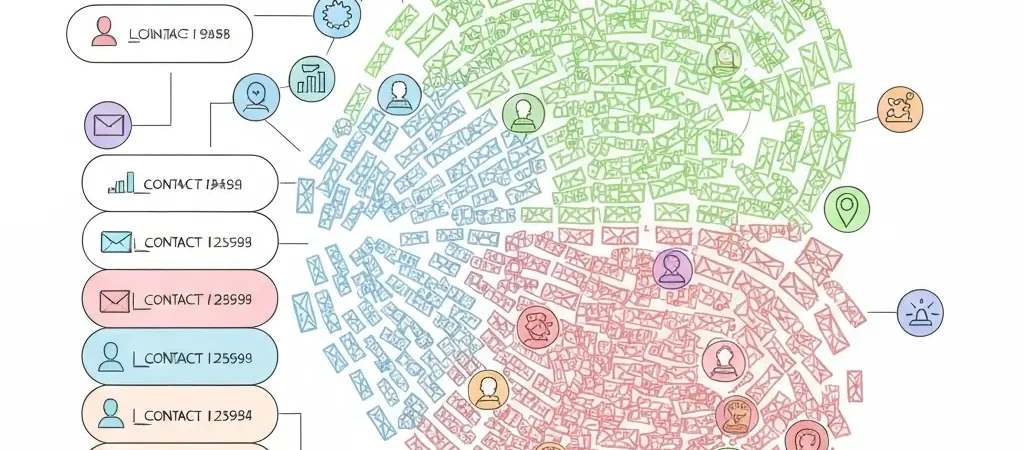
Email list segmentation is the practice of dividing your contact database into smaller groups (segments) based on shared characteristics. Each segment receives communications that are relevant to their specific profile, rather than the same message sent to everyone.
Segments can be:
- Static — manually defined lists that don’t update automatically
- Dynamic — auto-updating lists where contacts are added or removed based on real-time criteria (the best approach)
Dynamic segmentation is what marketing automation platforms like CampaignOS enable — you define the rules once, and the platform automatically moves contacts in and out of segments as their properties and behaviors change. This is the foundation of personalization at scale.
Step 1: Audit the Data You Have
You can only segment on data you actually have. Before designing segments, audit what’s available:
Data types commonly available:
| Data Category | Examples | How to Collect |
|---|---|---|
| Demographic | Name, location, company, job title, industry | Sign-up forms, CRM sync, data enrichment |
| Behavioral | Pages visited, emails opened/clicked, forms submitted | Website tracking pixel, email tracking |
| Purchase / product | Purchase history, current plan, product usage | E-commerce integration, API sync |
| Engagement | Email engagement score, lead score, last active date | Calculated by automation platform |
| Lifecycle stage | Subscriber, lead, trial, customer, churned | Manually tagged or synced from CRM |
| Preferences | Interest categories, content preferences, communication frequency | Preference center, survey, form fields |
If you’re missing key data points, identify ways to collect them — through enhanced sign-up forms, a preference center, progressive profiling (asking one question per interaction), or integrating data enrichment tools.
Step 2: Choose Your Segmentation Criteria
Choose segmentation criteria based on what’s actionable — what would make you send different content to different groups?
The most effective segmentation criteria in 2026:
1. Lifecycle Stage (Highest Impact)
Segment by where the contact is in their relationship with you: new subscriber, active lead, trial user, paying customer, inactive, churned. This is the most fundamental segmentation because lifecycle stage determines what message is appropriate.
2. Engagement Level
Segment by email engagement — highly engaged (opens consistently), moderately engaged, rarely engaged, inactive. This determines communication frequency and tone. Never send to your inactive segment at the same rate as your engaged segment — it burns your deliverability.
3. Behavioral Interest
Which product pages, blog categories, or content topics has the contact engaged with? This tells you their specific interest so you can send relevant follow-up. Someone who visited your pricing page three times is a different segment than someone who read three educational blog posts.
4. Business Type or Vertical (B2B)
For B2B businesses, segmenting by industry, company size, or job function lets you send industry-specific case studies and use cases. A marketing automation platform sending to “Head of Marketing at 50-person SaaS company” can be far more specific than “person subscribed to list.”
5. Purchase History (E-commerce)
Segment by: first-time buyers vs. repeat buyers, category of purchase, total lifetime value (LTV) tier, time since last purchase. These segments power post-purchase sequences, upsell campaigns, and loyalty programs.
Step 3: Create Your Segments in Your Platform
In your marketing automation platform, segments are typically built using:
- Contact property conditions — “job title contains ‘marketing’” or “city is in [list of cities]”
- Behavioral conditions — “visited pricing page in last 30 days” or “opened at least 3 emails in last 60 days”
- Tag-based conditions — “has tag ‘customer’” or “does not have tag ‘unsubscribed’”
- Combined logic — “lifecycle stage is ‘lead’ AND lead score is above 50 AND industry is ‘SaaS’”
Start with these 4 core segments:
- New subscribers (joined in last 7 days) — for welcome sequence enrollment
- Active leads (opened email in last 30 days, not a customer) — for nurture campaigns
- Customers (has purchased or has active subscription) — for onboarding, upsell, retention
- Inactive subscribers (no opens in 60+ days, not a customer) — for re-engagement or suppression
These four segments ensure the right message goes to the right group at every lifecycle stage without overlap confusion.
Step 4: Map Segments to Content and Automation
For each segment, define:
- Which automated workflows should they be enrolled in?
- Which broadcast campaigns are appropriate for them?
- Which campaigns should they be excluded from?
Example mapping:
| Segment | Automated Workflows | Exclude From |
|---|---|---|
| New subscribers | Welcome sequence | Re-engagement, upsell campaigns |
| Active leads | Lead nurture sequence, behavioral triggers | Customer onboarding, renewal campaigns |
| Customers | Onboarding, upsell, renewal sequences | Lead nurture, acquisition campaigns |
| Inactive | Re-engagement sequence only | All regular campaigns until re-engaged |
Step 5: Maintain and Refine Your Segments Over Time
Segments decay without maintenance. Contacts change: they become customers, go inactive, or update their profile. Dynamic segments handle most of this automatically, but you should:
- Monthly: Review segment sizes for unexpected changes (a sudden drop in “active leads” could indicate a deliverability problem)
- Quarterly: Evaluate whether your segmentation criteria still reflect how customers actually behave
- Annually: Full audit — retire segments that are too small to be actionable, merge overlapping segments, and add new segments if your customer base has evolved
The best segmentation evolves with your understanding of your customers. The teams that use data most effectively — whether in email marketing or in the same way Authenova uses search data to drive content strategy, or how iQuitNow uses behavioral coaching data to personalize quit-smoking plans — are constantly refining their understanding of what different groups of people need.
What Are the Most Common Segmentation Mistakes?
- Over-segmenting early — creating 20 segments before you have the data or content to support them; start with 4-6 core segments
- Using static lists — manually maintained lists go stale immediately; use dynamic rules
- Segmenting by demographic only — knowing someone’s industry doesn’t tell you what they need; combine demographic with behavioral data for meaningful personalization
- No exclusion logic — customers receiving lead acquisition emails, or inactive subscribers receiving regular newsletters, are common examples of missing exclusions
- Not cleaning segments — accumulated old contacts, duplicates, or hard bounces pollute your segments and hurt deliverability
Frequently Asked Questions
How many email segments should I have?
Start with 4-6 core segments: lifecycle stages (new subscriber, active lead, customer, inactive) and one or two interest-based segments if you have the data. Most businesses with under 10,000 contacts don’t need more than 8-10 segments. Add segments only when you have specific, distinct content or offers for that group — not for the sake of having more segments.
What is the most important segmentation variable for email marketing?
Engagement level is arguably the most critical segmentation variable because it directly affects deliverability. Sending to a large inactive segment drags down your overall engagement rate, which damages your sender reputation with email providers and causes your future campaigns to land in spam. Segment engaged from inactive contacts and manage them completely differently.
What is dynamic segmentation in email marketing?
Dynamic segmentation uses rules-based criteria that automatically update as contact data changes. A contact who makes a purchase automatically moves from the “lead” segment to the “customer” segment. A subscriber who stops opening emails after 60 days automatically joins the “inactive” segment. Dynamic segments eliminate the manual maintenance problem of static lists and ensure contacts always receive contextually appropriate messaging.
How do I segment when I don’t have much data?
Start with the data you do have: email engagement (opened vs. not opened in last 30 days), source (where did they sign up?), and timing (new vs. established subscribers). Even just separating new subscribers from established ones and engaged from inactive makes your communications significantly more relevant. Then design your forms and tracking to collect richer data over time.
Can I send different content to different segments in the same broadcast campaign?
Yes — this is called dynamic content or conditional content. You create one email but include logic that shows different content blocks to different segments within that one send. For example, customers see a “you might also like” product recommendation; leads see a “ready to get started?” CTA; and new subscribers see a brief introduction. Most advanced email platforms support this without sending separate campaigns.
How does segmentation affect email deliverability?
Proper segmentation dramatically improves deliverability. By sending primarily to engaged segments, your open and click rates stay high — which signals to email providers (Gmail, Outlook) that you’re sending wanted email. Suppressing inactive contacts prevents the dead-weight engagement rate drag that causes campaigns to hit the spam folder. Segmentation is as much a deliverability strategy as it is a marketing strategy.
Should I segment by location or time zone for email sending?
Time zone segmentation is worthwhile if you have a significant audience across multiple time zones and your platform supports send-time optimization. Most advanced platforms offer “send in subscriber’s local time zone” as a setting rather than requiring you to create separate segments. For local businesses or those primarily serving one region, time zone segmentation adds complexity without meaningful benefit.
What data should I collect at signup to enable better segmentation?
The minimum to enable basic segmentation: email address (required), first name (for personalization), and one qualifying question relevant to your business (e.g., “What best describes you?” with 3-4 options). Don’t add more than 2-3 fields at signup — form completion rates drop significantly with each additional field. Use progressive profiling to collect more data after the initial opt-in.
Build Dynamic Segments in CampaignOS
CampaignOS makes creating behavioral dynamic segments straightforward — define your rules once, and contacts automatically flow into the right segments as they engage. Combine segmentation with automated workflows to deliver the right message to every contact, every time.