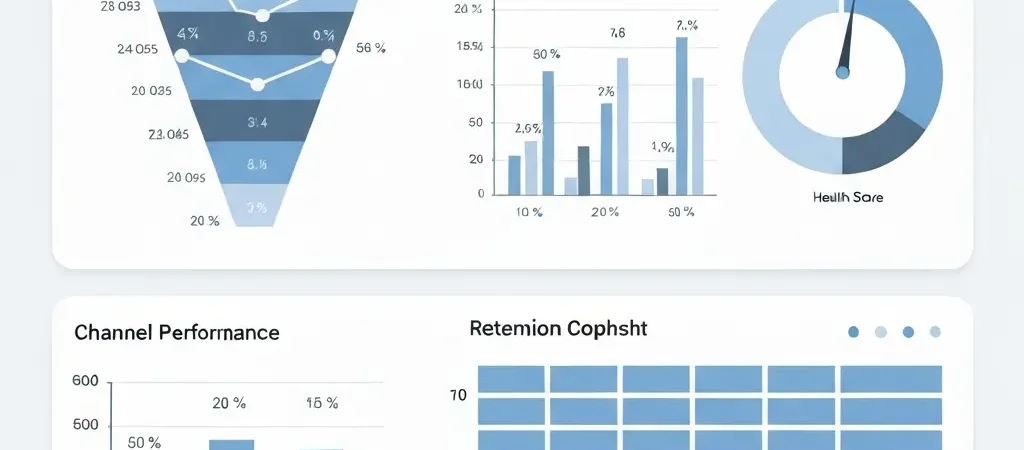
Marketing Analytics Dashboard: Essential Metrics for 2026
A marketing analytics dashboard is only as valuable as the decisions it enables. Most marketing dashboards are a collection of activity metrics — emails sent, clicks recorded, forms submitted — that feel comprehensive but drive almost no meaningful action. The data is there; the insight is missing. This guide rebuilds your dashboard from the ground up around the metrics that actually signal business outcomes, the attribution models that accurately reflect marketing’s contribution, and the reporting cadence that keeps your team optimizing rather than reporting.
The problem is not data volume — modern marketing stacks generate more data than any team can manually process. The problem is signal-to-noise ratio. Your dashboard should show you exactly what to do next, not just what happened. This requires deliberate metric selection, honest attribution modeling, and ruthless exclusion of vanity metrics that feel good but change nothing.
Dashboard Architecture Principles
Before listing metrics, establish architectural principles. These govern which metrics belong, where they live, and how they are presented.
Outcome Over Activity
Every activity metric (emails sent, campaigns launched, posts published) should be subordinate to an outcome metric (revenue generated, contacts activated, churn prevented). If a metric cannot be connected to a business outcome within two logical steps, it should be moved to a drill-down view, not the primary dashboard.
Trend Over Point-in-Time
A number without context is meaningless. The conversion rate this week is 3.2% — is that good or bad? It depends on last week (2.8%), last month (3.5%), and your target (4.0%). Every primary metric on your dashboard should show a trend line, not just the current value.
Actionable Thresholds
Define alert thresholds for every key metric before your dashboard goes live. When the spam complaint rate crosses 0.1%, that triggers an immediate deliverability review. When the churn rate crosses 5% monthly, that triggers a customer engagement audit. Dashboards without defined thresholds produce data observation, not responsive management.
Pipeline Metrics
| Metric | Definition | Healthy Benchmark |
|---|---|---|
| New contact growth rate | % increase in contacts MoM | >5% for growth-stage, >2% for mature |
| Contact-to-MQL rate | % of new contacts who reach MQL threshold | 10–25% depending on lead source |
| MQL-to-trial conversion rate | % of MQLs who start a trial | 20–40% for inbound-led |
| Trial-to-paid conversion rate | % of trials who convert to paid | 15–30% for self-serve SaaS |
| CAC (Customer Acquisition Cost) | Total marketing spend / new customers | CAC:LTV ratio <1:3 |
Channel Performance Metrics
Channel performance metrics should be compared against each other, not just against historical baselines. Which channel produces the lowest CAC? Which channel produces the highest-retention customers? Answers to these questions drive budget allocation decisions.
Email Channel Dashboard Metrics
- Deliverability rate: % of sends that reach the inbox (target: >98%)
- Click-to-open rate (CTOR): Clicks / opens (better signal than raw open rate post-MPP)
- Revenue per email: Attributed revenue / emails sent (focus on automated vs. broadcast separately)
- Spam complaint rate: Must stay below 0.1% — alert threshold, not just a metric to monitor
Push and SMS Metrics
- Permission grant rate (for push): % of users who grant notification permission
- Permission retention rate: % of push subscribers who remain opted-in over 90 days
- CTR (channel-specific, not cross-channel combined)
- Downstream conversion rate: clicks that convert to the desired action
Automation-Specific Metrics
These metrics are specific to automated marketing workflows and are distinct from broadcast campaign metrics. Every automated workflow should be evaluated on:
- Workflow entry rate: % of eligible contacts who actually enter the workflow (below expectation may indicate trigger configuration issues)
- Workflow completion rate: % of entrants who reach the final node (goal achievement or sequence end)
- Goal achievement rate: % of entrants who reach the defined goal node (this is the most important metric)
- Per-email conversion rate: Which email in the sequence is driving the most conversions? This guides A/B testing priorities.
- Exit reason distribution: Goal achieved, unsubscribed, suppressed, timed out — exit reason breakdown reveals where the workflow is failing
Your marketing workflow automation platform should surface these metrics per workflow natively, without requiring manual calculation. If you are building pivot tables to see workflow performance, that is a platform limitation worth addressing.
Retention and Lifecycle Metrics
Retention metrics are the most important metrics on your dashboard and the most commonly absent from marketing dashboards (which tend to focus exclusively on acquisition). Include them — marketing automation drives retention directly, and the metrics prove it.
- Activation rate: % of new contacts who complete the activation event within 14 days
- Day 30/60/90 retention: % of contacts still active at each interval (show as cohort comparison)
- Monthly churn rate: % of active customers who churned this month
- Net Revenue Retention (NRR): (Recurring revenue start + expansion – churn – contraction) / recurring revenue start × 100
- Health score distribution: % of contacts in healthy (>70), at-risk (40–70), and high-risk (<40) buckets
The health score distribution is a leading indicator. If the at-risk bucket is growing, churn will increase in 30–60 days. If you wait for actual churn data to increase before responding, you are already behind. The dashboard should show the health score trend line as prominently as the churn rate itself.
Attribution Models: Which to Use When
Attribution is the most technically complex element of marketing analytics and the most commonly over-simplified. Here is an honest breakdown of the available models and when each is appropriate.
| Model | How It Works | Best For | Limitation |
|---|---|---|---|
| Last-touch | 100% credit to last channel before conversion | Simple reporting, short sales cycles | Ignores all prior touchpoints; over-credits email |
| First-touch | 100% credit to first channel contact | Measuring acquisition channel value | Ignores nurture and retention touchpoints |
| Linear | Equal credit to all touchpoints | Long sales cycles, multi-touch journeys | Does not reflect actual touchpoint impact |
| Time-decay | More credit to recent touchpoints | Short evaluation cycles, retargeting campaigns | Under-credits long-tail brand awareness channels |
| Position-based (U-shaped) | 40% first + 40% last + 20% middle | Most B2B use cases | Arbitrary weighting; requires debate to agree |
The honest recommendation: run two models in parallel — last-touch for operational decisions (which campaign to run more of this week) and linear or position-based for strategic decisions (which channel should we invest more in over the next quarter). Single-model attribution produces confident wrong answers more reliably than two-model comparison produces right ones.
Reporting Cadence and Stakeholder Alignment
The right reporting cadence prevents both under-attention (missing signals that require rapid response) and over-attention (making reactive changes to metrics that need time to stabilize).
- Daily: Deliverability rate, spam complaint rate, system health (anomaly detection only)
- Weekly: Workflow performance, channel metrics, pipeline conversion rates, active workflow A/B test results
- Monthly: Cohort retention analysis, CAC and LTV by channel, NRR, health score distribution changes
- Quarterly: Attribution model review, dashboard metric audit (are we tracking the right things?), benchmark comparison against prior quarters
Common Dashboard Mistakes
Mistake 1: Including Vanity Metrics
Social media followers, total email list size, and raw open rates are vanity metrics in most reporting contexts. They feel good and they trend upward, but they do not reliably predict revenue. If a metric does not connect to revenue within two logical steps, move it to a supplementary view.
Mistake 2: No Anomaly Alerting
A dashboard you check manually every morning will miss a deliverability crisis that develops at 2am on a Sunday. Set automated alerts for every metric with a clear danger threshold. You should learn about a deliverability problem from an alert, not from noticing in a Monday dashboard review that last week’s sends went nowhere.
Mistake 3: Disconnected Automation and Acquisition Data
Acquisition-side metrics (CAC, lead volume, channel performance) and automation-side metrics (workflow performance, retention rates) are almost always tracked in separate systems by separate teams. This creates a blind spot: you cannot see that the contacts acquired through channel A activate at 60% while channel B’s contacts activate at 15%. Connect your open source marketing automation platform’s data to your acquisition analytics in a shared reporting layer.
Frequently Asked Questions
What metrics should be on every marketing automation dashboard?
Every marketing automation dashboard should include: workflow goal achievement rates, email deliverability rate, spam complaint rate, trial-to-paid conversion rate, 30-day retention rate, and attributed revenue per automated workflow. These six metrics give you pipeline health, channel health, and retention health in one view. Add channel-specific metrics (push CTR, SMS opt-out rate) in drill-down views rather than the primary dashboard.
How do you measure the ROI of marketing automation specifically?
Measure marketing automation ROI by comparing revenue attributed to automated workflows against the cost of the automation platform and any associated infrastructure. Tag all automated email CTAs with UTM parameters and track server-side conversion events. Calculate: (attributed revenue from automation – automation cost) / automation cost × 100 = automation ROI %. Industry average is 544%, but the metric is only meaningful when you measure attributed revenue accurately rather than using inflated last-touch models.
Should open rate still be tracked in 2026?
Open rate is still useful as a relative metric (comparing variants in an A/B test, comparing sequences against each other) but is unreliable as an absolute engagement metric since Apple’s Mail Privacy Protection and similar features inflate reported opens. Use click-to-open rate (CTOR), which measures clicks among openers, as a more reliable engagement quality signal. And measure downstream conversion — the open and the click are intermediate steps, not outcomes.
What is a good NRR (Net Revenue Retention) benchmark for SaaS?
Best-in-class SaaS companies achieve NRR above 120% — meaning even without acquiring new customers, revenue grows because of expansion from existing ones. NRR above 100% is positive (expansion exceeds churn). NRR between 85–100% indicates acceptable but improvable retention. NRR below 80% indicates a serious retention problem that no amount of acquisition marketing can sustainably overcome. Marketing automation’s primary leverage on NRR is through retention and expansion sequences.
How do you build a marketing analytics dashboard without a data engineering team?
Use a platform that surfaces the metrics you need natively rather than requiring you to build custom reports. CampaignOS includes workflow-level analytics, channel performance data, and contact lifecycle metrics without requiring SQL or data engineering. For acquisition-side metrics, tools like Plausible (open source, privacy-first) provide web analytics without data engineering overhead. Connect them with a simple spreadsheet export or a lightweight BI tool like Metabase for the reporting layer.
How often should you update your marketing analytics dashboard metrics?
Audit your dashboard metrics quarterly: remove metrics you haven’t acted on in 90 days (they’re noise, not signal), add metrics for new initiatives that need monitoring, and verify that benchmarks are still calibrated to your current growth stage. A dashboard designed for a 10-person startup running 3 workflows looks different from one designed for a 50-person team running 25 workflows. The dashboard should evolve as the business evolves.
Analytics Built Into Your Automation Platform
CampaignOS surfaces workflow performance, channel metrics, contact health scores, and attribution data in a native dashboard — no external BI tool required. Open source, so you can export everything to your data warehouse when you outgrow the built-in analytics.