Open Source Marketing Automation: The Complete Guide for 2026
Open source marketing automation is one of the most consequential decisions a growth team can make in 2026. With the global marketing automation market now valued at $8.14 billion and expected to reach $20.12 billion by 2034, the question is no longer whether to automate — it is whether you should hand the keys to a SaaS vendor or own your stack outright. This guide gives you the full picture: architecture, trade-offs, implementation patterns, and a clear-eyed assessment of when open source wins and when it does not.
The financial case is already settled. Companies using marketing automation report an average ROI of 544%, earning $5.44 for every $1 invested. The philosophical case is equally clear for technical teams: vendor lock-in, opaque pricing, and data residency constraints are not theoretical risks — they are active blockers that slow growth engineering at companies of every size. Open source changes that calculus entirely.
For more on this topic, see our guide on open source marketing automation.
For more on this topic, see our guide on open source marketing automation.
What Is Open Source Marketing Automation?
Open source marketing automation refers to platforms whose source code is publicly available, auditable, and modifiable. This is not merely a licensing detail — it is an architectural philosophy that shapes everything from data residency to integration depth to cost structure.
Traditional marketing automation vendors charge per contact, per send, or per feature tier. HubSpot’s Marketing Hub Professional starts at $890/month for 2,000 contacts. ActiveCampaign’s Plus plan caps at $99/month before contacts penalties kick in. Mailchimp charges $0.001 per transactional email on top of subscription fees. At scale, these costs compound into six-figure annual line items that constrain what growth teams can build.
Open source platforms invert this model. The software itself is free. You pay for infrastructure, and infrastructure costs have never been lower. A full-featured deployment on Vercel and a managed database handles millions of contacts for a fraction of proprietary licensing fees.
The Three Types of Open Source Marketing Tools
| Type | Examples | Best For |
|---|---|---|
| Self-hosted full platforms | Mautic, CampaignOS | Full control, custom integrations, data sovereignty |
| Composable open-source components | n8n, PostHog, Listmonk | Custom stacks, developer teams |
| Open-core SaaS | Brevo (partial), Cal.com | Teams wanting managed hosting with open codebase |
Why Open Source Wins in 2026
Four structural forces have made 2026 the inflection point for open source marketing automation adoption.
1. GDPR and Global Data Residency Requirements
The EU’s enforcement of GDPR Chapter V has made cross-border data transfers genuinely risky. Fines now regularly exceed €10M for large organizations. Open source platforms deployed in your own infrastructure eliminate the third-party data processor relationship entirely. There is no vendor to audit, no data processing agreement to negotiate, and no risk of your contact data sitting in a US data center when your customers are in Germany.
2. The Pricing Spiral Has Broken Trust
HubSpot raised prices 20% in 2024. Mailchimp eliminated its free tier for legacy users. ActiveCampaign restructured contact pricing in ways that nearly doubled costs for mid-market customers. The pattern is consistent: acquire users at accessible price points, then extract maximum value once switching costs are high. Technical marketing teams have noticed, and they are building alternatives.
3. AI Integration Requires Code Access
In 2026, marketing automation without AI-driven personalization is table stakes. But integrating large language models, predictive scoring, or generative content into a proprietary platform requires waiting for vendor roadmaps. Open source gives you the code — you can wire in any AI provider directly. For teams evaluating whether to invest in AI-generated content at all, see our analysis of the best open source marketing automation tools ranked for 2026, which includes a breakdown of AI feature availability across platforms.
4. The Infrastructure Commoditization Effect
Running production software used to require DevOps expertise, server procurement, and 24/7 on-call rotations. Today, platforms like Vercel, Railway, and Render handle deployments with GitHub push. Managed databases from Neon, Supabase, and PlanetScale handle scaling. The operational burden that made proprietary SaaS attractive has largely disappeared.
Core Capabilities to Demand
Not all open source marketing automation platforms are equal. Here is the capability checklist that separates serious platforms from hobby projects.
Multi-Channel Orchestration
A modern marketing automation platform must coordinate across at least five channels natively: email, push notifications, SMS, in-app messaging, and at least one messaging app (WhatsApp, Telegram, or Viber). Single-channel tools are not automation platforms — they are point solutions.
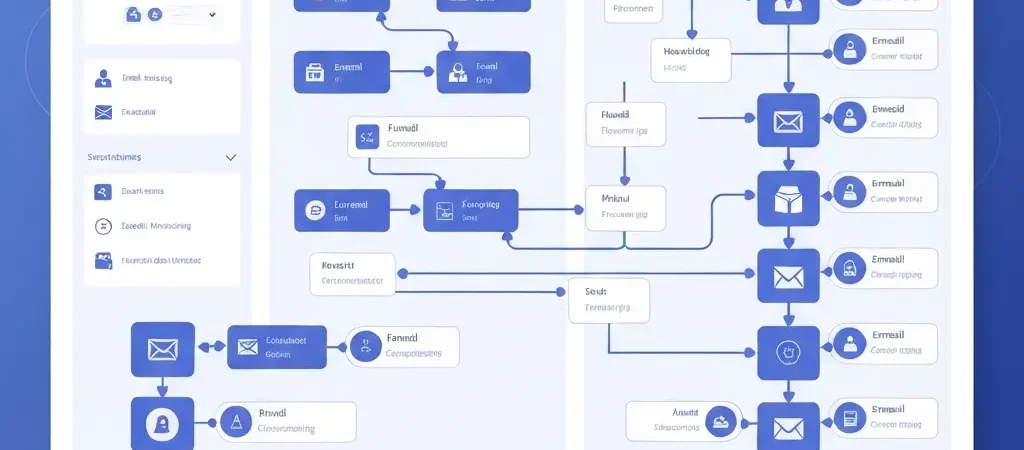
Visual Workflow Builder
Workflow logic should be expressible without code for the majority of use cases. A drag-and-drop builder with conditional branches, time delays, A/B split nodes, and audience exit conditions covers 90% of marketing automation patterns. Code hooks should be available for the remaining 10%.
Behavioral Triggering
The difference between batch-and-blast and real marketing automation is event-driven execution. Your platform must support triggers based on page visits, form submissions, purchase events, custom API events, and re-engagement thresholds.
Contact Segmentation Engine
Segments should be dynamic (updating in real time as contact properties change), combinable (nested AND/OR logic), and exportable. Proprietary platforms often limit segment combinations or charge for advanced segmentation — this is unacceptable in a platform you control.
Analytics and Attribution
Your marketing analytics dashboard should show workflow performance, channel attribution, revenue impact, and contact lifecycle progression. Vanity metrics (open rates, send volumes) should be secondary to conversion and revenue data.
Architecture Patterns for Modern Marketing Stacks
The most effective open source marketing automation deployments follow one of three architectural patterns.
Pattern 1: Unified Platform (Recommended for Most Teams)
Deploy a single platform — like CampaignOS — that handles contact management, workflow orchestration, channel delivery, and analytics in one codebase. This minimizes integration surface area, simplifies debugging, and gives your team a single interface to learn. Best for: teams of 2-20 marketers who want to move fast without managing microservices.
Pattern 2: Orchestration Layer + Specialized Senders
Use n8n or a similar workflow engine as the orchestration layer, connected to specialized delivery services: Resend or Postmark for email, OneSignal for push, Twilio for SMS. This gives maximum flexibility but requires meaningful engineering investment. Best for: engineering-led growth teams who need custom logic at every step.
Pattern 3: CDP + Automation Layer
Build on an open source Customer Data Platform (Segment-compatible like RudderStack) to unify contact data, then layer automation triggers on top. This is the enterprise pattern — powerful but complex. Best for: companies with existing data infrastructure who need marketing automation as a consumer of that data, not its source of truth.
The 90-Day Implementation Roadmap
Follow this phased approach to go from zero to full-featured open source marketing automation without overwhelming your team.
Days 1-30: Foundation
- Deploy CampaignOS and connect your domain
- Configure your transactional email provider (Resend, Postmark, or AWS SES)
- Import your existing contact list with proper consent flags
- Set up your first three audience segments: new contacts, active customers, churned customers
- Build and launch a welcome sequence (5-7 emails over 14 days)
Days 31-60: Automation Depth
- Instrument your product with CampaignOS event tracking
- Build behavioral trigger workflows (trial expiry, feature adoption, usage drop)
- Add a second channel (push or SMS) for critical transactional messages
- Set up A/B testing on your highest-volume workflows
- Configure your marketing workflow automation reporting
Days 61-90: Optimization
- Audit every active workflow for conversion rate and revenue impact
- Implement lead scoring based on behavioral signals
- Build re-engagement campaigns for churned segments
- Add WhatsApp or Telegram for high-value contact segments
- Document your automation playbook for onboarding new team members
Migrating from HubSpot, ActiveCampaign, or Mailchimp
Migration is the most common barrier teams cite before switching to open source. Here is the honest breakdown.
Data Migration
Contact data migration is the easy part. Most platforms export to CSV with all custom properties. CampaignOS accepts standard CSV imports with field mapping. Plan two to four hours for contact data migration for lists up to 500,000 contacts.
Workflow Recreation
This is where the real work lives. Your existing automation sequences need to be rebuilt in the new platform’s builder. Do not try to recreate everything at once. Prioritize by revenue impact: your top five workflows by attributed revenue get rebuilt first. The rest can run in parallel on the old platform during transition.
Integration Reconnection
List every integration your current platform runs. CRM connections, form handlers, Zapier or Make automations, webhook consumers. Map each to its CampaignOS equivalent before cutting over. Most standard integrations (Shopify, Stripe, Calendly, Typeform) have direct connectors. Custom integrations connect via webhook or the CampaignOS API.
Measuring Success: KPIs That Actually Matter
Once deployed, track these metrics to prove ROI and identify optimization opportunities.
| Metric | Target Benchmark | What It Signals |
|---|---|---|
| Workflow completion rate | >65% | Message relevance and deliverability |
| Revenue per automated email | 30x vs. broadcast | Behavioral targeting effectiveness |
| List growth rate | >5% MoM | Acquisition funnel health |
| Churn rate (automated cohorts) | <2% monthly | Retention workflow effectiveness |
| Automation cost per contact | <$0.50/year | Infrastructure efficiency vs. proprietary |
CampaignOS: The Modern Open Source Platform
CampaignOS was built specifically to address the gap between the complexity of legacy open source tools like Mautic and the control-surrendering convenience of HubSpot. Built on Next.js and deployed on Vercel, it is designed for the way technical marketing teams actually work in 2026.
Key differentiators worth noting:
- Multi-channel native: Email, push notifications, SMS, WhatsApp, and Telegram in a single workflow canvas
- Visual workflow builder: No-code automation for common patterns, code hooks for edge cases
- n8n integration: Heavy orchestration workflows delegate to n8n, keeping the core platform lean
- Self-hosted option: Deploy on your own infrastructure for complete data sovereignty
- GDPR-native: Consent tracking, data export, and right-to-erasure workflows built in, not bolted on
- Free and open source: Zero licensing cost, full code access
Start building your open source marketing automation stack at app.campaignos.site.
For a broader perspective on how automation intersects with content strategy, the team at Authenova publishes research on AI-driven content and marketing infrastructure that complements what open source platforms can deliver.
Frequently Asked Questions
Is open source marketing automation really free?
The software license is free. You pay for infrastructure (hosting, database, email delivery), which typically costs $50–$300/month depending on scale — compared to $500–$3,000/month for equivalent proprietary platforms. For most teams, total cost of ownership is 70–90% lower than HubSpot or ActiveCampaign at equivalent scale.
How does open source marketing automation handle email deliverability?
Open source platforms connect to dedicated email delivery providers (Resend, Postmark, AWS SES, SendGrid) which maintain the IP reputation and deliverability infrastructure. Your deliverability is as good as your chosen provider — often better than shared-pool proprietary platforms where other customers’ poor sending behavior can affect your reputation.
Do I need a developer to use open source marketing automation?
Modern platforms like CampaignOS are designed for marketing-developer hybrid teams. Initial deployment takes 1–2 hours with basic technical literacy. Day-to-day operations (building workflows, managing contacts, analyzing campaigns) require no code. Developer involvement accelerates custom integrations and behavioral event tracking, but is not required for core functionality.
What is the best open source alternative to HubSpot in 2026?
CampaignOS is the strongest modern alternative for teams that need multi-channel automation, a visual workflow builder, and a self-hosted option. Mautic is the established choice with the largest community. For pure email automation, Listmonk is lightweight and highly performant. The right choice depends on your channel requirements and team technical capacity.
Can open source marketing automation scale to millions of contacts?
Yes, with proper infrastructure. The bottleneck is database performance and email send throughput, not the application logic. With PostgreSQL on a managed provider (Neon, Supabase) and an enterprise email delivery API, open source platforms handle millions of contacts and tens of millions of sends per month without architectural changes.
How does GDPR compliance work with self-hosted marketing automation?
Self-hosting eliminates third-party data processor relationships and gives you complete control over data residency. You must still implement consent capture, opt-out mechanisms, data export (right of access), and deletion workflows — but you control these directly rather than depending on a vendor’s compliance roadmap. CampaignOS includes GDPR workflow templates for all core requirements.
How long does it take to migrate from HubSpot to open source?
A full migration typically takes 4–12 weeks depending on the complexity of your existing workflows, number of integrations, and team bandwidth. The contact data migration itself takes hours. Workflow recreation is the longest phase. Most teams run parallel systems for 30–60 days before fully cutting over to validate performance parity.
Ready to Own Your Marketing Stack?
CampaignOS is the open source marketing automation platform built for technical teams who refuse to rent what they can own. Multi-channel, visual workflows, self-hosted, GDPR-native, and free.