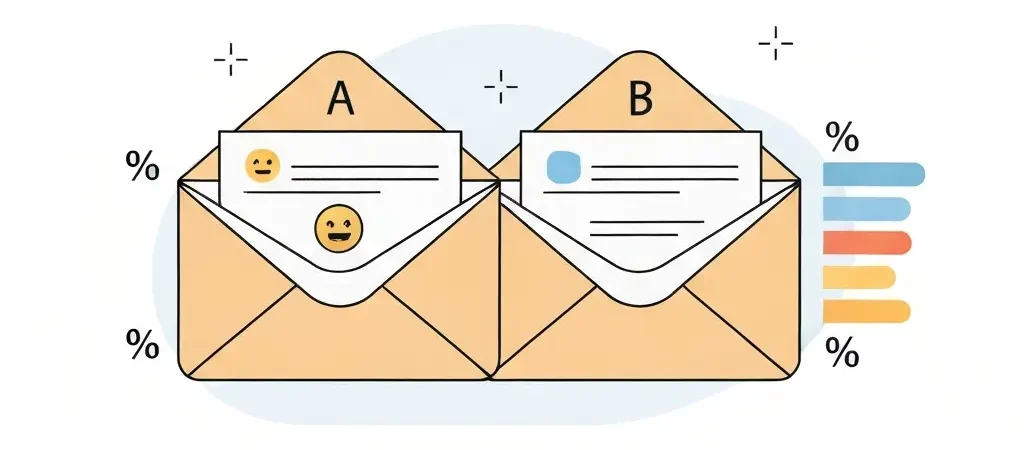
Subject Line and Preview Text Optimization: The 2026 Testing Playbook
Subject line testing is the highest-leverage optimization lever in email marketing — your subject line determines whether 0% or 50% of your list reads the content you spent hours writing. Yet over 90% of email campaigns sent through major platforms never include a custom preview text, leaving the second most visible piece of your inbox real estate completely unoptimized. This guide gives you a complete 2026 framework for testing subject lines, writing preview text that converts, and measuring what actually works in the post-Apple MPP era.
Subject lines within the mobile-optimal range of 28–50 characters see 21% higher open rates than longer alternatives. Personalizing the subject line adds 5–8% more opens on top of that baseline. And the combination of an AI-optimized subject line with dynamic send-time optimization delivers up to a 40% combined lift in opens and clicks — making subject line work among the most measurable ROI activities in the entire email stack.
The Anatomy of a High-Performing Subject Line
Every email subject line competes against 100–300 other subjects in a subscriber’s inbox at any given moment. High-performing subject lines earn the open by fulfilling one of three psychological functions: promising a clear benefit, creating genuine curiosity, or signaling urgency that is real rather than manufactured.
Length: The Mobile Constraint
Mobile devices now account for 68% of email opens in 2026. Mobile inbox previews display 28–50 characters of the subject line before truncation. This means anything beyond 50 characters is invisible to the majority of your readers before the open decision is made.
The optimal subject line length is 28–50 characters for mobile-first audiences, with the most critical information — the benefit or curiosity hook — front-loaded in the first 30 characters. Never bury the lead at the end of a long subject line.
The 6 Subject Line Formats Ranked by Performance
| Format | Example | Best Use Case |
|---|---|---|
| Benefit-led | “Cut your email build time in half” | Promotional, product announcements |
| Number/list | “7 subject line tests worth running today” | Content, newsletters |
| Question | “Is your open rate lying to you?” | Educational, thought leadership |
| Curiosity gap | “This one setting changed everything” | Re-engagement, high-volume newsletters |
| Urgency/scarcity | “Offer ends tonight at midnight” | Sales, time-sensitive promotions |
| Personalized | “{{first_name}}, your report is ready” | Transactional, behavioral triggers |
15 Email A/B Test Ideas for Subject Lines
Run one test per send. Each test below isolates a single variable so you can attribute performance changes to the specific element being tested.
- Short vs long — test a 32-character version against a 58-character version of the same concept
- Question vs statement — “Can you improve CTR by 40%?” vs “How to improve CTR by 40%”
- Benefit vs curiosity — “Get 40% more clicks” vs “What most email marketers get wrong”
- Personalization on vs off — “{{first_name}}, your benchmarks are here” vs “Your 2026 email benchmarks are here”
- Urgency vs no urgency — “Access closes Friday” vs “Our new guide is live”
- Number vs no number — “7 ways to improve CTR” vs “How to improve your click rate”
- Emoji first position vs no emoji — “📊 Your email benchmarks for 2026” vs “Your email benchmarks for 2026”
- Lowercase vs title case — “your subject line is the problem” vs “Your Subject Line Is the Problem”
- Specific vs vague — “5-minute fix for low click rates” vs “Improve your email performance”
- Feature vs outcome — “New drag-drop email builder” vs “Build emails 3x faster”
- Preview text as extension vs restatement — preview extends subject info vs preview repeats the same promise
- Sender name: brand vs personal name — “CampaignOS” vs “Alex from CampaignOS”
- Exclusivity cue — “For CampaignOS Pro users only” vs standard version
- Re: prefix — subject starting with “Re:” (conversational trigger) vs no prefix
- Year anchor — “Best email tools in 2026” vs “Best email tools right now”
The most consistently high-impact tests in 2026 are personalization (tests 4, 12), format (tests 2, 3), and emoji positioning (test 7). Start there before testing more nuanced variables. Review your existing A/B test data in CampaignOS — patterns from your specific audience are always more actionable than industry averages. See our dedicated A/B testing email campaigns guide for the full statistical methodology.
Preview Text Optimization: The Underused 50%
Preview text (also called preheader text) is the snippet of text that appears after the subject line in most email clients — typically 35–100 characters on desktop, 25–50 on mobile. WeddingWire saw a 30% increase in CTR by testing preview text variants. Yet over 90% of email campaigns use no custom preheader, defaulting to the first line of body text or — worse — displaying alt-text code artifacts.
The Two Preview Text Strategies
Strategy 1: Extend the subject. The preview text adds information the subject did not cover. Subject: “Your Q2 email performance data is ready” → Preview: “CTR by campaign type, plus 3 things to fix this week.” This approach works best for informational and newsletter emails where the recipient needs more context to judge relevance.
Strategy 2: Add a second hook. The preview creates independent urgency or curiosity that compounds the subject’s promise. Subject: “Cut email build time in half” → Preview: “Our customers average 47 minutes per campaign. You?” This approach works best for promotional emails where you want to layer two motivation signals.
What Kills Preview Text Performance
- Restating the subject line word-for-word — wastes the real estate and signals low effort
- Starting with “View this email in your browser” — common for HTML emails with browser links at the top; use CSS to hide these elements before the preheader
- Leaving it blank — clients pull the first text from your email body, which is usually a heading, alt tag, or boilerplate legal text
- Exceeding 100 characters — truncated on all clients; the truncated portion is invisible
Implementation
Add preheader text as a visually hidden span in your email HTML immediately after the opening body tag:
<span style="display:none;max-height:0;overflow:hidden;">
  Your preview text goes here — visible in inbox, hidden in email body.
</span>
Most email builders including CampaignOS expose a dedicated preview text field that handles this markup automatically.
Emoji in Subject Lines: What the Data Shows
Emoji in subject lines is one of the most-tested variables in email marketing and one of the most misapplied. The data in 2026 shows a clear pattern: used correctly, emojis lift open rates 7–15%; used incorrectly, they suppress engagement and trigger spam filters.
What Works
- Single emoji in first position — e.g., “📊 Your 2026 benchmark report” — eye-catching in inbox, passes spam filters, consistent with brand voice
- Single thematically relevant emoji — the emoji should reinforce the subject line meaning, not decorate it arbitrarily
- Consistent usage patterns — audiences habituate to emoji usage from a sender they trust; inconsistent usage reads as low quality
What Does Not Work
- Multiple emojis — 3+ emojis in a subject line correlate with lower engagement and higher spam classification rates
- Emojis that do not render consistently — some emojis display differently across operating systems; test in an inbox preview tool before deploying
- Emoji as replacement for substance — “🔥🔥🔥 BIG SALE!!!” is spam-trigger territory in every major filter
- Emojis in B2B enterprise contexts — enterprise and financial services audiences respond worse to emoji-heavy subjects; test by segment before rolling out broadly
The Emoji Test Protocol
Test emoji vs no emoji as a standalone variable: send identical subject lines to two equal segments, measuring by CTR (not open rate). Run the test for a minimum of 3 campaigns before drawing conclusions. Segment results by device type — emoji lift is typically stronger on mobile than desktop.
The Correct A/B Testing Framework
Most email A/B tests produce unreliable results because they violate basic statistical requirements. This five-step framework produces decisions you can act on with confidence.
- Isolate one variable. Test subject line format OR emoji OR length — never two at once. Multi-variable differences make it impossible to attribute the performance delta to the correct cause.
- Determine sample size first. Reliable results require a minimum of 1,000 recipients per variation. For a list of 10,000, a standard 50/50 split gives you 5,000 per variant — reliable. For a list of 2,000, a 1,000/1,000 split is minimum viable; smaller tests produce noise, not signal.
- Run tests for 3–7 days. Daily email behavior varies significantly — Monday morning opens differ from Thursday evening opens. Tests shorter than 72 hours risk capturing unrepresentative time-of-week effects.
- Measure by CTR, not open rate. Post-MPP, open rate cannot be trusted as a test outcome metric. CTR (clicks / delivered) is the reliable 2026 proxy for content resonance.
- Document and build a winner library. Each confirmed winning pattern (e.g., “question format beats statement format for our audience by +0.4% CTR”) becomes a hypothesis for future tests and an input to your default subject line writing guidelines.
Measuring Results After Apple MPP
Apple Mail Privacy Protection changed which metrics are reliable for subject line testing. A 30% increase in “opens” after a subject line test in 2026 is not a 30% performance lift — it may be noise from MPP proxy opens with no human intent behind them.
In the post-MPP era, measure subject line test outcomes by:
- CTR (primary) — clicks / delivered, unaffected by MPP
- Reply rate (for conversational/narrative emails) — strong signal of genuine engagement
- Downstream conversion (for promotional emails) — purchases, sign-ups, or demos triggered by the campaign
- Unsubscribe rate differential — a variant that drives more unsubscribes may technically win on opens but is damaging your list
If your email platform only reports open rate as a test outcome, export raw data and calculate CTR manually, or switch to a platform that surfaces click-based test results by default. CampaignOS reports both click-based and open-based outcomes per variant and flags MPP-inflated open data automatically. See the full testing methodology in our A/B testing email campaigns scientific guide.
Run Subject Line Tests That Produce Real Signal
CampaignOS includes built-in A/B testing for subject lines, preview text, and sender names, with automatic winner selection based on your chosen metric — CTR, conversions, or revenue. Free and open-source. Start testing at app.campaignos.site.
Frequently Asked Questions
What is the optimal email subject line length in 2026?
The optimal email subject line length in 2026 is 28–50 characters. Mobile devices account for 68% of email opens, and mobile inboxes truncate subject lines after approximately 40–50 characters. Subject lines within the 28–50 character range see 21% higher open rates than longer alternatives. Front-load the most important information — benefit, number, or curiosity hook — in the first 30 characters so it is visible on all devices before the open decision is made.
Do emojis in subject lines improve open rates?
Emojis in subject lines improve open rates by 7–15% when used correctly — specifically, a single emoji in first position that is thematically relevant to the subject line content. Multiple emojis (3+) correlate with lower engagement and higher spam classification. Emojis perform better for B2C and consumer brands than for B2B enterprise audiences. Always test emoji vs no emoji with your specific audience before making a standing policy, and measure by CTR rather than open rate in 2026.
How do I write preview text for email?
Effective email preview text either extends the subject line with new information or adds a second hook that compounds the subject’s promise. Keep it under 100 characters. Never restate the subject line word-for-word — that wastes real estate. Never leave it blank — email clients will pull the first visible text from your email body, which is usually a navigation link or boilerplate legal text. Add preview text as a visually hidden HTML span immediately after the opening body tag, or use your email platform’s dedicated preheader field.
How many subscribers do you need to run a valid email A/B test?
A valid email A/B test requires a minimum of 1,000 recipients per variation to produce statistically reliable results. For a 50/50 split test, this means a minimum list size of 2,000. Tests with fewer than 1,000 recipients per variant produce results that can be entirely explained by random chance and should not be used to make standing decisions about subject line strategy. If your list is under 2,000 subscribers, run the same test across multiple campaigns and aggregate the data before drawing conclusions.
Should I measure subject line A/B tests by open rate or click rate in 2026?
Measure subject line A/B tests by click-through rate (CTR), not open rate, in 2026. Apple Mail Privacy Protection prefires open tracking pixels for all emails delivered to Apple Mail users, inflating open rates with non-human events. A subject line test that shows a higher open rate for variant B may simply reflect a different ratio of Apple Mail users between the two groups — not a genuine performance difference. CTR is unaffected by MPP and reflects real human engagement decisions.
What email A/B tests should I run first?
Run these three subject line A/B tests first for the highest expected impact: (1) Personalization on vs off — add {{first_name}} to your subject line vs not; (2) Question format vs statement format — rephrase the same concept as a question vs a statement; (3) Emoji in first position vs no emoji — use one relevant emoji at the start vs a clean subject line. Each of these tests reliably produces 5–20% CTR differences in most audiences. Establish baselines with these three before testing more nuanced variables like urgency language or specificity levels.