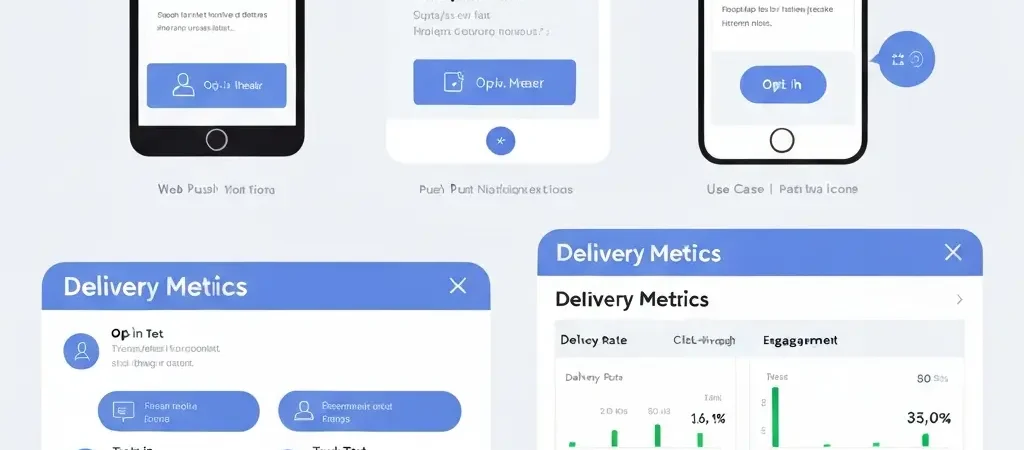
Web Push Notification Service: Marketing Use Cases and Setup Guide 2026
A web push notification service enables websites to send notifications directly to users’ browsers — without email, without SMS, and without requiring app installation. In 2026, web push is the underutilized channel in most marketing stacks: opt-in rates of 12-15% on desktop, delivery rates near 100% (notifications aren’t filtered like email), and re-engagement effectiveness that exceeds email for lapsed visitors who no longer open your emails.
This guide covers the specific marketing use cases where web push delivers disproportionate value, the setup process, and the compliance requirements that determine whether your push program builds audience or burns it.
How Web Push Works
Web push notifications use the Push API and Service Worker technology built into modern browsers (Chrome, Firefox, Safari, Edge). The flow:
- Website visitor lands on your site
- Your site prompts for notification permission (browser native prompt)
- Visitor clicks “Allow”
- Your service worker registers with a push service (typically the browser vendor’s push service)
- The registration token is stored in your marketing platform
- When you send a push, your platform calls the push service API, which delivers to the registered browser
Key technical characteristics:
- Works on desktop and mobile web (not iOS Safari until iOS 16.4+, now widely supported)
- Notifications appear even when the browser is closed (on desktop)
- No email or phone number required — just a browser token
- Subject to browser permission settings — users can revoke at any time
High-Value Marketing Use Cases
1. Abandoned Cart Re-engagement
Unlike email abandoned cart (which requires an email address on file), web push can reach anonymous visitors who added to cart but never provided their email. This extends your recovery reach to a segment that email automation can’t touch.
Timing: 30 minutes after cart abandonment. Message: “Your cart is waiting — [Product Name] is still available.” Click through to cart URL.
2. Flash Sale and Time-Sensitive Promotions
Web push is the fastest-reaching channel for time-sensitive offers. Open rate equivalent (click/delivery) for push notifications: 4-8%, compared to 2.09% CTR for email. For 4-hour flash sales, push notification is the primary driver of immediate traffic.
3. Content/Publish Notifications
For content-heavy sites (blogs, news, guides), push is the highest-engagement opt-in channel. When a new post publishes, a push notification drives immediate visits from your subscriber base — typically within 10 minutes of send, vs. 2-4 hours for email opens.
4. Re-engagement for Dormant Email Contacts
Contacts who stopped opening your emails but still visit your site (captured via your tracking pixel) can be re-engaged through push. This breaks the re-engagement email catch-22 (they don’t open emails, so re-engagement emails don’t work).
5. Price Drop and Back-in-Stock Alerts
Ecommerce: when a product a visitor viewed comes back in stock or drops in price, push notifications drive substantially higher conversion than email for these alerts (3-5x higher CTR for back-in-stock specifically).

Opt-In Strategy and Timing
The browser permission prompt is a one-time, non-repeatable opportunity. A dismissed prompt cannot be re-shown — the visitor must go into browser settings to re-enable. This makes prompt timing the most critical success factor for push subscriber growth.
What Not To Do
Don’t show the browser permission prompt immediately on first page view. Cold prompt opt-in rates are 5-8%. Visitors who haven’t yet seen any value from your site have no reason to allow notifications.
High-Converting Opt-In Patterns
- After content consumption: After a visitor reads 70%+ of an article, trigger a soft prompt: “Get notified when we publish new guides like this?” — show a custom overlay before the browser prompt
- After purchase: Post-purchase is the highest-intent moment; “Stay updated on your order and new arrivals” converts at 20-30% opt-in rate
- Return visitor: Show the prompt on second visit, not first — return visitors have already demonstrated intent
- Custom pre-permission prompt: Show a branded prompt asking “Would you like notifications?” before triggering the browser prompt — this filters low-intent visitors and improves actual browser opt-in rates from 8% to 20%+
Setup Guide
Option A: Using CampaignOS (Native Push)
- Navigate to Settings → Push Notifications in CampaignOS
- Enter your website domain
- Copy the provided Service Worker file and add to your website’s root directory:
campaignos-sw.js - Add the initialization script to your website’s HTML:
<script src="https://cdn.campaignos.site/push.js"></script> - Configure the opt-in prompt trigger (time on page, scroll depth, or custom event)
- Test: use a browser in private mode, trigger the opt-in, verify the subscription token appears in CampaignOS
Sending Your First Push Campaign
- Navigate to Campaigns → New Push Campaign
- Title: 40 characters max (appears as notification title)
- Body: 80-100 characters (appears as notification body)
- URL: where clicking the notification takes the subscriber
- Icon: your brand favicon (48x48px recommended)
- Badge image (optional): appears in Android notification bar
- Schedule or send immediately
Web Push in Multi-Channel Sequences
Web push is most effective as part of a multi-channel sequence, not as a standalone channel:
Example: Multi-Channel Abandoned Cart Sequence
- Hour 1: Push notification — “Your cart is waiting” (reaches push subscribers, including those without email)
- Hour 1: Email — “You left something behind” (reaches email subscribers)
- Hour 24: Email — Social proof for abandoned items (to non-converters)
- Hour 72: Email — Final offer with discount (to non-converters)
The push notification in step 1 captures the anonymous cart abandoners who would fall through the email-only sequence. CampaignOS handles this multi-channel coordination in a single workflow.
For the full multi-channel setup, see the push notifications setup guide and the small business automation use cases.
Compliance and Best Practices
- Frequency: Maximum 1-2 push notifications per week for content/marketing. Daily for urgent transactional (shipping updates, order confirmations)
- Unsubscribe path: Tell subscribers how to unsubscribe in your first notification (browser settings)
- GDPR: Push subscription is consent. Document push subscriptions like email consent. Erasure requests should include push token removal
- Relevance: Push has a lower tolerance for irrelevance than email — opt-out (permission revocation) is permanent. Every push notification must deliver clear value
Frequently Asked Questions
What is a web push notification service?
A web push notification service is software that enables websites to send browser-based notifications to opted-in users, without requiring email or phone number. Notifications appear on desktop and mobile browsers even when the website isn’t open. The service manages subscriber tokens, sends notifications through browser push APIs (Google/Apple/Mozilla), and provides analytics on delivery and click rates.
What is the average web push notification opt-in rate?
Web push opt-in rates average 5-10% on mobile and 12-15% on desktop for cold prompts shown immediately on site. With optimized timing (after content engagement, after purchase, or with a custom pre-permission prompt), rates can reach 20-30%. The browser permission prompt is a one-time opportunity — optimizing timing is the most important factor in subscriber growth.
How does web push compare to email marketing?
Web push has near-100% delivery rate vs 83.5% inbox placement for email. CTR equivalent is 4-8% for push vs 2.09% for email. Push reaches subscribers without requiring an email address (extending reach to anonymous visitors who opted in). The main limitation: push has a lower frequency tolerance — more than 2-3 notifications/week triggers opt-out. Push is best used for time-sensitive or high-value communications, with email for educational and longer content.
Is web push notification free?
CampaignOS includes web push notification in its free open-source platform with no per-notification pricing. Most proprietary marketing platforms charge additionally for push notifications (typically $30-100+/month added to email subscription). Standalone push services like OneSignal offer free tiers with limited features. For full multi-channel automation (email + push + SMS) at zero licensing cost, CampaignOS is the strongest free option.
Web Push Included in CampaignOS — Free
Web push, email, SMS, WhatsApp, and Telegram automation in one free open-source platform. No separate push notification service required. No per-notification pricing.