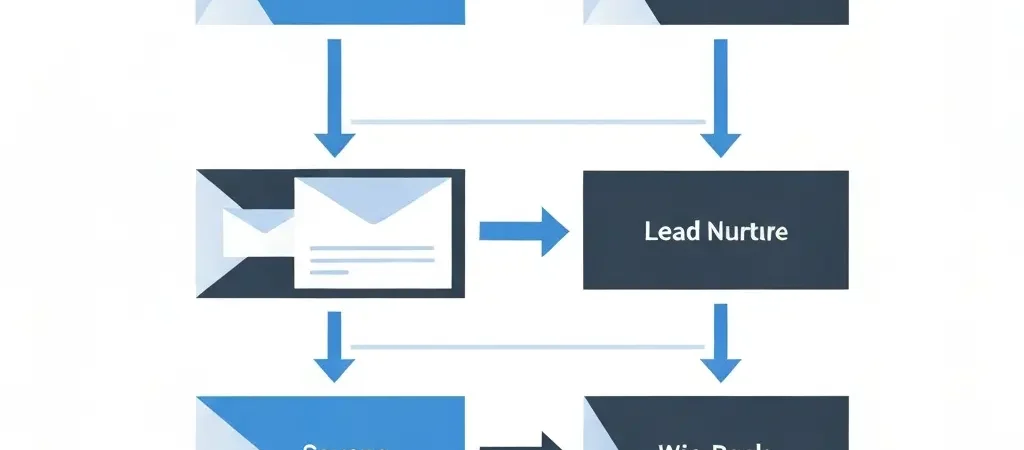
Email Marketing Automation: The Complete 2026 Guide (Playbooks, Workflows, Examples)
Email marketing automation is the single highest-ROI channel available to any business in 2026 — and also the most misunderstood. Most teams set up a welcome email, call it automation, and leave billions of lifecycle touchpoints untouched. The reality is that well-built email automation workflows generate $36 for every $1 spent according to Litmus’s 2025 State of Email report, yet fewer than 30% of businesses have more than three automated sequences running at any time. This guide closes that gap. You will find every playbook, workflow structure, platform comparison, and real-world example needed to build a mature email marketing automation system from scratch — or overhaul the one you already have.
Whether you are running a bootstrapped SaaS, a growing ecommerce store, or a B2B lead generation engine, the architecture is the same: the right message, to the right person, at the right moment, triggered by real behaviour. What changes is the content, the timing, and the branching logic. By the end of this guide you will have a complete picture of how to design, build, and optimise each layer.
What Is Email Marketing Automation?
Email marketing automation is software-driven delivery of emails based on triggers — subscriber actions, time delays, data conditions, or external events — rather than manual scheduling. Unlike a broadcast newsletter sent to your entire list at once, automated emails are one-to-one communications triggered by what an individual did (or did not do).
A trigger can be almost anything: a form submission, a page visit, a product purchase, a cart abandonment, a link click, a score threshold reached by the lead scoring engine, or simply the passage of time since the last interaction. Once the trigger fires, the workflow engine evaluates conditions, waits, and sends — all without a human in the loop.
Key Components of an Automation System
- Contact database — enriched subscriber records with behavioural and demographic data
- Segmentation engine — dynamic lists and tags based on attributes and actions
- Workflow builder — visual canvas for designing trigger → condition → action logic
- Email composer — template editor with personalisation tokens
- Sending infrastructure — SMTP delivery with authentication (SPF, DKIM, DMARC)
- Analytics layer — open, click, conversion, and revenue tracking
Why Email Marketing Automation Matters More Than Ever in 2026
Three converging forces have made email automation more valuable in 2026 than at any prior point:
1. Privacy Changes Killed Third-Party Targeting
With third-party cookie deprecation now complete across all major browsers and iOS tracking opt-outs above 80%, owned channels are the only reliable channel for personalised outreach. Your email list is an asset you control. Paid social targeting has degraded significantly, making the economics of email — especially automated lifecycle email — dramatically more favourable.
2. AI-Powered Personalisation Has Become Table Stakes
Every major platform now offers AI-driven send-time optimisation, subject line generation, and predictive segmentation. According to Salesforce’s 2025 State of Marketing report, 72% of high-performing marketing teams use AI in their email programmes. Teams not leveraging at least basic predictive features are operating at a structural disadvantage. The rise of AI-powered marketing automation for small businesses has democratised these capabilities — even lean teams can now deploy machine-learning-driven sequences that previously required enterprise budgets.
3. Open-Source Infrastructure Has Matured
Self-hosted platforms now rival commercial SaaS on features while eliminating per-contact costs. For teams with 50,000+ contacts, the savings are substantial — often $500–$2,000/month — while retaining full data ownership and workflow flexibility. The open-source marketing automation guide covers the full ecosystem that matured significantly in 2025–2026, with tools like CampaignOS offering visual builders, lead scoring, and multi-channel orchestration.
Email Benchmarks at a Glance (2026)
| Metric | Broadcast Average | Automated/Triggered |
|---|---|---|
| Open rate | 22% | 45–55% |
| Click-through rate | 2.5% | 8–12% |
| Conversion rate | 1.1% | 3–6% |
| Revenue per email | $0.08 | $0.38 |
Sources: Klaviyo, Litmus, and Campaign Monitor 2025–2026 benchmark reports
The 7 Core Workflow Types Every Business Needs
Before diving into individual playbooks, here is the full taxonomy of email automation workflows ordered by implementation priority:
- Welcome series — converts new subscribers into engaged readers and buyers
- Lead nurture sequence — moves prospects from interest to sales-ready
- Abandoned cart recovery — recovers lost ecommerce revenue
- Post-purchase series — onboards new customers and drives second purchase
- Win-back / re-engagement — reactivates lapsed subscribers
- Upsell / cross-sell — increases LTV from existing customers
- Milestone / event-triggered — birthday emails, anniversary, usage milestones
Most teams should implement workflows 1–4 before considering advanced personalisation. The ROI on the first four is disproportionately high because they target moments of maximum intent.
Playbook: Welcome Series
The welcome series is the single most important automation you will ever build. New subscribers have their highest lifetime engagement in the first 7 days — open rates average 50–60% for welcome emails versus 22% for regular broadcasts. Wasting that window with a single “thanks for subscribing” email is the most common — and most costly — mistake in email marketing.
Welcome Series Structure (7-Day, 4-Email)
| Delay | Goal | CTA | |
|---|---|---|---|
| 1 — Welcome + promise | Immediate | Set expectations, deliver lead magnet | Download / confirm |
| 2 — Your story + social proof | Day 2 | Build trust and credibility | Case study / testimonial |
| 3 — Best content / quick win | Day 4 | Deliver immediate value | Read the guide |
| 4 — Soft offer | Day 7 | Convert to trial or purchase | Start free trial |
Branching Logic
After Email 1, branch on whether the subscriber clicked any link. Clickers get an accelerated track (move to Email 4 after Day 4). Non-clickers get a re-subject line send of Email 1 at Day 1 before proceeding. This single conditional branch can lift click rates by 15–25% on the series.
Playbook: Lead Nurture Sequence
Lead nurture automation is particularly critical for B2B and high-consideration purchases where the buying cycle spans weeks or months. The goal is to maintain top-of-mind presence, progressively educate the prospect, and surface intent signals for sales to act on.
The MOVE Framework for Lead Nurture
- M — Map the problem: Emails 1–3 address pain points and validate the prospect’s challenge
- O — Open the solution space: Emails 4–6 introduce solution categories (not your product yet)
- V — Validate with proof: Emails 7–9 present case studies, comparison data, ROI calculations
- E — Enable the decision: Emails 10–12 remove objections, offer demos, create urgency
Trigger-Based Acceleration
Never let behaviour go unacknowledged. If a prospect visits your pricing page, they should jump from wherever they are in the sequence directly to a “Ready to talk?” email from a human sender. Segmenting your audience by lifecycle stage depends entirely on this kind of real-time signal detection. Set up behavioural triggers for: pricing page visit, feature page visit (3+ times), competitor comparison page visit, and demo booking page visit without completing.
Lead Scoring Integration
Pair your nurture sequence with a lead scoring model. Assign points for email opens (+1), clicks (+3), pricing page visits (+10), webinar attendance (+15), demo requests (+25). When a lead crosses your MQL threshold (commonly 40–60 points), pause the automated sequence and alert sales for direct outreach. This prevents the automation from over-emailing sales-ready leads.
Playbook: Abandoned Cart Recovery
Abandoned cart emails are the highest-converting automation in ecommerce — period. The average cart abandonment rate is 70%+ across industries. A well-structured recovery sequence typically recovers 5–15% of abandoned carts, directly translating to revenue that would otherwise be lost.
Three-Email Recovery Sequence
| Timing | Approach | Expected Recovery | |
|---|---|---|---|
| 1 — Reminder | 1 hour after abandon | Gentle nudge, show cart contents | 3–5% of abandons |
| 2 — Urgency + social proof | 24 hours after | Reviews, stock scarcity signal | 2–4% of abandons |
| 3 — Incentive (if needed) | 48 hours after | Discount or free shipping offer | 1–3% of abandons |
Stop the sequence immediately when a purchase is made. This sounds obvious but many platforms require an explicit “exit if purchased” condition — failing to set it is a common mistake that sends discount emails to customers who already bought at full price, eroding margin and trust simultaneously.
Playbook: Win-Back Campaign
Subscribers who have not opened or clicked in 90 days cost you money on most platforms (through per-contact billing) while degrading your sender reputation. A win-back campaign makes one last attempt to re-engage before suppression.
Win-Back Sequence Structure
- Email 1 (Day 0): “We miss you” — acknowledge the silence, remind them of value
- Email 2 (Day 7): Best content or product update — show what they’ve missed
- Email 3 (Day 14): Last chance with a simple preference update option (“Still want to hear from us?”)
- No response: Suppress from future sends, move to suppression list
Do not offer discounts in win-back sequences unless your product is ecommerce. For SaaS and B2B, a discount to lapsed subscribers conditions them to wait for discounts rather than engage on value. Instead, lead with fresh content, product updates, or a compelling use case they haven’t seen.
Segmentation and Personalisation That Actually Works
The most powerful lever in email marketing automation is not the workflow — it is the segmentation that determines who enters each workflow and what variant they see within it.
Five Segmentation Dimensions to Implement
- Engagement tier: Active (opened in 30 days), at-risk (31–90 days), dormant (90+ days). Each tier gets a different message frequency and content mix.
- Lifecycle stage: Subscriber → MQL → SQL → Customer → Advocate. Each stage has different goals and different content priorities.
- Acquisition source: Where did they come from? Content upgrade subscribers have different intent than paid ad leads. The nurture cadence and content should reflect that.
- Product interest: Tag contacts based on which pages they’ve visited, which emails they’ve clicked. Use these tags to route them into relevant product-specific workflows.
- Purchase history: First-time buyer vs. repeat buyer vs. VIP (top 20% by LTV) — each segment warrants radically different messaging.
Dynamic Content vs. Multiple Variants
Most modern platforms support dynamic content blocks — showing different sections of the same email based on subscriber attributes. This is almost always more efficient than maintaining 5 separate email variants. Use dynamic blocks for: product recommendations, testimonial industry matching, pricing tier display, and CTA copy tailored to lifecycle stage. The email personalisation strategies that drive the most revenue are the ones that match offer to intent — not just first-name personalisation.
Deliverability Fundamentals for 2026
Your automation is worthless if emails land in spam. Gmail and Yahoo’s 2024 sender requirements are now fully enforced, and Microsoft 365 tightened authentication requirements in early 2026. Here is what you must have in place:
Non-Negotiable Authentication Stack
- SPF: Authorises your sending server IP addresses
- DKIM: Cryptographically signs each outbound email
- DMARC: Policy (at minimum p=none with rua reporting; ideally p=quarantine or reject)
- BIMI: Brand indicators in mailbox — only available with DMARC p=quarantine/reject and a Verified Mark Certificate. Directly increases open rates by 10–15%.
For a step-by-step guide on deliverability tools and monitoring, see the email deliverability monitoring tools comparison, which covers authentication validators, inbox placement testers, and reputation monitoring dashboards for 2026.
List Hygiene Cadence
- Remove hard bounces immediately (automated on most platforms)
- Suppress soft bounce addresses after 3 consecutive bounces
- Run suppression against global suppression lists monthly
- Use a real-time email validation API at the point of sign-up to block obvious invalid addresses
- Review and suppress unengaged contacts quarterly using your win-back workflow as a filter
Platform Comparison: Choosing the Right Tool
The platform decision is consequential but not permanent — most data can be migrated. The key question is not “which platform has the most features?” but “which platform matches your technical capacity, contact volume, and budget trajectory?”
Platform Decision Matrix (2026)
| Platform | Best For | Pricing Model | Automation Depth |
|---|---|---|---|
| CampaignOS | Self-hosted, data ownership, scale | Free (open source) | Advanced |
| Mailchimp | Beginners, simple workflows | Per contact | Basic–Intermediate |
| ActiveCampaign | CRM + email, B2B | Per contact | Advanced |
| Brevo | Volume senders, transactional | Per email sent | Intermediate |
| Klaviyo | Ecommerce, Shopify/WooCommerce | Per contact | Advanced (ecom-specific) |
| HubSpot | Full CRM stack, enterprise | Per contact, high floor | Enterprise |
Teams evaluating HubSpot against open-source alternatives should review the detailed breakdown of free HubSpot alternatives in 2026, which covers ten platforms including CampaignOS, Mautic, Brevo, and Odoo with full feature and pricing comparisons. For teams committed to open-source infrastructure, the open-source marketing automation guide covers full stack deployment options. External comparisons and independent reviews are available at G2’s marketing automation category and Capterra.
Measuring Performance and Iterating
The most underused capability in most email automation systems is the analytics layer. Teams set up workflows and then check open rates occasionally. That is not optimisation — it is hope. Here is the measurement framework to run:
Workflow-Level KPIs
- Completion rate: % of entrants who reach the final email without unsubscribing or exiting early
- Goal conversion rate: % of entrants who achieve the workflow’s primary goal (purchase, demo booked, etc.)
- Revenue per entrant: Total revenue attributed ÷ total workflow entrants (especially for ecommerce)
- Unsubscribe rate by email: Spikes indicate poor targeting or messaging mismatch at that step
The A/B Testing Priority Stack
Test these elements in order — highest impact first:
- Subject line (test every email; 15–30% open rate swing is common)
- Send time (AI optimisation or manual A/B; 5–15% open rate improvement)
- Email 1 CTA (button copy, colour, placement)
- Sequence length and delay timing
- Body copy angle (problem-led vs. outcome-led vs. proof-led)
Real-World Case Studies
Case Study 1: SaaS — 41% Trial-to-Paid Lift from Welcome Series Rebuild
A B2B project management SaaS with 8,000 monthly trial starts was converting at 12% to paid. Their welcome sequence was a single onboarding email sent at sign-up. By implementing a 9-email, behaviour-triggered onboarding sequence — with emails firing based on feature activation rather than time delays — they lifted trial-to-paid conversion to 16.9% within 60 days. The key change: emails were triggered by what users had not done yet (had not created their first project, had not invited a team member) rather than by calendar time. Personalisation at the feature level made every email feel immediately relevant.
Case Study 2: Ecommerce — €380,000 Additional Revenue from Abandoned Cart Sequence
A European outdoor apparel brand with €12M annual revenue was running a single abandoned cart email sent 3 hours after abandonment with an immediate 10% discount offer. They rebuilt the sequence to three emails: a 1-hour reminder (no discount, just cart contents + free shipping reminder), a 24-hour social proof email (UGC photos + review excerpts for the specific product), and a 72-hour final offer (10% discount, only if still not converted). The change from one email to three — and removing the immediate discount — added €380,000 in annual recovered revenue while improving margin per recovered cart by 6%.
Case Study 3: Agency — Lead Nurture Sequence Reduces Sales Cycle by 22 Days
A digital marketing agency running outbound sales found that leads required an average of 47 days from first contact to signed contract. By implementing a 12-email nurture sequence that mapped to their prospect’s awareness journey — problem identification, solution education, proof delivery, objection handling — and integrating lead scoring with CRM alerts, they reduced average sales cycle to 25 days. The automation did the education work previously done by 3–4 manual outreach calls, freeing sales to focus on closing conversations rather than teaching.
Frequently Asked Questions
What is email marketing automation?
Email marketing automation is the use of software to send targeted, triggered emails to subscribers based on their behaviour, preferences, or position in the customer lifecycle — without manual sending for each message. Triggers can include form submissions, page visits, purchases, time delays, or lead score thresholds.
How much does email marketing automation cost?
Costs range from free (open-source self-hosted platforms like CampaignOS) to $1,000+/month for enterprise SaaS tools. Most bootstrapped teams can get started for under $50/month. At scale (50,000+ contacts), self-hosted open-source tools offer the best economics by eliminating per-contact billing.
What is the difference between a drip campaign and a marketing automation workflow?
A drip campaign sends emails on a fixed time-based schedule regardless of behaviour. A marketing automation workflow branches based on real-time actions — clicks, purchases, page visits — delivering more relevant messages at the right moment. Automation workflows consistently outperform drip campaigns on conversion rate because they respond to intent signals.
Which email marketing automation platform is best for small businesses?
For small businesses prioritising cost control and data ownership, self-hosted open-source platforms like CampaignOS offer full automation capabilities without per-contact pricing. Hosted options like Brevo and Mailchimp are better for teams that want managed infrastructure and minimal technical setup. The right answer depends on your technical capacity and contact volume trajectory.
What is a good email open rate in 2026?
The average email open rate across industries in 2026 sits between 20–28% for broadcast newsletters. Automated triggered emails often achieve 45–60% open rates because they are sent at moments of high relevance. SaaS onboarding and welcome sequences regularly exceed 50% open rates when properly segmented.
How do I avoid spam filters with automated emails?
Set up SPF, DKIM, DMARC, and BIMI authentication records, warm up your sending domain gradually, maintain tight list hygiene, personalise subject lines, and avoid known spam-trigger words. Google and Yahoo enforce full authentication in 2026 — any bulk sender without DMARC alignment will see deliverability penalties.
What workflows should every business automate first?
Prioritise the welcome series, abandoned cart (for ecommerce) or lead nurture sequence (for B2B/SaaS), post-purchase series, and win-back campaign. These four workflows deliver the highest ROI and cover the full lifecycle from acquisition to retention. Most businesses see 80% of their automation revenue from these four flows alone.
Ready to Build Your Email Automation System?
CampaignOS is an open-source marketing automation platform that gives you visual workflow builders, advanced segmentation, lead scoring, and full email deliverability — without per-contact pricing. Deploy on your own infrastructure and own your data completely.