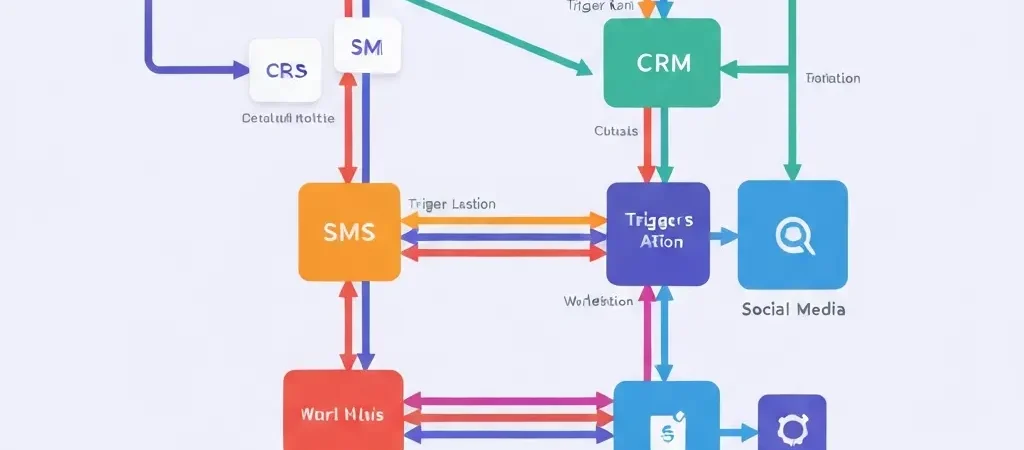
n8n Marketing Automation Workflows: 10 Practical Examples for 2026
If you have spent any time researching marketing automation, you have probably encountered n8n — the open-source workflow automation tool that has quietly become one of the most powerful options in the stack for serious marketers. n8n marketing automation workflows give you the ability to connect virtually any tool, trigger actions on any condition, and build logic that most commercial automation platforms would charge enterprise rates to replicate.
The challenge is that n8n’s power comes with a learning curve. There are hundreds of possible workflows, and for many marketers, it is not obvious where to start. This guide cuts through that with 10 practical, ready-to-implement n8n marketing automation workflows — from simple lead nurturing to complex multi-channel sequences — each explained with the trigger, the logic, and the nodes you need.
Why n8n for Marketing Automation in 2026
n8n stands out in the marketing automation landscape for three reasons:
- No per-contact pricing: Traditional platforms like HubSpot, ActiveCampaign, and Mailchimp charge based on list size. n8n charges for executions (workflow runs), not contacts — making it dramatically more cost-effective at scale
- Complete data ownership: Self-hosted n8n means your contact data, automation logic, and engagement data never leaves your infrastructure — critical for GDPR compliance and enterprise security requirements
- Unlimited connectivity: n8n has 400+ native integrations and an HTTP Request node that connects to anything with an API. No “this platform doesn’t integrate with that one” limitations
According to heydata.eu’s analysis of n8n for GDPR compliance, n8n enables legally compliant marketing automation that supports GDPR, the EU AI Act (applicable from 2026), and the NIS2 Directive — making it the most future-proofed automation platform from a regulatory perspective.
For foundational context, see our n8n marketing automation integration guide covering setup and initial configuration.
10 Ready-to-Implement Workflows
Workflow 1: Lead Capture to CRM with Email Confirmation
Trigger: Form submission (Typeform, Jotform, or native webhook)
Logic: Create contact in CRM → send confirmation email → tag as “new lead” → notify sales Slack channel
Nodes: Webhook → Set → CRM node (HubSpot/Airtable) → Send Email → Slack
Use case: Any lead generation form across marketing channels
Workflow 2: Welcome Email Sequence (5-Part Drip)
Trigger: Contact tagged as “subscriber” in CRM
Logic: Send email 1 immediately → wait 2 days → send email 2 → wait 3 days → repeat through email 5
Nodes: CRM trigger → Email node × 5 with Wait nodes between
Use case: Onboarding new newsletter subscribers or free trial users
Workflow 3: Abandoned Cart Recovery
Trigger: Webhook from ecommerce platform when cart is abandoned for 1 hour
Logic: Check if contact already received abandonment email in last 7 days → if no, send cart recovery email with dynamic product data
Nodes: Webhook → IF → Set (cart data) → Send Email
Use case: Ecommerce stores on WooCommerce, Shopify, or custom platforms
Workflow 4: Lead Scoring Automation
Trigger: Schedule (every 6 hours)
Logic: Pull all contacts → calculate score based on email opens (1pt), link clicks (3pts), page visits (2pts), form submissions (10pts) → update CRM score field → alert sales when score exceeds 50
Nodes: Schedule → CRM (read) → Function → CRM (update) → IF → Slack
Use case: Any B2B marketing team qualifying leads before passing to sales
Workflow 5: Re-Engagement Campaign for Inactive Contacts
Trigger: Schedule (monthly)
Logic: Find contacts who have not opened an email in 90 days → send re-engagement email → if opened within 7 days, remove “inactive” tag; if not, add “sunset” tag
Nodes: Schedule → CRM (filter) → Send Email → Wait 7 days → Check opens → IF → CRM (update tags)
Use case: List hygiene and deliverability protection
Workflow 6: Content Promotion Sequence
Trigger: New blog post published (RSS feed or CMS webhook)
Logic: Extract post title, URL, excerpt → send to email subscribers → post to social media → notify team in Slack
Nodes: RSS/Webhook → Set → Send Email → Twitter/LinkedIn → Slack
Use case: Content marketing teams publishing regularly
Workflow 7: Webinar Registration and Follow-Up
Trigger: Webinar registration form submission
Logic: Add to webinar list → send confirmation with calendar invite → send reminder 24 hours before → send post-webinar follow-up with recording link
Nodes: Webhook → CRM → Email × 3 with Wait nodes
Use case: Any webinar or online event marketing
Workflow 8: Multi-Channel Onboarding (Email + SMS + Push)
Trigger: New user signup in CampaignOS or CRM
Logic: Send welcome email → wait 24 hours → send onboarding SMS with key tip → wait 3 days → send push notification with product feature highlight
Nodes: CRM trigger → Email → Wait → SMS node → Wait → Push notification node
Use case: SaaS products and apps wanting multi-channel first impressions
Workflow 9: Deliverability Health Check
Trigger: Schedule (weekly)
Logic: Query MXToolbox API for blacklist status → if blacklisted, send immediate alert to team Slack + email → log result in monitoring spreadsheet
Nodes: Schedule → HTTP Request (MXToolbox) → IF → Slack + Email → Google Sheets
Use case: Any self-hosted or high-volume email sender
Workflow 10: GDPR Consent Data Management
Trigger: Contact submits consent update form
Logic: Record consent timestamp, IP address, and form version → update CRM consent fields → remove from relevant lists if consent withdrawn → send confirmation to contact
Nodes: Webhook → Set (consent data) → CRM (update) → IF (consent withdrawn) → CRM (remove from list) → Send Email
Use case: GDPR consent management for any EU-facing email programme
GDPR Compliance in n8n Workflows
n8n’s architecture makes GDPR compliance significantly more achievable than commercial platforms. When self-hosted, your data never leaves your infrastructure — eliminating the data transfer issues that affect cloud-based tools under GDPR’s cross-border transfer rules.
Key GDPR requirements you can implement directly in n8n workflows:
- Consent recording: Workflow 10 above automatically logs consent with timestamp and source — meeting Art. 7 documentation requirements
- Right to erasure: Build a “delete contact” workflow triggered by a form submission that purges data from all connected systems simultaneously
- Data access requests: Build a workflow that aggregates all data held about a contact across your systems and emails it as a PDF on request
- Retention limits: Scheduled workflows can automatically archive or delete contacts whose data has exceeded your retention period
For a comprehensive treatment of GDPR requirements in email marketing, see our GDPR compliant email marketing checklist.
n8n + CampaignOS Integration
CampaignOS and n8n are designed to work together — with n8n handling the complex conditional logic and multi-step orchestration, and CampaignOS handling the actual multi-channel message delivery (email, SMS, push notifications).
The integration pattern:
- n8n triggers when a CRM event occurs (lead score threshold reached, segment membership changes)
- n8n calls the CampaignOS API to add the contact to a specific campaign sequence or trigger a one-time send
- CampaignOS handles delivery, tracking, and bounce management
- n8n listens to CampaignOS webhooks (email opened, link clicked, unsubscribed) and updates CRM records accordingly
This architecture gives you the best of both: n8n’s logic and connectivity power, CampaignOS’s deliverability infrastructure and multi-channel reach. For full setup instructions, see our marketing automation tutorial and the detailed visual workflow builder guide.
Do It With CampaignOS
CampaignOS includes native n8n integration support, giving you the full power of workflow automation connected directly to your email, SMS, and push notification delivery. Open-source, GDPR-native, and free to start. Start with CampaignOS today and connect your n8n workflows to a platform built for scale.
Frequently Asked Questions
Do you need coding skills to use n8n for marketing automation?
No, the core workflows described in this guide can be built entirely in n8n’s visual interface without writing code. The JavaScript Function node (used in more advanced workflows like lead scoring) requires basic scripting ability, but most common marketing automation tasks are achievable through drag-and-drop node configuration and conditional logic.
Is n8n free to use?
n8n is open-source and free to self-host with unlimited workflows and executions. The cloud-hosted version (n8n.cloud) has a free tier limited to 5 active workflows and 100 executions/month, with paid plans from $20/month. For marketing teams, self-hosting on a $5–$10/month VPS provides effectively unlimited automation at minimal cost.
What is the difference between n8n and Zapier for marketing automation?
Zapier is cloud-only, has per-task pricing that becomes expensive at scale, and has a simpler but less powerful workflow logic. n8n can be self-hosted, has no per-task limits when self-hosted, supports complex conditional logic and loops, and can connect to anything via HTTP Request nodes. For simple automation, Zapier may be easier to start with. For complex marketing automation at scale, n8n is more powerful and cost-effective.
Can n8n handle high-volume email sending?
n8n should orchestrate email automation rather than handle bulk sending directly. For high-volume sending, n8n triggers and controls the sequence logic while a dedicated email delivery platform (CampaignOS, Postmark, Amazon SES) handles the actual sending. This separation of concerns is best practice — n8n for workflow logic, purpose-built delivery infrastructure for the emails.
How does n8n handle GDPR data residency requirements?
When self-hosted, n8n stores all workflow data on your own infrastructure — giving you complete control over data residency. You can host on EU servers to ensure GDPR Art. 44-46 cross-border transfer compliance. The n8n cloud service is hosted in Germany (EU), which satisfies data residency requirements for EU organisations without self-hosting.