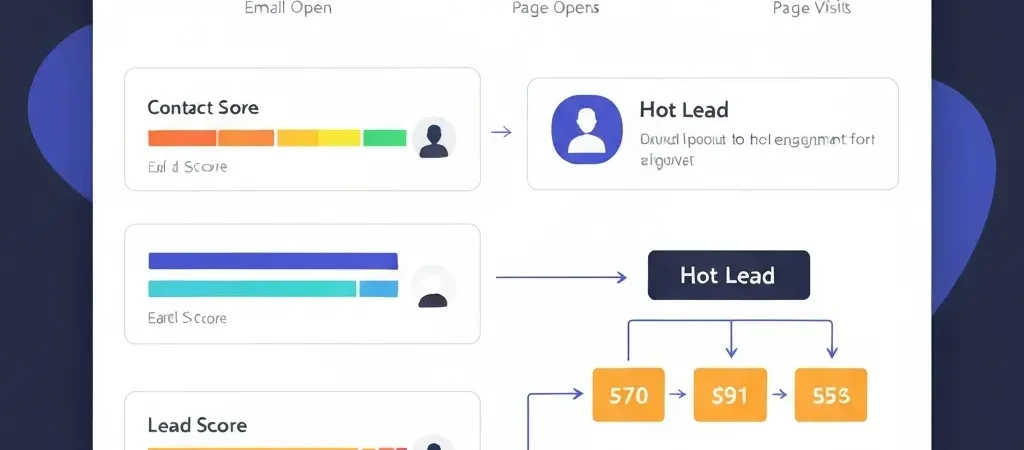
Lead Scoring Software: How to Qualify Leads Automatically in 2026
Most marketing teams have the same problem: they send leads to sales, and sales ignores them. The reason isn’t that sales is lazy — it’s that the leads aren’t qualified. When every contact in your CRM looks the same regardless of whether they visited your pricing page three times or opened a single email eight months ago, sales can’t prioritize, and everyone loses. Lead scoring software solves this by automatically tracking behavior, assigning points, and surfacing only the leads that show genuine purchase intent — so sales knows exactly who to call first.
In 2026, the gap between teams with and without lead scoring is measurable in close rates and pipeline velocity. AI-assisted lead scoring now delivers 25% conversion increases within six months, and companies with lead scoring report 2–3x higher close rates on sales-touched leads because those leads have been pre-qualified by behavior before the first conversation.
This guide covers how to build a lead scoring model from scratch, which behaviors to score, how to set routing thresholds, and how to implement it in CampaignOS.
What Is Lead Scoring and Why It Matters
Lead scoring is the practice of assigning numerical values to leads based on their profile and behavior, then using the cumulative score to determine where a lead sits in the buying journey. A lead with a score of 20 (opened one email) needs more nurturing. A lead with a score of 95 (opened 5 emails, visited the pricing page, started a trial) is ready for sales contact.
Without scoring, every lead goes into the same bucket and gets the same treatment. Sales either ignores marketing leads entirely (because they’ve learned from experience that most aren’t ready) or wastes time calling people who aren’t ready to buy. With scoring, marketing and sales have a shared language — “we send you leads above 80 points” — and sales can trust that those leads have demonstrated genuine intent.
Building a Lead Scoring Model
A lead scoring model has two components: positive scores (behaviors and attributes that indicate intent) and negative scores (signals that indicate low probability). The total score at any moment represents the lead’s current engagement level.
Start simple. An overly complex scoring model with 40 variables is harder to maintain and doesn’t necessarily outperform a simple 10-variable model. Your first scoring model should be built on your 5–8 most meaningful behavioral signals and reviewed after 90 days of data.
Behavioral Signals to Score
| Behavior | Points | Signal Strength |
|---|---|---|
| Email open | +2 | Low (passive, often auto-opened) |
| Email click (any link) | +8 | Medium |
| Website visit (any page) | +3 | Low |
| Pricing page visit | +20 | High — direct purchase intent |
| Demo or trial request | +40 | Very high |
| Content download | +15 | Medium-high |
| Reply to any email | +25 | High — active engagement |
| Case study or ROI page visit | +15 | High — evaluation stage |
Demographic and Firmographic Scoring
Behavioral scoring tells you what a lead has done. Demographic and firmographic scoring tells you how well the lead fits your ideal customer profile (ICP). Both matter — a highly engaged lead from a company too small to afford your product is still a poor lead.
| Attribute | Positive Score | Negative Score |
|---|---|---|
| Job title (decision maker) | +20 | -10 (individual contributor) |
| Company size (in ICP range) | +15 | -15 (outside ICP range) |
| Industry (target vertical) | +10 | -10 (non-target vertical) |
| Personal email address | 0 | -10 (B2B context) |
Setting MQL Thresholds and Sales Routing
Once you have a scoring model, you need thresholds that define when a lead transitions from marketing’s responsibility to sales’. The most common framework uses three tiers:
- Cold (0–30 points): Continue automated nurture sequence. No sales involvement.
- Warm (31–60 points): Receive higher-frequency nurture content. Add to retargeting audiences. No direct sales contact yet.
- Marketing Qualified Lead / MQL (61+ points): Trigger immediate notification to sales. Route to a sales sequence or create a CRM task for personal outreach.
In CampaignOS, when a lead crosses the MQL threshold, an automation triggers: a tag is added (“MQL”), a notification goes to the assigned sales rep via email or Telegram, and the lead is enrolled in a sales-support sequence that provides additional relevant content while sales does outreach.
Negative Scoring and List Hygiene
Negative scoring is the underused counterpart to positive scoring. Assign negative points for signals that indicate low-probability: email bounced (-50), unsubscribed (-100), used a competitor email domain (-20), or no engagement in 60+ days (-10 per month of inactivity). Negative scoring keeps your MQL tier clean and prevents sales from wasting time on technically “engaged” leads who are actually stale.
Case Study: SaaS Company — 3x Increase in SQL Rate
Problem: Sales was calling all leads regardless of quality. Close rate was 4% because most leads weren’t ready.
Solution: CampaignOS lead scoring with behavioral + firmographic model. MQL threshold set at 65 points. Sales only contacts leads above threshold.
Result: MQL-to-SQL rate improved 3x. Sales close rate increased from 4% to 19%. Monthly pipeline value doubled despite the sales team doing fewer outreach activities.
Setting Up Lead Scoring in CampaignOS
CampaignOS implements lead scoring through a combination of contact properties, automation rules, and tags:
- Define your scoring fields: Create a custom contact property “lead_score” with a numeric value.
- Create behavior automations: For each scorable action (email click, page visit, form fill), create an automation that increments lead_score by the assigned value.
- Set the MQL threshold automation: Create an automation that triggers when lead_score reaches your MQL threshold — adds “MQL” tag, sends sales notification, enrolls in sales-support sequence.
- Add decay logic: Create a weekly automation that reduces lead_score by 2 points for contacts who haven’t engaged in 30 days.
- Review and calibrate: After 90 days, compare MQL conversion rates. Adjust point values for behaviors that over- or under-predict conversion.
For the audience segmentation layer that complements lead scoring, see audience segmentation tool guide. For the full SaaS growth automation context that lead scoring fits into, see SaaS marketing automation growth guide. For startup-specific lead scoring and prioritization, see marketing automation for startups guide.
Frequently Asked Questions
What is lead scoring software?
Lead scoring software automatically assigns numerical values to leads based on their profile attributes (job title, company size) and engagement behaviors (email opens, page visits, form fills). It provides a single score per lead that represents their readiness to buy, allowing sales teams to prioritize outreach and marketing teams to route leads efficiently.
What’s the difference between explicit and implicit lead scoring?
Explicit scoring uses information the lead has provided directly — job title, company, industry from a form. Implicit scoring uses behavioral data — which pages they visited, which emails they clicked, how often they engage. Best-practice lead scoring combines both: implicit scoring for engagement level, explicit scoring for ICP fit. A lead that scores high on both is a genuine MQL.
How do you determine the right MQL threshold?
Start with a threshold that produces a manageable volume of MQLs for your sales team — typically 5–15% of your active lead base per month. Review the win rate on MQL-touched leads after 90 days. If win rates are high (above 20%), lower the threshold to increase volume. If win rates are low (below 10%), raise the threshold to improve quality. Calibration is an ongoing process, not a one-time setup.
Does CampaignOS have built-in lead scoring?
CampaignOS supports lead scoring through custom contact properties and automation rules. You define the scoring criteria and point values, and CampaignOS automations handle the point increments, threshold triggers, and sales routing notifications. It doesn’t require a separate CRM or lead scoring platform.
How often should you update your lead scoring model?
Review your scoring model every 90 days for the first year, then semi-annually once calibrated. Key signs your model needs updating: MQL-to-SQL rate dropping, sales feedback that “the leads aren’t good,” or a new high-converting channel that isn’t captured in the current scoring rules. Models should evolve as your product, ICP, and sales process change.
Start Scoring Leads Automatically
CampaignOS handles lead scoring, MQL routing, and sales notifications — all in one free platform. Stop guessing which leads are ready and let the data decide.