Customer Engagement Automation Playbook for 2026
Customer engagement automation is the discipline of systematically building and maintaining the relationship between your product and your customers at scale — without requiring a human to intervene at every touchpoint. When done well, it feels like personalized attention. When done poorly, it is noise that accelerates churn. This playbook is the operational framework for doing it well: lifecycle-aware strategies, retention mechanics that actually work, and the instrumentation you need to know whether any of it is having an impact.
The business case is quantified. Companies using marketing automation report an 80% increase in leads and a 77% increase in conversions. Automated customer engagement specifically — as distinct from top-of-funnel automation — drives measurable retention improvements. A 5% improvement in customer retention increases profits by 25–95% depending on your business model. That range is wide, but the direction is unambiguous: retaining customers is among the highest-ROI activities a growth team can execute.
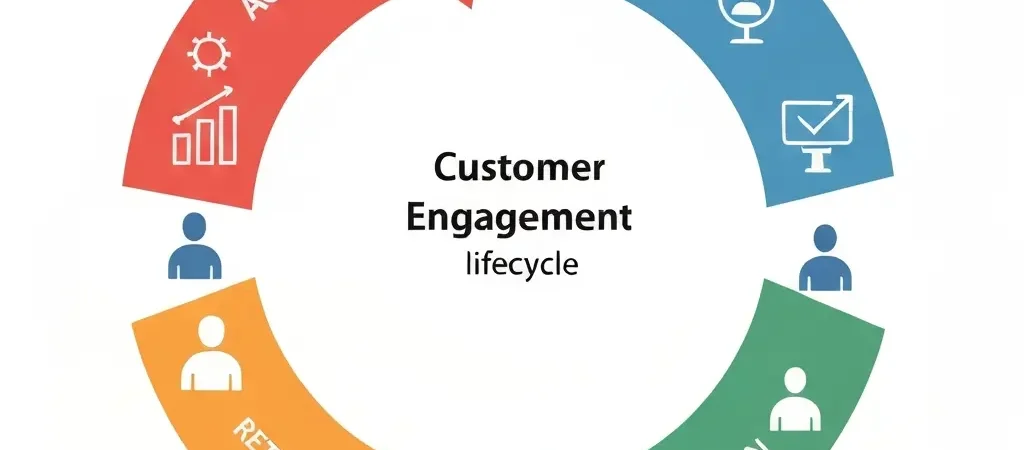
The Four-Stage Lifecycle Framework
Every customer is somewhere in a journey that runs from first contact to deep product habit. Engagement automation’s job is to move customers through that journey faster, with fewer drop-offs, and with better retention at every stage. The four-stage framework gives you a mental model that maps automation goals to customer reality.
| Stage | Definition | Primary Goal | Key Metric |
|---|---|---|---|
| Activation | New contact → first core action | Reach “aha moment” quickly | Activation rate %, time to activation |
| Adoption | Activated → habit formation | Build product routine | DAU/MAU ratio, feature breadth |
| Retention | Habit user → at-risk detection | Identify and recover at-risk users | Churn rate, retention by cohort |
| Expansion | Retained → upsell/advocacy | Grow revenue and referrals | NRR, NPS, referral rate |
Stage 1: Activation
Activation is the most critical stage in the lifecycle. Contacts who do not activate within the first 14 days rarely do — and activated users have dramatically higher long-term retention. Your activation automation should have one goal: get the contact to their “aha moment” as fast as possible.
Defining Your Activation Event
The activation event is the specific product action that correlates most strongly with long-term retention. For CampaignOS users, it might be “first automation workflow activated.” For an email marketing tool, it might be “first campaign sent.” Identify yours by analyzing which early action best predicts 90-day retention in your user cohort data.
Activation Automation Sequence
Day 0: Immediate welcome email — one CTA, directly to the activation action. No product tour, no feature list, one thing to do.
Day 1: If not activated → Email 2: “Here’s the 5-minute setup” (reduce perceived friction). If activated → Milestone email + begin adoption sequence.
Day 3: If not activated → Email 3: offer a live demo or setup call. Add push notification if opted in.
Day 7: If not activated → SMS (if opted in): “Still here when you’re ready” + resource link. Flag contact for sales outreach if high-value.
Day 14: If not activated → Re-engagement cascade begins. Move to suppressed segment after 3 more attempts.
Reducing Activation Friction
Activation automation makes the biggest impact when the activation barrier is genuinely addressable by messaging. If your product requires complex setup, no amount of email sequencing will compensate — solve the setup friction first. The best activation automation works because it provides the right guidance at the right moment, not because it bombards users with messages until they give up or comply.
Stage 2: Adoption
Adoption automation moves activated users toward deep product habits. The focus shifts from “do this one thing” to “use these features in combination.” Breadth of feature adoption is a strong predictor of long-term retention — users who use three or more core features churn at significantly lower rates than users who use only one.
Feature Discovery Sequences
After activation, the adoption automation introduces one new feature per week for the first 4–6 weeks. The template: “You’ve been using [Feature A]. Here’s how [Feature B] makes it more powerful.” This is contextual expansion — connecting the new feature to something the user already values — rather than feature enumeration.
Adoption Behavioral Triggers
- User reaches 80% plan usage → send upgrade consideration email
- User activates Feature B after Feature A adoption email → milestone celebration + Feature C introduction
- User invites a team member → send “team collaboration features” guide
- User exports data or integrates with external tool → send “advanced integrations” guide
Stage 3: Retention
Retention automation is the most valuable and the most commonly underdeveloped area of engagement automation. Most teams invest heavily in acquisition automation and barely anything in retention — despite the 25–95% profit impact of a 5-point retention improvement.
Early Warning Signals
The engagement signals that predict churn 30–60 days before it happens:
- Login frequency drops below 30% of prior 30-day average
- No activity on core features for 14+ consecutive days
- Support ticket volume spikes (especially for billing-related topics)
- Team member invitations stop (growth signal reversal)
- Pricing page visits increase (comparison shopping signal)
Churn Prevention Sequence
Triggered by health score dropping below threshold:
- Week 1: Check-in email from founder or head of customer success (personalized, not templated-looking). Ask: “Is there anything blocking you?” No sales pitch.
- Week 2 (if no response): “Here’s what’s new” email — genuine product improvements since their last active period
- Week 3 (if still no engagement): Discount or extended trial offer — make the decision to stay easier
- Week 4: Final check-in with explicit acknowledgment of the situation
Stage 4: Expansion
Expansion automation identifies customers ready to grow and presents upgrade, upsell, or referral opportunities at the moment of maximum relevance.
Expansion Trigger Signals
- Contact has used 80%+ of plan limits for two consecutive months
- Contact has been a customer for 12+ months with consistent usage
- Contact has adopted 4+ features (high engagement, high retention probability)
- Contact has opened pricing page 3+ times in 30 days
- Contact gave NPS score of 9 or 10 (promoter, ideal referral candidate)
Referral Automation
NPS promoters (9–10 score) who receive a referral invitation within 24 hours of submitting their score convert at 3–5x the rate of those who receive the same invitation 30 days later. Automate the NPS → referral invitation workflow with tight timing. The window of enthusiasm is short.
Building a Customer Health Score
A customer health score is a single computed metric (0–100) that represents the current engagement level and churn risk of each contact. It powers your retention automation by providing a continuous signal rather than relying on individual trigger events.
Simple health score formula (weighted average of signals):
- Login recency (30%): 100 if logged in last 7 days, declining to 0 at 60 days
- Feature usage breadth (25%): 100 if using 4+ features, 0 if using only 1
- Engagement frequency (25%): 100 if daily active, 0 if monthly or less
- Relationship signals (20%): Team size growth, integrations added, data volume increasing
Set churn risk thresholds: >70 = healthy, 40–70 = at-risk (trigger check-in), <40 = high churn risk (trigger churn prevention sequence immediately).
Reading Engagement Signals
Not every signal is a trigger for action. Some signals are informational (update the health score), some are trigger-worthy (activate a workflow), and some are high-priority alerts (require human intervention). Categorizing your signals before building automation prevents over-automation — the situation where every signal fires a workflow and contacts receive daily messages from every corner of your automation stack.
For the full breakdown of how engagement signals translate into workflow triggers across channels, see our customer engagement platform architecture guide and the pattern library in our workflow automation patterns guide.
Channel Strategy by Lifecycle Stage
| Stage | Primary Channel | Supporting Channels | Avoid |
|---|---|---|---|
| Activation | In-app, push (if activated) | SMS (too early in relationship) | |
| Adoption | Email + in-app | Push, Telegram (developer audiences) | High-frequency SMS |
| Retention (at-risk) | SMS (high-value only), phone (enterprise) | Push (may be disabled by lapsed users) | |
| Expansion | In-app (upgrade prompts), WhatsApp (high-value) | Over-messaging (they’re already customers) |
Measuring Customer Engagement Automation
The right metrics for engagement automation are outcome metrics, not activity metrics. These are the KPIs that matter:
- Activation rate: % of new contacts who complete the activation event within 14 days
- Time to activation: Median days from signup to activation event (lower is better)
- Feature adoption breadth: Average number of core features used per monthly active user
- 30/60/90-day retention rates: % of contacts still active at each interval
- Net Revenue Retention (NRR): Revenue retained plus expansion minus churn, as a percentage of prior period revenue
- Health score distribution: % of contacts in healthy, at-risk, and high-churn-risk buckets
Track these through your marketing analytics dashboard and review them on a weekly cadence. Engagement automation is not a set-and-forget system — it is a continuous optimization loop that improves with every review cycle.
For teams looking to complement engagement automation with AI-driven content that feeds the top-of-funnel, Authenova’s content automation platform is worth exploring as a complementary layer in your growth stack.
Frequently Asked Questions
What is the difference between customer engagement automation and email marketing automation?
Email marketing automation is a subset of customer engagement automation. Email automation handles the email channel. Customer engagement automation encompasses all channels, all lifecycle stages, and the full relationship between your product and your customers — including non-messaging touchpoints like in-app notifications, health scoring, and NPS surveys. The distinction matters because effective engagement automation requires a holistic view of the customer, not just their email behavior.
How do you identify at-risk customers before they churn?
The most reliable predictors of churn are behavioral, not stated. Watch for: login frequency declining to less than 30% of prior month average, no activity on core features for 14+ days, pricing page visits increasing, support ticket volume spiking, and team member growth reversing. Build a health score that aggregates these signals into a single number, then set automation thresholds that trigger retention workflows before the contact reaches a point of no return.
When should human follow-up replace automated engagement?
Human follow-up should replace automation when: the contact is high-value (above a revenue threshold worth protecting), automated sequences have not produced engagement after two or three attempts, the contact has explicitly asked for help or expressed frustration, or the churn risk is high and the relationship is salvageable. Automation is efficient for the majority of contacts; humans are more effective for the high-value minority where the relationship complexity exceeds what templates can address.
How long does it take to see results from customer engagement automation?
Activation automation shows results within 30 days — you can compare activation rates for cohorts who entered before and after the workflow was deployed. Retention impact takes 60–90 days to measure because churn signals require time to develop. Full lifecycle automation ROI is typically visible in 90–180 days, with NRR improvements becoming statistically significant at the 6-month cohort comparison level. Build your measurement framework before deploying automation so you can isolate the impact.
What is a good customer activation rate benchmark?
Activation rates vary significantly by product complexity and activation event definition. For self-serve SaaS, 40–60% activation within 14 days is a healthy benchmark. For complex products with multi-step setup, 25–35% is more realistic. The most important benchmark is your own historical trend — if your activation rate is improving month over month, your activation automation is working. If it is flat or declining, investigate the friction points.
How do you build a referral automation workflow that actually converts?
Referral automation works when timing and incentive match promoter intent. Trigger the referral invitation immediately (within 24 hours) when a contact submits an NPS score of 9 or 10. The ask should be specific: “Share with one colleague who has this problem.” Make the referral action frictionless — a pre-filled email template, a shareable link, a referral code. The incentive should be bilateral (reward both referrer and referee). Track referral conversion rate and optimize the timing, copy, and incentive structure iteratively.
Automate the Full Customer Lifecycle
CampaignOS gives you the automation infrastructure to run activation, adoption, retention, and expansion sequences across every channel — with health scoring, behavioral triggers, and open source flexibility.