How to Create a Welcome Email Sequence That Converts in 2026
A welcome email sequence is the single highest-leverage automation you can build. New subscribers open welcome emails at rates 4x higher than regular campaigns — yet most businesses send one generic email and move on. Learning how to create a welcome email sequence that converts means turning that initial curiosity into a relationship, and that relationship into revenue, all on autopilot.
This guide walks you through every step: planning your sequence structure, writing each email, configuring triggers, segmenting by entry point, and measuring what matters. Whether you are starting from zero or rebuilding a sequence that has gone stale, these steps apply directly in any modern automation platform.
Prerequisites and Setup
Before you write a single word, confirm you have these in place:
- A confirmed opt-in form with a clear value promise (what the subscriber gets for joining)
- A sending domain that is authenticated with SPF, DKIM, and DMARC records
- An automation platform that supports conditional branching based on email engagement (opens, clicks)
- A defined subscriber goal — what action do you want subscribers to take by Day 14? (purchase, trial signup, booking a call)
- Estimated time: 3-5 hours to write and configure a 6-email sequence
- Difficulty: Beginner-friendly if you have an automation platform. No coding required.
Platforms like CampaignOS let you build these sequences with visual workflow builders, making the automation setup step straightforward even if this is your first sequence. If you want to understand the broader context of why automation matters here, how email marketing automation works step by step is a useful primer.
Plan Your Sequence Structure
A converting welcome sequence follows a clear arc: deliver immediate value, build trust, introduce the solution, overcome hesitation, and then ask for the conversion. Research from ActiveCampaign shows that 75% of email revenue is generated within the first 10 days of subscription — so every email in your sequence needs a job.
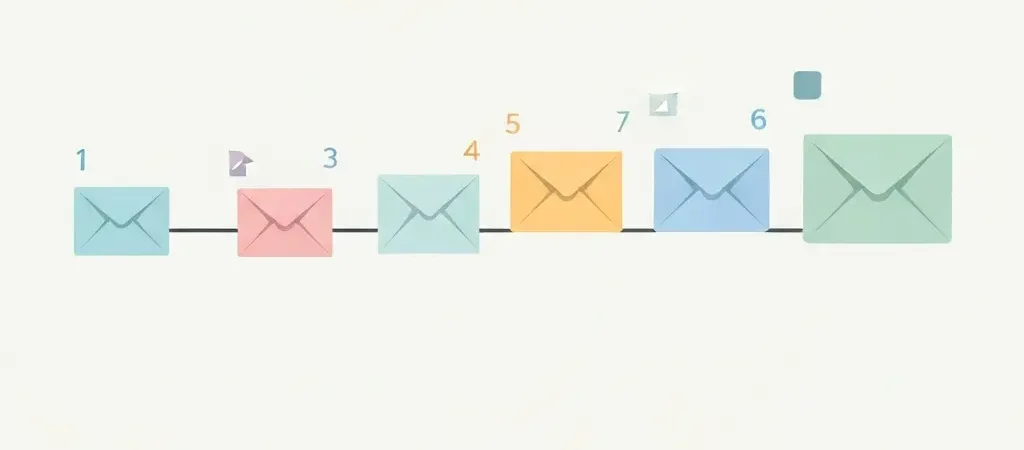
Here is the framework this guide uses:
| Timing | Job | Goal Metric | |
|---|---|---|---|
| 1 — Welcome + Deliver | Immediately | Deliver the promised asset, set expectations | Open rate >50% |
| 2 — Value | Day 2 | Teach something immediately useful | Click rate >5% |
| 3 — Story | Day 4 | Build trust with proof or founder story | Reply rate |
| 4 — Product Intro | Day 6 | Introduce your solution in context of their problem | Click rate >3% |
| 5 — Objections | Day 9 | Address the top 3 reasons people don’t buy | Open rate |
| 6 — Conversion | Day 12 | Time-limited offer or strong CTA | Conversion rate |
Step 1 — Write the Immediate Delivery Email
- Subject line: Use the specific thing you promised. “Your [freebie name] is here” outperforms “Welcome to [Brand]” every time because it signals the email contains what the subscriber asked for.
- Open with delivery: Put the download link or the key resource in the first two sentences. Do not make subscribers scroll to find what they signed up for.
- Set the sequence expectation: Tell subscribers what is coming next and when. “Over the next two weeks, I’ll send you [specific outcomes].” This primes them to look for your emails.
- Include one micro-action: Ask them to reply with one word, add you to contacts, or click to confirm a preference. Any engagement in Email 1 trains their inbox algorithm to deliver your future emails to the primary tab.
- Keep it short: 150-250 words maximum. The job is delivery and expectation-setting, not selling.
Step 2 — Write the Value Email
- Choose one specific, actionable insight: Not a listicle. One thing they can do today that produces a visible result. The more specific, the better — “increase your email open rate by changing subject line length” beats “10 email tips.”
- Lead with the outcome, not the process: Start with what the subscriber gains, then explain how. “You can cut your email bounce rate in half by cleaning your list before every send. Here is exactly how to do it in 10 minutes.”
- Use a personal tone: Write in first person as if you are talking to one person. Avoid corporate language. Read the email out loud — if it sounds like a brochure, rewrite it.
- Add one external link to a resource: Linking to a useful third-party resource (not your product) builds credibility. It signals you care about helping, not just selling.
- CTA: No product link yet. Ask them to reply with their biggest challenge related to your topic. Replies improve deliverability and give you customer research data.
Step 3 — Write the Story/Social Proof Email
- Choose your proof format: Either a customer success story (with numbers) or your origin story. Customer stories convert better for B2C; founder stories work better for B2B/SaaS.
- For customer stories: Name the subscriber’s situation before they found you, the specific action they took, and the measurable outcome. “Maria was sending 3,000 emails a week manually. After automating her sequence, she reclaimed 8 hours every week and her conversion rate went from 1.2% to 4.7%.”
- For founder stories: Describe the exact problem you personally experienced that led you to create your product. Make the reader see themselves in your story.
- Keep the narrative tight: 300-400 words. One story. One outcome.
- End with a soft transition: “We built [product] to solve exactly this. But before I tell you about it — [preview of next email’s value content].” This bridges to Email 4 without a hard sell.
Step 4 — Write the Product Introduction Email
- Frame the product as the solution to the problem you have been discussing: Do not introduce your product out of nowhere. Connect it directly to the pain points raised in Emails 1-3.
- Lead with benefits, not features: Write one sentence per benefit. Each benefit should describe a transformation: “Instead of manually tracking every subscriber action, CampaignOS monitors engagement automatically and moves contacts through your sequence based on what they actually do.”
- Include a specific CTA: Not “learn more.” Instead: “Start your free trial”, “See the live demo”, “Book a 15-minute call.” The CTA should match the subscriber’s readiness — if your product is complex or expensive, a demo is more appropriate than a buy-now button.
- Add a single testimonial: One quote with the person’s name, company, and result. This is not the place for a wall of social proof — one well-chosen quote does more work.
- PS line: Add a P.S. that previews the next email and creates curiosity. “P.S. In two days I’ll show you the #1 reason people don’t convert from free to paid — and the exact email that changes that.”
Step 5 — Write the Objection-Handling Email
- List your top 3 objections: Go back to sales calls, support tickets, or reply emails. What do people say when they don’t buy? Common ones: “It’s too expensive,” “I don’t have time to set it up,” “I’m not sure it works for my situation.”
- Address each objection directly: Name the objection without apologizing for it. “You might be thinking: this takes too long to set up.” Then provide the evidence that resolves it: “The average CampaignOS user has their first automation live within 45 minutes.”
- Use a FAQ format for clarity: Three objections as three bold questions with two-sentence answers each. This format is scannable and each answer is self-contained.
- End with a restatement of the offer: Remind them of what is available and what they get. Keep this to 2-3 lines.
- No urgency yet: Save time pressure for Email 6. This email is purely informational — removing friction without pushing.
Step 6 — Write the Conversion Email
- Create genuine scarcity or urgency: A limited-time discount, a bonus that expires, or a cohort with enrollment closing. Fake urgency destroys trust — only use urgency that is real and verifiable.
- Lead with the outcome they are missing: “You’re 48 hours away from [specific result]. Here’s your last chance to [action] at [price/terms].”
- Recap the value in bullet points: In 5 bullets, list everything they get. This is a decision-support email — give them everything they need to say yes without scrolling back through 5 previous emails.
- Make the CTA unmissable: One large, clear button. Repeat it in plain text below the button for accessibility. Add the deadline explicitly: “This offer expires [Day/Date] at midnight EST.”
- Add a fallback option: Not ready to buy? Give them an alternative action (join the community, read a case study) so the email still delivers value for non-converters.
Step 7 — Configure the Automation Workflow
- Set the entry trigger: The sequence should start when a contact joins a specific list or tags with a specific label (e.g., “lead-magnet-download”). Do not trigger the sequence for every new contact globally — segment by entry point first (see Step 8).
- Set wait steps between emails: Use wait steps (not scheduled sends) so timing is relative to each subscriber’s entry date, not a calendar date.
- Add engagement branches after Email 3: If a contact clicked a link in Email 3, they are highly engaged. Branch them into a faster path that moves to the product email sooner. Non-openers after Email 2 should get a re-send with a different subject line before proceeding.
- Set a goal event: In your automation platform, define the sequence’s goal (e.g., “made a purchase” or “started trial”). When a contact achieves this goal, exit them from the sequence immediately so they don’t receive conversion emails after already converting.
- Test the full workflow: Use a test contact to walk through every branch. Confirm timing, links, merge tags, and exit conditions all work as expected before activating.
If you are using CampaignOS, the visual workflow builder lets you map this entire sequence — triggers, waits, conditions, and goal exits — in a single canvas. Pair this with the guidance in how to build a marketing workflow with automation to extend this sequence into a full funnel.
Step 8 — Segment by Entry Point
One welcome sequence for every subscriber dilutes results. Subscribers who found you through different channels have different expectations and needs.
- Identify your top 3-4 lead sources: Common ones are content upgrades (blog readers), gated tools (free calculators), paid ads, and referrals.
- Create a base sequence and entry-point variants: The email structure stays the same. Change Email 1 (deliver the specific asset they requested), Email 3 (use a case study relevant to their segment), and the CTA offer in Email 6 (match the offer to their awareness level).
- Tag contacts at signup: Pass the lead source as a tag from your form or landing page into your automation platform. Your trigger then filters by this tag to route contacts into the correct sequence variant.
- Test one variant at a time: Build and optimize your base sequence first. Add a second entry-point variant after your base sequence achieves stable open and click rates.
For more on this approach, see the guide on how to segment your audience for email marketing.
Step 9 — Measure and Optimize
- Track these metrics per email, not per campaign: Open rate, click-to-open rate (CTOR), unsubscribe rate, and conversion rate. A low open rate on Email 3 means a subject line problem. A low CTOR means the content does not deliver on the subject line’s promise.
- Set a 30-day review cadence: After your first 30 days of data, identify the single email with the lowest CTOR and rewrite only that email. Test for another 30 days before changing anything else.
- Monitor sequence drop-off: If open rates drop by more than 20% between consecutive emails, the gap between those emails is either too long or the content is not delivering enough value to earn continued attention.
- A/B test subject lines first, then content: Subject line changes produce faster, clearer results. Once open rates are strong, test CTA copy, email length, and send timing. For a complete guide on this, see how to set up A/B testing for email campaigns step by step.
- Review every 90 days for freshness: Offers expire, products change, and subscriber expectations evolve. A welcome sequence written in 2024 may reference outdated features or prices. Quarterly audits keep every email accurate and high-converting.
Frequently Asked Questions
How many emails should be in a welcome sequence?
Most research points to 4-6 emails as the optimal range. Fewer than 4 emails does not give you enough touchpoints to build trust before asking for a conversion. More than 6 risks subscriber fatigue before you have established the relationship. Start with 5 emails and add a sixth (the conversion email) once you have data showing strong engagement through Email 4.
How long should a welcome email sequence last?
10-14 days is the standard window. Research consistently shows that most first-time purchases happen within 10 days of a subscriber joining a list. Your final conversion email should arrive before Day 14 to capture this window. For high-consideration products (enterprise software, coaching programs), you can extend the sequence to 21 days and add more value emails before the conversion ask.
What is the average open rate for welcome emails?
Welcome emails average a 50-60% open rate, compared to 20-25% for regular newsletters. This window of high engagement is exactly why getting your welcome sequence right matters so much — you have four times the normal attention, and it does not last. Open rates typically stabilize at standard levels by Email 3 or 4 in a sequence, making your first two emails the most critical for setting the relationship tone.
Should I include promotional content in my first welcome email?
No. Email 1 should focus entirely on delivering what was promised and setting expectations. Introducing a promotional offer in the first email before you have established trust typically reduces conversion rates. The exception is a welcome discount that was explicitly promised on the opt-in form — if your signup page said “join for 20% off your first order,” that discount belongs in Email 1 because the subscriber explicitly subscribed for it.
What happens to subscribers who do not convert by the end of the sequence?
Move non-converters into your regular newsletter list and let them continue receiving value content. Do not stop emailing them — they may convert in month 3 based on a regular newsletter that hits at the right moment. Tag them as “welcome-sequence-complete” so you can send targeted re-engagement campaigns (e.g., a new feature announcement or a seasonal offer) without restarting the full welcome sequence.
How do I handle subscribers who convert mid-sequence?
Use a goal event in your automation workflow to exit subscribers immediately when they convert. Set the goal as “made a purchase” or “started trial” and configure your workflow to stop sending welcome sequence emails to anyone who achieves this goal. Without this, a subscriber who buys on Day 4 will still receive the Day 6 product introduction email, which is awkward at best and damaging to trust at worst. Move converted subscribers directly into your customer onboarding sequence.
What is the best time of day to send welcome emails?
Email 1 should send immediately at the moment of signup — timing is irrelevant because the subscriber expects it right now. For subsequent emails in the sequence, research points to Tuesday-Thursday between 9-11 AM or 1-3 PM in the subscriber’s local time zone as delivering the highest open rates. Most modern automation platforms, including CampaignOS, support time-zone-aware sending so each subscriber receives emails at their optimal local time.